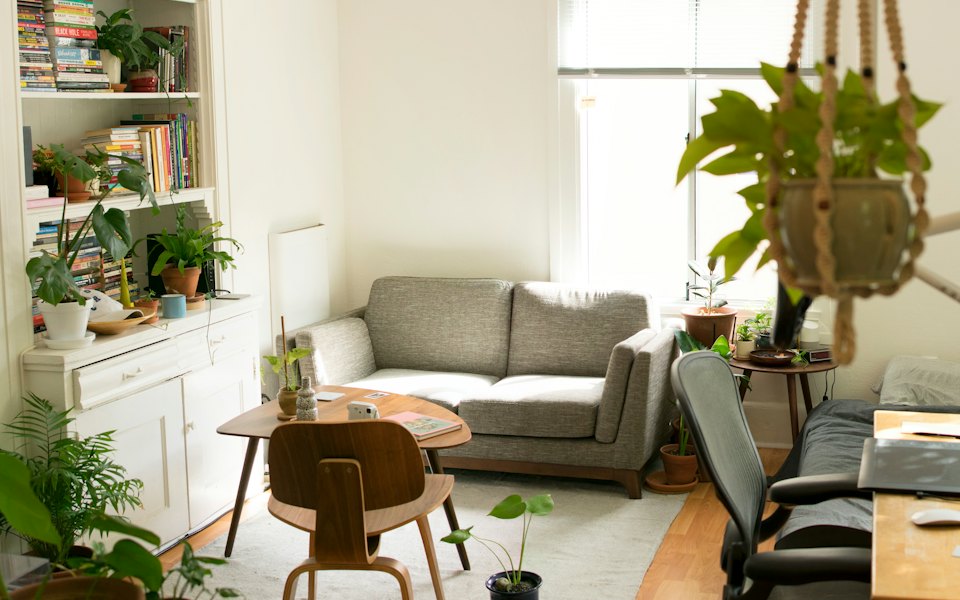
1 / 12
New York, Upper West Side · Sep 24, 2026
2-bedroom apartment, separate rooms
$489,000$840/sq ft
- 580 sq ft
- Area
- 2
- Rooms
- 3 / 8
- Floor
- 2012
- Built
Description
A third-floor apartment in a 2012 building, with a bright living room, a separate kitchen, two bathrooms and an enclosed balcony over the courtyard. Own heating, double glazing, hardwood floors.
Five minutes from Central Park, with a bus stop and a school nearby. Sold furnished, with a parking spot included.
- Own heating
- Enclosed balcony
- Parking spot
- Elevator
- Near Central Park
Ella MorganGreen House Realty · 38 listings
Similar listings
 2-bedroom apartment, Harlem$455,000New York, Harlem
- Renovated studio, 370 sq ft$329,000New York, Chelsea
 3-bedroom apartment with terrace$612,000Jersey City, Downtown
Scroll the listing: the bar stays above the home indicator.
showOn always · threshold 200px · hideOnScroll off · keyboard hide · position fixed (sticky in this frame) · hideFrom none · safeArea on