Audit Log UI in React: Filters, Diffs and CSV Export
Sooner or later a customer asks "who deleted this invoice?" and you open a table of 40,000 rows with columns like event_type and payload. An audit log UI that people can actually use turns that table into sentences: Jessica Dunn voided Invoice #2026-0398, yesterday at 4:35 PM, from Firefox on Windows, and the status went from Issued to Voided. This guide covers the screen and the data behind it: day groups, filters, before and after diffs, CSV export, the phone layout, and the event shape your backend should store so the UI has something good to show.
Good audit log UI design is mostly about what happens once there are thousands of events: how filters reach the server, what the export contains, how a diff reads on a 390px screen, and what to store so a row can say more than "record updated". The working example throughout is the Audit Log component.
What does a usable audit log UI show on each row?
Each row is one sentence with four parts: who (avatar and name, or a clear marker for the system, an API key or an integration), did what (a verb, not an event key), to which record (a link to it) and when. Severity and IP get their own columns because investigators filter and scan by them. Everything else (device, location, request id, the changed fields) lives in the expanded row, because it matters for one event at a time.
Three habits make the difference between a log people read and a log people export to a spreadsheet out of frustration:
- Day headings. "Today", "Yesterday", "Monday, September 21" as sticky headings, with the clock time on each row. The absolute time stays readable without hovering.
- Verbs from a dictionary. Store
invoice.cancelledin the database and map it to "voided" with an icon and a tone in the UI. The key stays stable when the copy changes. - Weight by risk. If every row looks the same, the role change and the failed sign-ins hide among hundreds of routine edits. Quiet styling for info, soft badges for notice, warning and critical.
How do you render a React audit log?
Install the component (it brings the table, filter builder, period picker and CSV helpers with it):
Then pass events and an action dictionary. The actions map turns keys into verbs, icons and tones, and group sorts them in the filter list:
With no other props you get search (actor, sentence, record and IP, accents ignored), a period picker with quick ranges, filter chips for user, action, record type, severity and IP, sticky day headings, expandable rows and a CSV button. Try it below.
$ npx wingo-ui@latest add audit-logWhich filters does an audit trail UI need?
Investigators ask narrow questions: everything Liam did last Tuesday, every deletion this month, every critical event from one IP. The filters are the main tool on this screen, so the defaults cover those questions:
Saved views turn the common questions into one click. Pass views with a name and a filter group, built with createFilterGroup and createFilterCondition from lib/filters (the same model the Filter Builder uses):
How do you show what changed in an audit log?
Store the changed fields, not a free-text description. Each event carries a changes list of { field, label, from, to, type }, and the row expands into a two-column before and after table. The type decides the formatting: money prints $7,315.20 in the log's currency, date prints a date, boolean prints Yes or No, status prints a tinted badge, and an empty value is shown muted so "was empty, now set" reads at a glance.
The same table is exported as AuditDiff if you want it in a record's sidebar or a confirmation dialog. Below 448px of room it stacks the rows, so the diff stays readable on a phone instead of squeezing two columns.
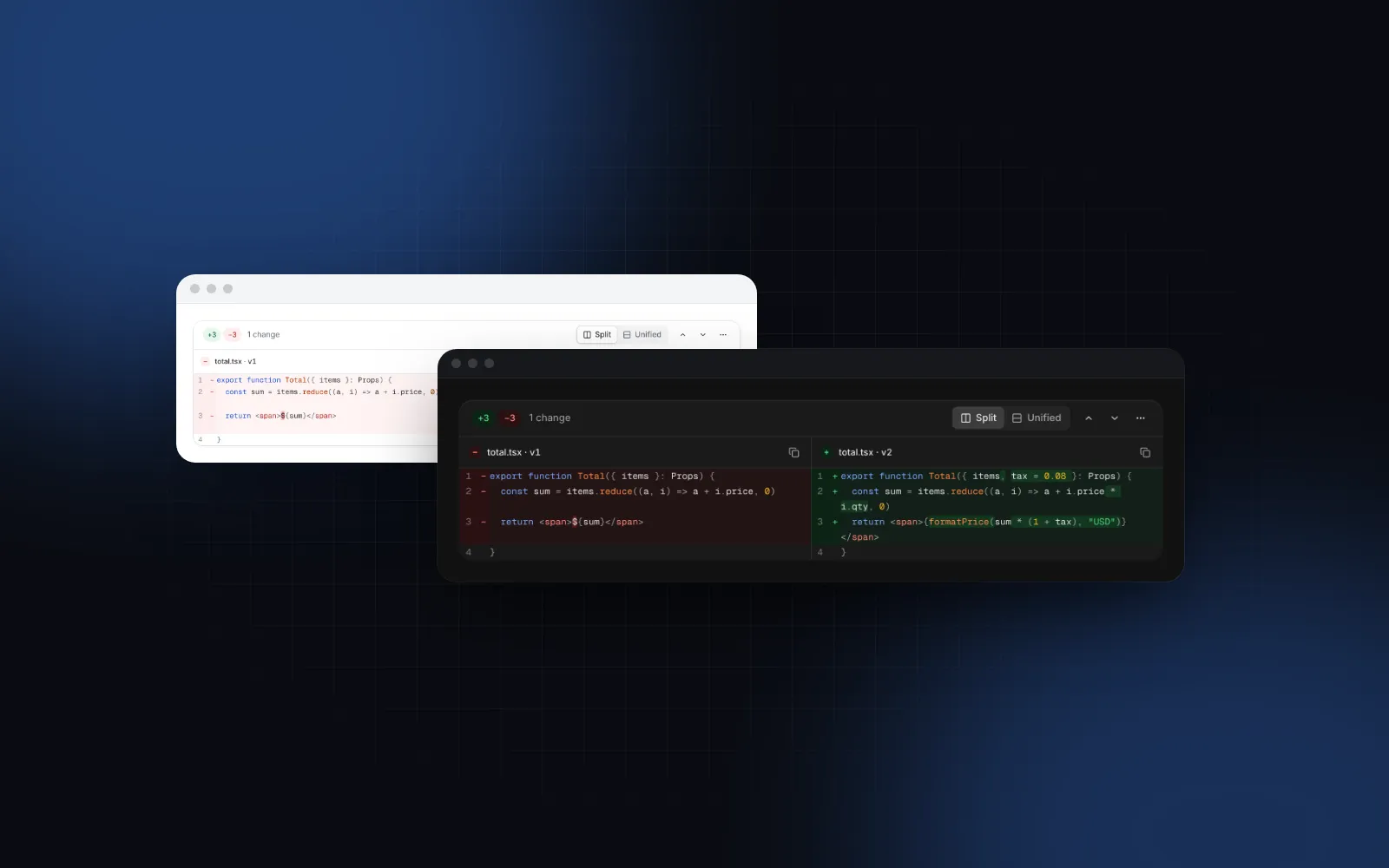
Field diffs break down for long text: a contract clause, an email template, a policy document. Showing two 2,000-character values side by side in a table cell helps nobody. Keep a version id in metadata, link the record to its version page, and render the two versions in a Diff Viewer with word highlights. The React diff viewer guide covers that component in depth.
$ npx wingo-ui@latest add diff-viewerWhat event shape should the backend store?
One append-only row per event, written in the same transaction as the change it describes. If the write to the log can fail while the change succeeds, the log is incomplete and nobody can trust it. A Postgres table that maps one to one onto AuditEvent:
A few decisions behind that shape:
- Copy the actor name and target label. People get renamed and records get deleted. The log has to say what was true at the time, so it cannot depend on a join.
- Keep the action key machine-readable.
resource.verbkeys group naturally (the component's record type filter falls back to the part before the dot) and survive copy changes. - Leave secrets out of
changes. The OWASP Logging Cheat Sheet (opens in a new tab) (read November 2026) lists passwords, access tokens, session ids, encryption keys, payment card data and sensitive personal data among the things to remove, mask or hash before logging. For a password change, log{ field: "password", from: null, to: "changed" }and nothing else. - Record reads that matter. Exports, viewing another user's data and support access belong in the log too, not just writes.
How do you page and filter a large audit log on the server?
In the default mode="client", the component searches and filters the events you pass, which is right for a bounded window such as the last 90 days. It renders at most maxRows events (200 by default) and says so under the list, so a big client-side array still costs you the download and the filtering. Once the table grows past that, switch to mode="server": the component stops filtering and calls onQueryChange 300ms after the search, period or filter last changed, with { search, period, filter }. You fetch, then pass the page back with totalCount, hasMore and onLoadMore, and refreshing keeps the rows on screen with a thin progress bar while the request runs.
On the server, parseFilter reads the filter back, and you translate its conditions (fields actor, action, type, severity, ip) into a parameterized where clause. Page with a cursor on (at, id) rather than an offset, so new events arriving at the top do not shift the pages.
How should the CSV export work?
The built-in button downloads the events that match the current search, period and filters, as audit-log-2026-11-06.csv. Cells that start with =, +, - or @ are prefixed so a spreadsheet does not run them as formulas, and csvDelimiter=";" makes the file open correctly in Excel set to a European locale. The time column uses the viewer's local time, to the minute.
That is right for "send me what I am looking at". It is the wrong file for a security questionnaire, which wants every matching event, in UTC, with seconds. Pass onExport: it receives the visible events and the current query, and a returned promise puts the button in its loading state while your server builds the file. Log the export itself as an event (audit_log.exported), since a download of the full history is exactly the kind of read a reviewer wants to see.
What does an audit log look like on a phone?
Below 768px the table becomes a feed of day groups. Each row is the sentence and the time; a tap expands the diff and the details inline, the record link moves into the details, and the period and filters open as bottom sheets. Load more becomes a full-width button, or loads on scroll with autoLoadMore. This follows the same rule as any responsive table: on a phone, rows become cards instead of a sideways scroll.
When should you use a timeline or a data table instead?
Use a Timeline for the history of one record: the activity panel on a client page, where twenty events of one customer read better as a vertical story with icons than as a filterable table. Feed it from the same audit_events rows, filtered by target_type and target_id (that is what the second index is for).
Use a Data Table when the screen is mostly about columns: sorting by any field, selecting rows, hiding columns. It is the general tool; the audit log is the specialized one with sentences, diffs and day groups built in. If what you need is an event log UI for raw application logs (lines of text with levels, streaming in), the log viewer guide is the better fit.
If you are building the whole team admin screen, the role management UI tutorial shows the audit log as one tab next to members and a permissions matrix, all in the Users Admin Page block. More guides like this one are in the component guides category, starting from the React form components guide. When people need to combine conditions (this user AND this record type, OR any delete), the React filter builder guide covers AND / OR chips and saved views.
Where to go from here
Start with the event table: write one row per change inside the same transaction, with the actor name, an action key, the target and the changed fields. Once that is in place, the screen is mostly configuration. The Audit Log, Diff Viewer, Timeline and Data Table are Pro components (plans start at $8 a month on the pricing page); the docs and demos are public, so you can try every prop before you decide, and a free account gets you the source of the 75 free items.
FAQ
What should an audit log entry contain?
The actor (person, API key or integration), an action key such as invoice.cancelled, the target record with its type and id, an exact timestamp, the changed fields with before and after values, and request context: IP, user agent and a request id. Severity is optional but makes filtering for risky events much faster.
What is the difference between an audit log and an activity feed?
An activity feed is for coordination and may summarize or skip minor events. An audit log is a complete, append-only record that a security reviewer or customer can rely on, so it needs exact times, precise attribution, filters and an export.
Should an audit log show relative times like 5 min ago?
Relative times are fine for today's rows when the absolute time is still visible nearby, for example under a day heading. For reviews and exports, show the full date and time and say which time zone it is in.
How do I show an audit log on a phone?
Turn the table into a feed of day groups where each row is one sentence (actor, verb, record) with the time, and tap to expand the diff and details inline. Open filters and the period picker as bottom sheets instead of popovers.
Should the CSV export run in the browser or on the server?
The browser is fine for the rows already loaded, such as the last 90 days. For a full compliance export, build the file on the server so it covers every matching event, uses UTC timestamps and is itself recorded as an audit event.
- Audit log
- Admin
- Security
- B2B SaaS
- React