Magic UI Alternatives: 5 Animated React Libraries Compared
Most people searching for Magic UI alternatives already like the idea: animated React components you copy into your project instead of installing a package. What they want is a different look, a different license, more components, or effects that hold up outside a desktop browser. This guide compares the animated component libraries developers actually pick in 2026, with facts we checked on October 16, 2026, and links to each source.
We build Wingo UI, one of the options below, so read our section with that in mind. We also say where the others are the better choice.
What is Magic UI, and why look for an alternative?
Magic UI (opens in a new tab) is a free, open source set of animated components and effects for landing pages: marquees, animated beams, bento grids, text effects, globes and device mockups. You add a component with the shadcn CLI, for example npx shadcn@latest add @magicui/globe. The GitHub repository (opens in a new tab) is MIT licensed and had 22.7k stars when we checked. Its registry folder held 79 component files.
Magic UI Pro (opens in a new tab) is a separate product: an individual license at $199, paid once, with "over 50+" sections and "9+" templates for React, Next.js and Tailwind CSS. The Pro license (opens in a new tab) allows commercial use and forbids redistributing, reselling or sharing the products. It sets liquidated damages of $10,000 per instance of unauthorized redistribution and says purchases are non-refundable.
The common reasons to look elsewhere:
- You want a different style. Magic UI has a recognizable look. A second registry gives you effects other sites have not used yet.
- You need app components. Magic UI is shaped for marketing pages. It has no select, menu, sheet or form fields, so the product behind the landing page still needs another library.
- Accessibility and phones. Few of the free files check
prefers-reduced-motion, and several effects follow a mouse pointer. More on both below.
How do the Magic UI alternatives compare?
They split on three things: the license, how many files handle reduced motion, and whether the effects still work without a mouse. Checked on October 16, 2026. Prices are list prices on each vendor's page that day; several show a struck-out higher price next to them.
How we counted the reduced-motion column: we downloaded each library's component source on October 16, 2026 (the GitHub repositories, and Aceternity's public registry JSON) and searched every file for prefers-reduced-motion, useReducedMotion, reducedMotion or Tailwind's motion-reduce / motion-safe. It is a text search, so treat it as a signal. A static pattern needs no check, and a CSS keyframe can be disabled in your global stylesheet instead. It still tells you who has to do the work: the library, or you.
Which Magic UI alternative is free?
If you want a Magic UI alternative free to use in commercial work, with a bigger catalog, start with React Bits. It had 49.4k GitHub stars when we checked and about 218 components, each in four variants: JavaScript or TypeScript, styled with CSS or Tailwind. The backgrounds use WebGL through ogl or three.js, and some components pull in GSAP or matter-js only where they need them. It also had the most consistent reduced-motion handling of any library we searched.
Read its license before you ship. React Bits uses MIT plus the Commons Clause, which allows commercial use "so long as you do not sell, sublicense, or redistribute the components themselves." Using them in your product is fine. Publishing them in a kit you sell is not.
For a plain MIT license, look at Cult UI (154 animated components on its homepage, Tailwind CSS v4 and Motion, installed through the shadcn CLI) and Motion Primitives (33 core components such as text effects and animated backgrounds, with its own CLI). Motion Primitives gives you building blocks more than finished sections, and none of its core files checked reduced motion, so plan to add that yourself.
What is the best Aceternity UI alternative?
Magic UI is the closest Aceternity UI alternative. Both are shadcn registries of landing page effects built on Motion. Aceternity leans bolder: spotlight heroes, 3D cards, beams and shader backgrounds. Its free components sit next to paid blocks and templates: $169 a year or $199 lifetime on the day we checked, and $1,590 for a team of 10.
The license is the point to check. Aceternity's terms cover "each item available for purchase or download" and say you cannot redistribute items as source files, even modified. If your project is a public repository, ask before you commit those files. Magic UI's free components are MIT and have no such limit, so as an Aceternity UI alternative for open source work, Magic UI or Cult UI is the safer pick.
Do animated React components respect reduced motion?
Only some of them do. In our text search, React Bits checks reduced motion in 205 of its 218 components, while Magic UI checks it in 6 of 79 files and Aceternity UI in 5 of 113. People turn on Reduce Motion for vestibular disorders, migraines and motion sickness, and a looping hero effect is exactly what that setting exists to stop. Our guide to prefers-reduced-motion in React covers the hook without hydration mismatches.
If you keep a Motion based library like Magic UI, Aceternity UI, Cult UI or Motion Primitives, you can close most of the gap in one place. Motion's reducedMotion setting defaults to "never". Set it to "user" and every motion component under it skips transform and layout animations (opens in a new tab) while it keeps opacity and color changes:
That does not reach CSS keyframes, canvas or WebGL loops. Magic UI's marquee, for example, runs on the animate-marquee keyframe, so add a guard to your global CSS:
Canvas and WebGL effects need the check inside their render loop. The pattern we use: draw one frame, keep looping only while reduced motion is off, and restart when the setting changes, so a reduced-motion visitor gets a still image instead of a blank canvas.
Those files are the ones to read before you ship.
Do animated React components work on phones?
Most render fine, but three things break on a phone, and none of them show up in a desktop preview.
- Effects that follow a mouse. Magic UI's Dock magnifies icons from
onMouseMove, and a finger sliding across a touchscreen fires no mouse moves. Lens also listens for mouse moves only, and Smooth Cursor skips touch pointers on purpose. React Bits' cursor effects vary: Target Cursor turns itself off without a fine pointer, while Blob Cursor and Splash Cursor have touch handling. An effect that stays still on a phone is fine, as long as the layout does not depend on it to reveal content. - Hover reveals. A card that shows its text on hover hides that text from touch users. Check each one with a tap.
- GPU cost. A full-screen shader at 3x device pixel ratio draws nine times the pixels of the same shader at 1x. Browsers also cap how many WebGL contexts a page can keep alive and drop the oldest one past that cap, so an effect that never releases its context on unmount can blank another canvas after enough route changes.
Test with your phone, not only the responsive mode in DevTools, and read our mobile React component library comparison for how app components hold up at 390px.
When does Wingo UI make sense instead of Magic UI?
Wingo UI makes sense when the animated pieces sit inside the product, next to forms, menus and sheets, and have to work on a phone. It is a React 19 and Tailwind CSS v4 library installed as source, and most of its catalog is app components, with the animated ones built to the same rules. Four free ones show how we handle the issues above.
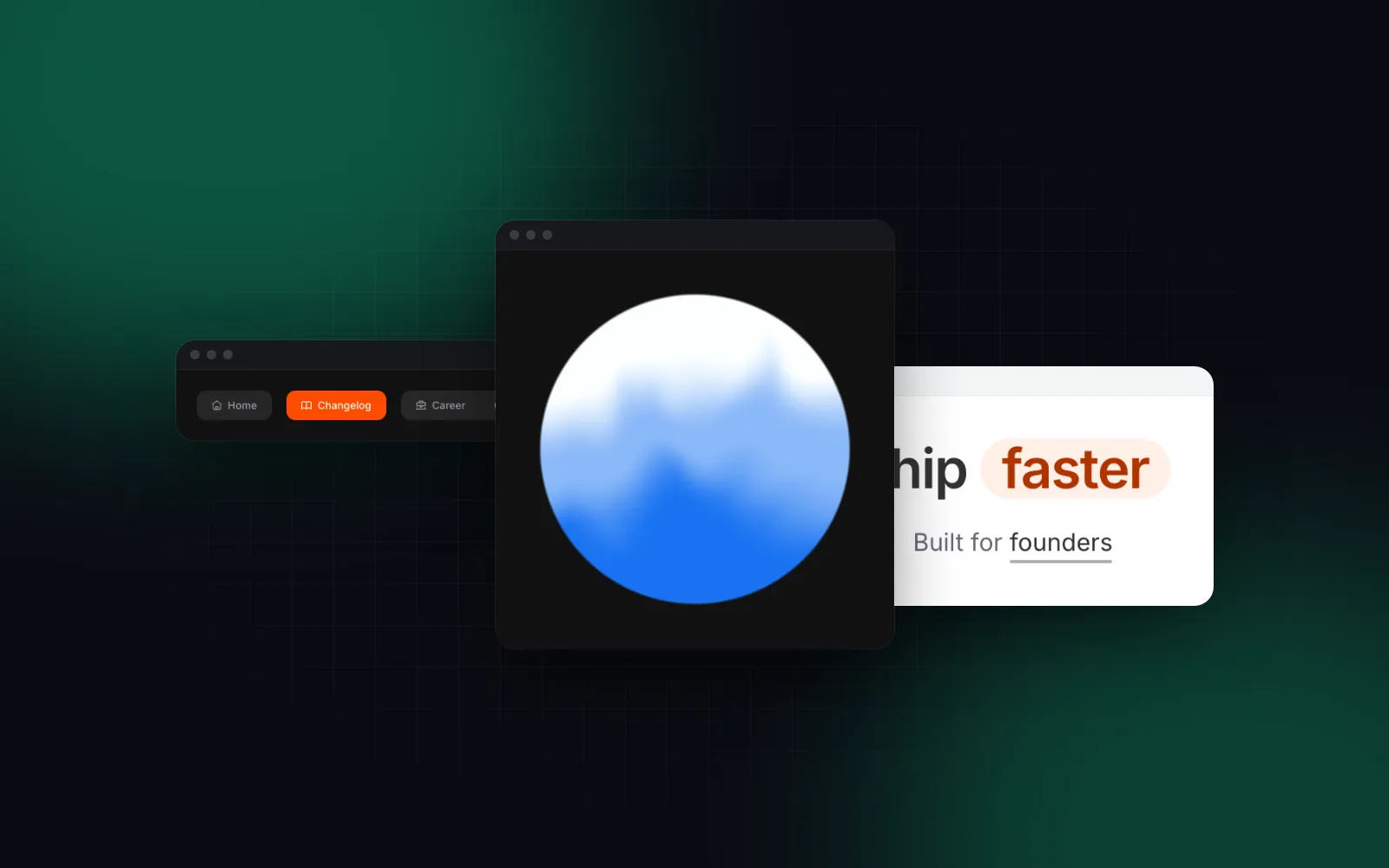
The Fluid Orb is a WebGL orb for voice assistants and loading states. It renders at up to 2x device pixel ratio, holds a still frame when reduced motion is on, and releases its WebGL context on unmount so remounts never pile up contexts. A new color is one shader uniform, so changing it costs no recompile.
$ npx wingo-ui@latest add fluid-orbThe Gooey Nav is a tab bar or segmented control where the selected item pulls away from the group on a stretchy neck. React Bits has a gooey nav too; ours follows the current URL when items have hrefs, marks the active item with aria-current, grows its targets to 44px on touch screens, and has a stacked layout with fullWidth for a bar docked under a phone screen. With reduced motion on, the item jumps to its place instead of springing.
$ npx wingo-ui@latest add gooey-navThe Animated Counter rolls each digit like an odometer, keeps tabular figures so the width only changes when a place is gained or lost, and puts the plain number in a screen-reader-only span so assistive tech reads "9,310", not ten spinning digits. Reduced motion makes the change instant.
The Gravity Letters field drops letters, digits or any React nodes you pass into a physics pile. Tap to drop, press and hold to pour, and tilt the phone to spill the pile (iOS asks for motion permission on the first tap). The physics loop stops once everything has settled, and with reduced motion on, glyphs appear straight on the pile and tilt is ignored.
$ npx wingo-ui@latest add gravity-lettersHere is how three of them combine into a usage card for a SaaS dashboard:
And a 404 page that is fun to land on, capped so a long session never piles up hundreds of nodes:
All four are in the free tier: React animated components free to use in your own and client projects. One command installs them:
The honest limits: Wingo UI has fewer pure marketing effects than Magic UI, Aceternity UI or React Bits. Our text effects, rotating words and marquee are Pro, and if you want fifty animated backgrounds to browse, React Bits is the better catalog. Wingo UI is also younger, with a smaller community. Where it is stronger is everything around the effects: the same rules for motion, touch and theming across 226 components, an MCP server that gives Claude Code, Cursor and Codex the real props, and npx wingo-ui@latest update, which merges our fixes into files you edited.
Which animated React components library should you pick?
It depends on whether you need landing page effects, a free catalog to browse, or product UI:
- You like Magic UI and want more of the same: add Cult UI or Magic UI's Pro sections, both install through the shadcn CLI.
- You want bold hero effects: Aceternity UI, after reading its license if your repository is public.
- You want the largest free catalog and WebGL backgrounds: React Bits, under MIT plus Commons Clause.
- You want small MIT building blocks to compose yourself: Motion Primitives, with
MotionConfig reducedMotion="user"around it. - You need animated pieces that are also app components on a phone: Wingo UI.
Most teams end up with two: an effects registry for the landing page and a component library for the product. That split is fine, since all of these copy plain source files into the same components folder. For the wider field, including libraries without animation, read our shadcn alternatives guide, and browse more head-to-head posts under Comparisons and alternatives.
To try the Wingo UI approach for free, run the install command above and turn on Reduce Motion in your system settings while the demos play. Pro items and plans are on the pricing page.
FAQ
What is the best free alternative to Magic UI?
React Bits has the largest free catalog, 218 components in its repository, each in four code variants, under MIT plus Commons Clause. If you want plain MIT, Cult UI and Motion Primitives are free, built on Motion and install with a CLI.
Is Magic UI free for commercial use?
The open source components are MIT licensed, so you can use them in commercial projects. Magic UI Pro is a separate $199 one-time license that allows commercial use but forbids redistributing or reselling the templates.
What is a good Aceternity UI alternative?
Magic UI is the usual answer, since both are shadcn registries of marketing effects built on Motion. React Bits covers similar ground with WebGL backgrounds and text effects, and its free components are free for commercial use.
Do animated component libraries respect prefers-reduced-motion?
It varies a lot. In our October 2026 check, 6 of 79 Magic UI component files and 5 of 113 Aceternity UI files referenced reduced motion, against 205 of 218 in React Bits. With Motion based components you can wrap the app in MotionConfig reducedMotion="user", which stops transform and layout animations.
Can I mix Magic UI with shadcn/ui or another library?
Yes. Magic UI, Aceternity UI, React Bits, Cult UI and Wingo UI all copy source files into your project, most of them through the shadcn CLI. Watch for files with the same name and for two copies of the same keyframes in your global CSS.
- Comparisons
- Animation
- Magic UI
- React
- Motion