Skip to content
WingoUI
ComponentsTemplatesDocsPricingAI agentsBlogChangelog
  1. Home
  2. Blog
  3. Comparisons and alternatives
  4. Best React Component Library for Dashboard Apps in 2026
Auf Deutsch lesen
  1. Blog
  2. Comparisons and alternatives
  3. Best React Component Library for Dashboard Apps in 2026
Comparisons and alternatives

Best React Component Library for Dashboard Apps in 2026

SR
Serban Rusu · Founder of Wingo UI
Oct 16, 2026 · 13 min read

On this page

0%
  1. What is the best React component library for dashboard apps?
  2. How did we compare the libraries?
  3. How do the dashboard libraries compare?
  4. Which library has the best data table for a dashboard?
  5. How should filters work in a React dashboard?
  6. Which libraries ship the charts and KPI cards a dashboard needs?
  7. What should the app shell around a dashboard do?
  8. Which library should you pick for enterprise, indie and AI-built apps?
    1. Enterprise dashboards
    2. Indie and small-team dashboards
    3. Dashboards built with AI agents
  9. Where should you start?
  10. FAQ
    1. What is the best free React dashboard library?
    2. Is the MUI X Data Grid free?
    3. Is Tremor still maintained?
    4. Which React dashboard library works best with AI coding agents?
    5. Can a React dashboard work well on a phone?

TL;DR

The best React component library for dashboard work is the one whose data table fits your data. For row grouping, pivoting and Excel export, pay for AG Grid Enterprise or MUI X Premium; for a free start, use shadcn/ui's dashboard-01 block or Mantine. For a dashboard people also open on phones, Wingo UI's data table, charts and app shell switch to cards, bottom sheets and a drawer below 768px (prices and versions checked October 16, 2026).

Published Oct 16, 2026

Choosing the best React component library for dashboard work means judging four parts, because that is what every dashboard is made of: a data table with sorting and filters, charts and KPI cards, the filter controls that drive both, and the app shell around them (sidebar, top bar, the menu on a phone). The table decides the most, because grouping, pivoting and export are the features that sit behind paid tiers. We read the docs, pricing pages and npm releases of seven libraries on October 16, 2026 and compared them on those four parts.

We build Wingo UI, one of the seven, so read this as a vendor's comparison with sources. Where another library is the better pick, we say so. More head to head posts live under Comparisons and alternatives, and our guide to shadcn alternatives covers licenses, prices and MCP support across 14 libraries.

What is the best React component library for dashboard apps?

It depends on the table. Pick the library whose data table fits your data, then check that its charts and shell fit too.

  • Enterprise grids with row grouping, pivoting, Excel export and very large datasets: AG Grid Enterprise, or MUI X Premium if the app already uses Material UI.
  • A free dashboard with the source in your repository: shadcn/ui and its dashboard-01 block. Tremor's blocks are free as well, with a maintenance caveat below.
  • A free, batteries-included package: Mantine, or Ant Design for dense admin consoles with a table that does sorting, filters and virtualization out of the box.
  • A dashboard people also open on phones, built with Tailwind CSS: Wingo UI. Its table becomes cards, its filters open as bottom sheets and its sidebar becomes a drawer below 768px.
  • An app an AI agent builds for you: shadcn/ui when you want the most familiar code, Wingo UI when you want the agent to configure one table component instead of writing one.

How did we compare the libraries?

For each library we read the official docs for the table, the charts and the layout, the pricing page where one exists, and the latest npm release on October 16, 2026. We did not run benchmarks, so this post makes no speed claims about anyone's grid. The React dashboard UI components we looked at are the ones a typical SaaS or back-office screen uses: a table, KPI cards, a time-series chart, filters and the shell. Prices are in USD as listed on each vendor's site. Two of the seven are not complete UI libraries: AG Grid is a grid and a chart library you pair with something else, and Tremor focuses on charts and dashboard blocks.

How do the dashboard libraries compare?

The paid grids lead on table features, the copy-paste libraries lead on owning the code, and the free packages sit in between. The table is dated October 16, 2026.

Library, version, licenseData tableChartsApp shellPrice
Wingo UI 1.9.0, 75 of 352 items freeData Table on TanStack Table v9: filters, pinning, resizing, virtualization, server mode, cards on phones16 chart items (area, line, bar, donut, funnel, gauge, radar, sparkline, stat card)App Shell: sidebar rail, top bar, drawer and tab bar on phonesDashboard parts are Pro: $8 a month, $80 a year or $150 once
MUI (opens in a new tab) 9.5.0 core, MUI X 9.15, MIT coreMIT DataGrid pages up to 100 rows; pinning in Pro, grouping and Excel export in Premium@mui/x-charts (MIT), Pro and Premium chart packagesToolpad Core DashboardLayout 0.16.0, or Drawer plus AppBarPro $299, Premium $599 (opens in a new tab) per developer per year
shadcn/ui (opens in a new tab) CLI, MITA guide: you build the table on TanStack TableChart component on Recharts v3, which it does not wrapSidebar with icon and offcanvas modes; dashboard-01 blockFree
Mantine (opens in a new tab) 9.7.2, MITCore Table is a styled HTML table; mantine-datatable 9.4.0 (community, MIT)@mantine/charts, 22 chart components, mostly on RechartsAppShell with header, navbar, aside and footerFree
Ant Design (opens in a new tab) 6.6.6, MITTable with sorting, filters, pagination, selection, fixed columns, virtual list@ant-design/charts 2.6.7 (AntV)Layout with a collapsible Sider; ProLayout in Pro Components 2.8.10Free
Tremor (opens in a new tab) @tremor/react 3.18.7, Apache 2.0Table blocks and table actions, no data grid componentArea, bar, line and donut charts on RechartsPage shell blocksFree; package last released January 13, 2025
AG Grid (opens in a new tab) 36.2.0, MIT CommunityCommunity grid; grouping, aggregation, pivoting, master detail and Excel export in EnterpriseAG Charts 14.2.0; integrated grid charts need Enterprise, AG Charts Enterprise needs the bundleNone, pair it with a UI libraryEnterprise $999, bundle $1,498 (opens in a new tab) per developer, perpetual with 1 year of updates

Which library has the best data table for a dashboard?

AG Grid Enterprise and MUI X Premium have the most table features, AG Grid Community and Ant Design cover the most in a free package, and Wingo UI has the most in a table you own as source. The split is clearest on three features.

FeatureFree optionsPaid options
Column pinningAG Grid Community, Ant Design (fixed columns), Wingo UI, a TanStack Table buildMUI X Pro
Row grouping and pivotingNone of the free tiers hereAG Grid Enterprise, MUI X Premium (row grouping)
Excel exportNone of the free tiers hereAG Grid Enterprise, MUI X Premium

If your users group by region, pivot by quarter and export to Excel every Monday, pay for AG Grid or MUI X. TanStack Table has grouping and aggregation APIs, but the grouped rows, the pivot UI and an Excel writer are yours to build and maintain. Wingo UI's table does none of those three: it has footer totals (sum, avg, count, min, max) and bulk actions where you can wire your own export, and that is all.

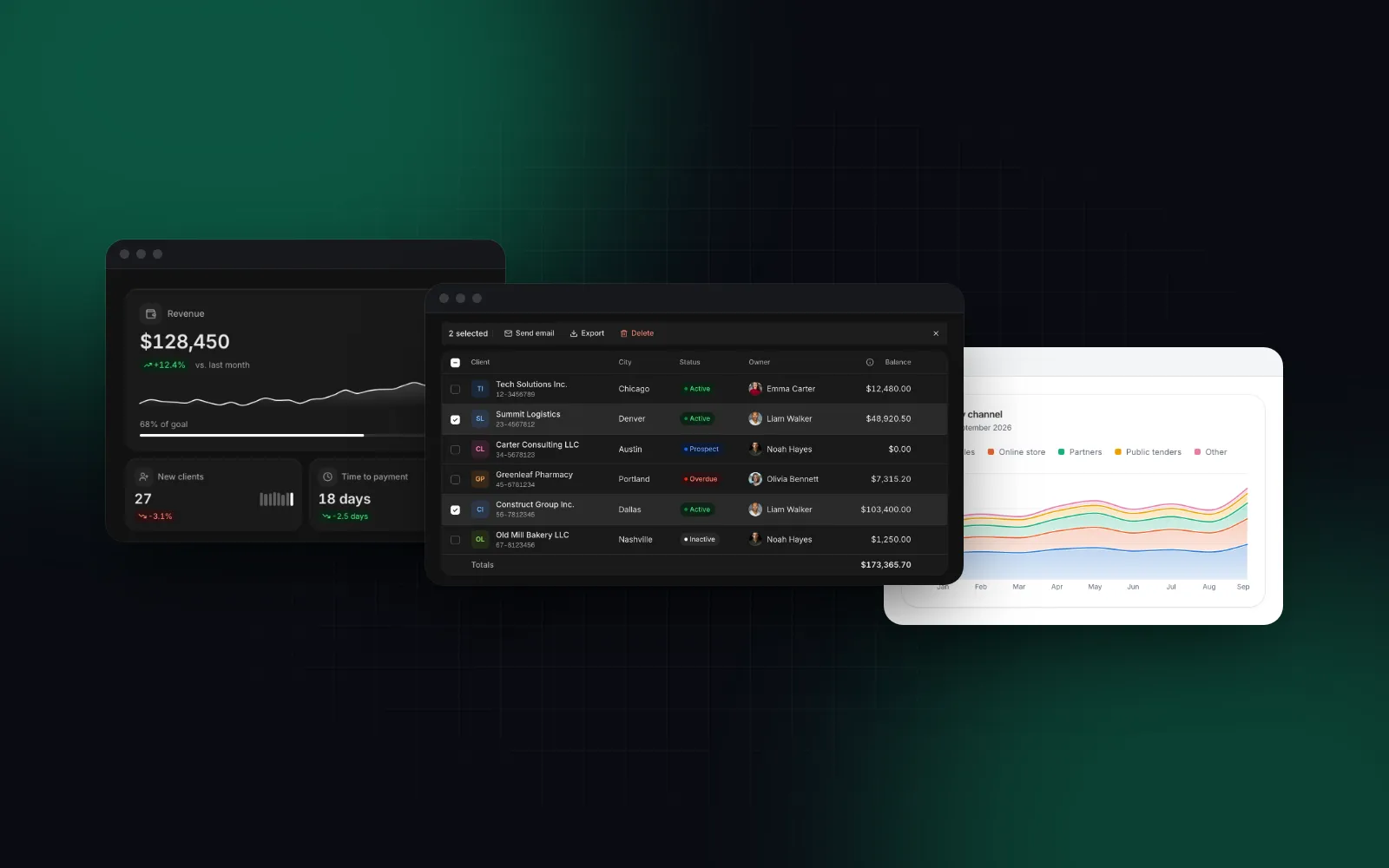
What most dashboards need is narrower: search, column filters, sorting, row selection with bulk actions, a saved column layout and sensible loading states. shadcn/ui gives you a guide for building that on TanStack Table, covering sorting, filtering, column visibility, row selection and pagination; pinning, virtualization and phone layouts are left to you. The Data Table in Wingo UI ships those as props on one component, built on TanStack Table v9:

tsx
"use client";
import { Download, Mail, Plus } from "lucide-react";
import { DataTable, createColumns } from "@/components/ui/data-table";
type Client = {
id: string;
name: string;
city: string;
status: string;
balance: number;
lastInvoice: string | null;
};
const col = createColumns<Client>();
const columns = col([
col.accessor("name", { header: "Client", filter: "text" }),
col.accessor("city", { header: "City", filter: "multi-select" }),
col.accessor("status", {
header: "Status",
type: "badge",
badge: { Active: { tone: "success" }, Overdue: { tone: "danger" }, Prospect: { tone: "info" } },
filter: "multi-select",
}),
col.accessor("balance", { header: "Balance", type: "currency", footer: "sum", filter: "number-range" }),
col.accessor("lastInvoice", { header: "Last invoice", type: "relative" }),
]);
export function ClientsTable({ clients }: { clients: Client[] }) {
return (
<DataTable
data={clients}
columns={columns}
caption="Clients"
locale="en-US"
selectionMode="multiple"
searchPlaceholder="Search clients"
quickFilters={[{ id: "overdue", label: "Overdue", columnFilter: { id: "status", value: ["Overdue"] } }]}
toolbarActions={[{ label: "New client", icon: <Plus />, primary: true }]}
bulkActions={(rows) => [
{ label: "Send email", icon: <Mail /> },
{ label: "Export", icon: <Download />, onSelect: () => console.log(rows) },
]}
persistKey="clients"
/>
);
}

persistKey remembers column visibility, order, widths, density and page size in local storage. Rows virtualize on their own past 200 rendered rows. Below 768px every row becomes a card: a long press starts selecting, the bulk bar floats at the bottom, and sort, filter and row menus open as bottom sheets. Our TanStack Table v9 data table guide walks through the same component column by column.

Search for a client, press the Overdue chip, then sort or filter from a header menu; in a narrow frame each row becomes a card with a Load more button
$ npx wingo-ui@latest add data-table
ProData Table docs

How should filters work in a React dashboard?

Filters belong in the URL or on the server once the data outgrows the browser, and the table should hand you one query object instead of five callbacks. In AG Grid Community the Infinite Row Model hands sorting and filtering to your server, while the Server-Side Row Model with grouping is Enterprise. MUI X and Ant Design accept controlled sort, filter and page state. With a shadcn/ui build you wire TanStack Table's state to your fetch yourself.

In Wingo UI, mode="server" stops the table from filtering locally and sends every change to onQueryChange as { page, pageSize, sorting, globalFilter, columnFilters }, with the search debounced by 300ms. One pitfall: the table does not report the first query, because it assumes you already rendered page one. Start from that query yourself, or the first fetch never runs:

tsx
"use client";
import { useEffect, useState } from "react";
import { DataTable, type DataTableColumn, type DataTableQuery } from "@/components/ui/data-table";
type Order = { id: string; customer: string; total: number; createdAt: string };
type OrdersPage = { rows: Order[]; total: number };
const columns: DataTableColumn<Order>[] = [
{ id: "customer", header: "Customer", filter: "text" },
{ id: "total", header: "Total", type: "currency", filter: "number-range" },
{ id: "createdAt", header: "Date", type: "date", filter: "date-range" },
];
// matches the table's defaults: page 1, 25 rows, no sort, no filters
const FIRST_QUERY: DataTableQuery = { page: 1, pageSize: 25, sorting: [], globalFilter: "", columnFilters: [] };
export function OrdersTable() {
const [query, setQuery] = useState<DataTableQuery>(FIRST_QUERY);
const [result, setResult] = useState<OrdersPage | null>(null);
const [fetching, setFetching] = useState(true);
const [failed, setFailed] = useState(false);
useEffect(() => {
// a newer query aborts the older request, so a slow response never overwrites a fresh one
const controller = new AbortController();
fetch("/api/orders", { method: "POST", body: JSON.stringify(query), signal: controller.signal })
.then((res) => {
if (!res.ok) throw new Error(String(res.status));
return res.json() as Promise<OrdersPage>;
})
.then((data) => {
setResult(data);
setFailed(false);
setFetching(false);
})
.catch((err: unknown) => {
if (err instanceof DOMException && err.name === "AbortError") return;
setFailed(true);
setFetching(false);
});
return () => controller.abort();
}, [query]);
const load = (next: DataTableQuery) => {
setFetching(true);
setQuery(next);
};
return (
<DataTable
mode="server"
data={result?.rows ?? []}
rowCount={result?.total ?? 0}
columns={columns}
caption="Orders"
onQueryChange={load}
loading={fetching && !result}
refreshing={fetching && Boolean(result)}
error={failed ? "Orders could not be loaded." : undefined}
onRetry={() => load({ ...query })}
/>
);
}

loading draws skeleton rows only for the first load. After that, refreshing keeps the current rows on screen under a thin progress bar, so the table does not flash empty on every sort.

For filters that go beyond one column, such as "status is Overdue and balance over $5,000, or city is Austin", the Filter Builder adds condition chips, AND and OR groups and saved views, and opens as one bottom sheet on phones. The date range filter uses the same date range picker, which shows two months with presets on a desktop and a one-month sheet on a phone.

Which libraries ship the charts and KPI cards a dashboard needs?

Every library here has a first-party chart package, and three of them use Recharts underneath. shadcn/ui, Mantine and Tremor build on Recharts, so moving between them mostly changes styling. MUI X Charts, AntV and AG Charts are their own engines. Wingo UI draws its charts as SVG with d3-scale and d3-shape and animates them with motion, without Recharts.

KPI cards are the part libraries most often skip. Tremor's blocks site lists 29 KPI card blocks, shadcn/ui's dashboard block includes section cards, and the rest leave the card to you. The Stat Card is Wingo UI's: a number that counts up once when the card scrolls into view, a delta pill colored by meaning (with invertTrend, a drop in costs reads green), a sparkline and a goal bar. Screen readers hear one sentence with the final value, never the numbers in between.

The snippet starts with "use client" because formatDelta is a function, and a Server Component cannot pass a function prop to a Client Component.

tsx
"use client";
import { Clock, FileText, UserPlus, Wallet } from "lucide-react";
import { StatCard, StatGroup } from "@/components/ui/stat-card";
export function DashboardKpis({ daily }: { daily: number[] }) {
return (
<StatGroup variant="joined">
<StatCard
label="Revenue"
icon={<Wallet />}
value={128450}
format="currency"
delta={12.4}
deltaLabel="vs. last month"
sparkline={daily}
goal={190000}
locale="en-US"
/>
<StatCard label="Invoices issued" icon={<FileText />} value={342} delta={8} deltaFormat="number" locale="en-US" />
<StatCard label="New clients" icon={<UserPlus />} value={27} delta={-3.1} locale="en-US" />
<StatCard
label="Average time to payment"
icon={<Clock />}
value={18 * 86400}
format="duration"
delta={-2.5}
formatDelta={(d) => `${d.toLocaleString("en-US")} days`}
invertTrend
locale="en-US"
/>
</StatGroup>
);
}

StatGroup lays the tiles out four across on wide screens and two across on phones, and staggers their count-up by 60ms.

Press Simulate a new day: a new day joins the sparkline and the value and the delta count from where they are to the new numbers
$ npx wingo-ui@latest add stat-card
ProStat Card docs

The Area Chart covers the revenue-over-time panel most dashboards have: overlapping areas, stacked bands or 100% shares, a crosshair readout, legend entries that hide a series, and full keyboard support. On a phone, a tap pins the readout above your finger and a sideways drag scrubs through the months while vertical drags still scroll the page.

tsx
import { AreaChart } from "@/components/ui/area-chart";
const data = [
{ month: "2026-07", direct: 41460, online: 28700, partners: 18070 },
{ month: "2026-08", direct: 38030, online: 27300, partners: 15600 },
{ month: "2026-09", direct: 48920, online: 36400, partners: 22130 },
];
export function RevenueByChannel() {
return (
<AreaChart
data={data}
xKey="month"
series={[
{ key: "direct", label: "Direct sales" },
{ key: "online", label: "Online store" },
{ key: "partners", label: "Partners" },
]}
type="stacked"
valueFormat="currency"
currency="USD"
label="Revenue by channel, 2026"
/>
);
}
Switch between Overlap, Stacked and Percent and watch the areas glide to their new shape; hover or tap a month for the readout, or click a legend entry to hide a series
$ npx wingo-ui@latest add area-chart
ProArea chart docs

If you need candlesticks, Sankey diagrams or treemaps, Mantine's chart package has them and Wingo UI does not.

What should the app shell around a dashboard do?

It should collapse the sidebar on a desktop, remember that choice, and become something a thumb can use on a phone. Here the libraries are closer than on tables. shadcn/ui's Sidebar collapses to icons or slides off canvas, has sidebar, floating and inset variants, toggles with Cmd or Ctrl+B, saves its state in a sidebar_state cookie and opens as a sheet on phones. Mantine's AppShell positions a header, navbar, aside and footer, with separate collapsed states for desktop and mobile, and you supply the navigation. MUI's option is Toolpad Core's DashboardLayout, whose sidebar folds into a mini drawer; its latest release, 0.16.0, is from June 2025. Ant Design has a Layout with a collapsible Sider, and ProLayout in Pro Components.

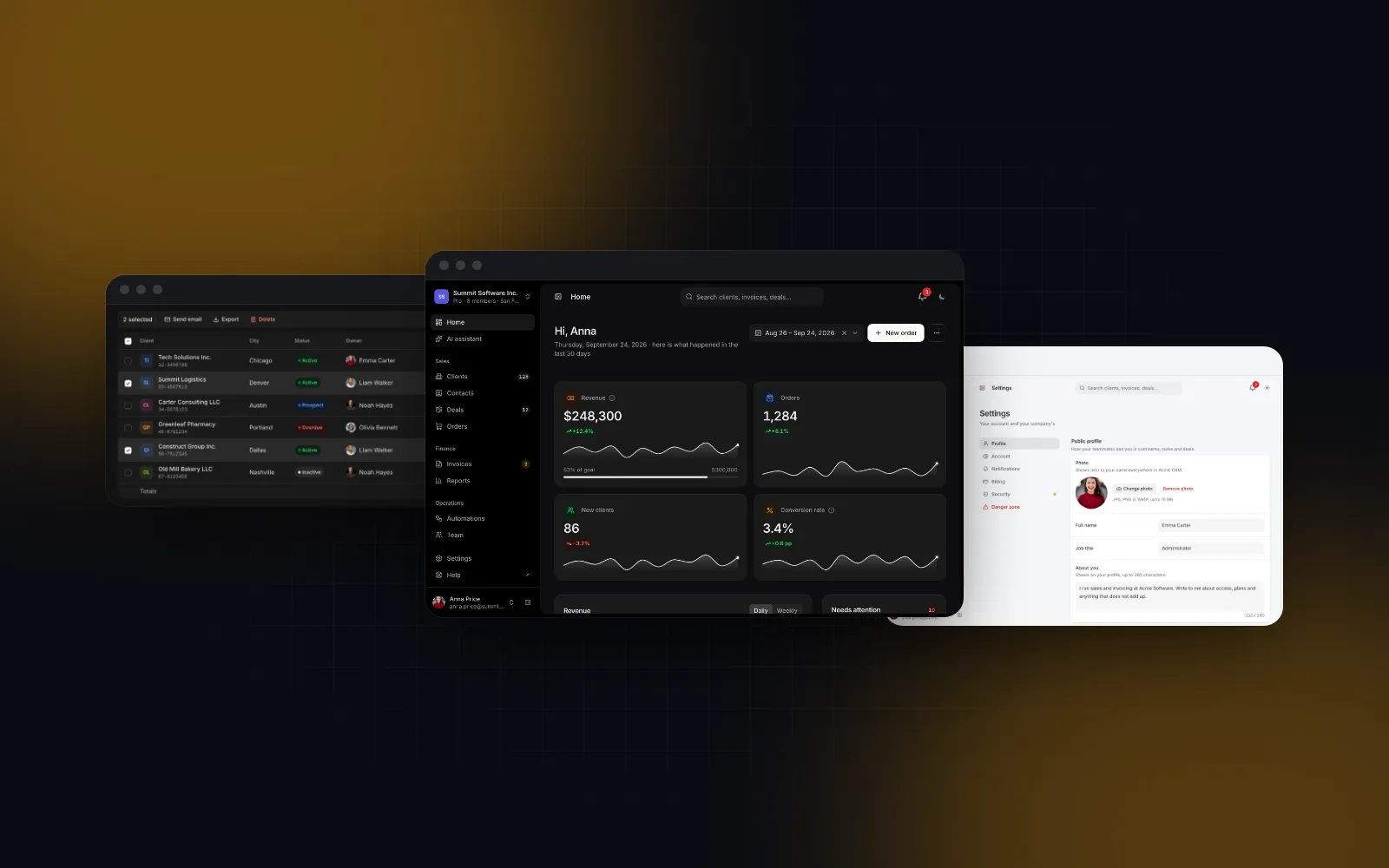
The App Shell in Wingo UI follows the same model (icon rail or offcanvas, three variants, Mod+B, a cookie the server layout reads so the first paint has the right width) and adds two things. With resizable, the sidebar edge drags between 200 and 400px and snaps to the rail below 120px. On phones you get a bottom tab bar from the tabs prop next to the drawer, and the drawer closes on navigation, on Escape or when you swipe it back.

tsx
import type { ReactNode } from "react";
import { cookies } from "next/headers";
import { FileText, House, LayoutDashboard, Settings, Users } from "lucide-react";
import { AppShell } from "@/components/ui/app-shell";
import { Sidebar, type SidebarNavGroup } from "@/components/ui/sidebar";
import { Topbar } from "@/components/ui/topbar";
import { persistedCookieName } from "@/hooks/use-persisted-state";
import type { NavItem } from "@/lib/navigation";
const nav: SidebarNavGroup[] = [
{ items: [{ label: "Dashboard", href: "/", icon: <LayoutDashboard /> }] },
{
label: "Sales",
items: [
{ label: "Clients", href: "/clients", icon: <Users /> },
{ label: "Invoices", href: "/invoices", icon: <FileText /> },
],
},
{ label: "Account", items: [{ label: "Settings", href: "/settings", icon: <Settings /> }] },
];
const tabs: NavItem[] = [
{ label: "Home", href: "/", icon: <House /> },
{ label: "Clients", href: "/clients", icon: <Users /> },
{ label: "Settings", href: "/settings", icon: <Settings /> },
];
// app/(app)/layout.tsx, a server component
export default async function AppLayout({ children }: { children: ReactNode }) {
const stored = (await cookies()).get(persistedCookieName("app-shell-collapsed"))?.value;
return (
<AppShell
defaultCollapsed={stored === "true"}
sidebar={<Sidebar groups={nav} filter />}
topbar={<Topbar title="Summit CRM" />}
tabs={tabs}
resizable
>
{children}
</AppShell>
);
}

Our Next.js admin dashboard tutorial builds five screens inside this shell, including the LinkProvider that routes the sidebar through next/link.

Which library should you pick for enterprise, indie and AI-built apps?

Enterprise dashboards

Pick AG Grid or MUI X when the grid is the product: finance, logistics, operations tools where users group, pivot and export all day. AG Grid Enterprise costs $999 per developer with a perpetual license and one year of updates, and the $1,498 bundle adds AG Charts Enterprise. MUI X Pro is $299 and Premium $599 per developer per year, and fits a team already on Material UI. If the budget is zero, start with AG Grid Community, which shares its API with Enterprise so you can upgrade later, or Ant Design for dense internal consoles with a full component set around the table. Wingo UI is a weaker fit for this case: no row grouping, no pivoting and no Excel export.

Indie and small-team dashboards

Start free. For React dashboard components free of any license fee, shadcn/ui's dashboard-01 block gives you a sidebar, charts, a table and KPI cards in one npx shadcn add, and you own every line. Tremor's 300+ blocks became free when Vercel acquired it in January 2025, but its npm package has not had a release since, so treat it as a source of copyable layouts more than a dependency. Mantine is the free option if you want a package with forms, dates and charts in one place. Pick Wingo UI when your customers check the dashboard on their phones, since its table, filters, charts and shell already handle a 390px screen.

Dashboards built with AI agents

Agents write the most code where the library gives them a recipe instead of a component. shadcn/ui is the most familiar choice: v0 builds on it, and it publishes an MCP server. A data table built from its guide still means an agent writes a column definition, a toolbar, a pager and the TanStack wiring for each table. With Wingo UI the agent writes a column list and props, and the Wingo UI MCP server gives it search_components, get_component (props, defaults, usage, install command) and check_updates for installed files. AG Grid publishes an MCP server for its docs, and MUI and Mantine publish servers as well. Our shadcn vs MUI comparison goes deeper on which of the two big ecosystems suits an agent workflow.

Where should you start?

Start with the table, since it drives the rest. If your dashboard needs grouping, pivoting or Excel export, trial AG Grid Enterprise (30 days, no watermark) or MUI X Premium before you write any layout. If it does not, install one Wingo UI table and open it on your phone: npx wingo-ui@latest add data-table. The Data Table, Stat Card, Area Chart and App Shell are part of Wingo UI Pro; the Card, Badge, Tabs, Select, Progress and Skeleton they sit next to are free. Whichever React dashboard UI library you choose, open its table docs before its landing page.

Components in this post

  • Data Table

    A React data table on TanStack Table: search, filters, sorting, bulk actions, pinning, resizing, virtualization and cards on phones.

    Pro
  • Stat Card

    A React stat card for dashboards: a label, a big number that counts up, a delta pill that knows good from bad, a sparkline and a goal bar.

    Pro
  • Area chart

    Volumes over time as filled areas: overlapping gradients, stacked bands for parts of a total, or 100% stacked shares.

    Pro
  • App Shell

    A React app shell for admin layouts: a collapsible, resizable sidebar, a top bar and the page, with a drawer and a tab bar on phones.

    Pro

FAQ

What is the best free React dashboard library?

shadcn/ui if you want the source in your repository: its free dashboard-01 block combines a sidebar, an area chart, a data table and KPI cards. Mantine if you would rather install a package: it is MIT licensed, ships an AppShell and 22 chart components, and the community mantine-datatable package adds a data table.

Is the MUI X Data Grid free?

The MIT DataGrid is free, but it pages at most 100 rows and its pagination cannot be turned off. As of October 2026, column pinning needs the Pro plan at $299 per developer per year, and row grouping and Excel export need Premium at $599.

Is Tremor still maintained?

Vercel acquired Tremor in January 2025 and made its 300+ blocks free and open source. The @tremor/react package's latest release is still 3.18.7 from January 13, 2025, so check the repository's recent activity before you build a new dashboard on it.

Which React dashboard library works best with AI coding agents?

shadcn/ui is the one most agents already know, and it publishes an MCP server. Wingo UI's MCP server returns each component's props and install command, and because its data table is one component with props, an agent writes a column list instead of a table. AG Grid, MUI and Mantine publish MCP servers for their docs too.

Can a React dashboard work well on a phone?

Yes, if the table turns into cards and the sidebar into a drawer. Wingo UI's DataTable renders a card per row below 768px and its AppShell swaps the sidebar for a drawer and a bottom tab bar. shadcn/ui's Sidebar also becomes a sheet on phones, but none of the other tables here turn rows into cards for you.

  • Comparisons
  • Dashboards
  • Data table
  • Charts
  • React

Share

SR

About the author

Serban Rusu

Founder of Wingo UI

Serban Rusu founded Wingo UI. He builds its component library, CLI and MCP server, and writes about React interfaces for phones and AI coding agents.

More from Serban
Keep reading

Related posts

All posts
Build it: screens and apps

Nextjs Admin Dashboard Tutorial: 5 Screens, Phone-Ready

A nextjs admin dashboard tutorial for the App Router: app shell, KPI home, server-side data tables, settings and team pages, each one usable on a phone.

SRSerban Rusu·Oct 9, 2026·21 min read
Comparisons and alternatives

Mantine vs shadcn in 2026: Which React UI Library to Pick

Mantine vs shadcn in October 2026: an npm kit with forms and date pickers versus Tailwind source you own, compared on styling, tables, phones and Next.js.

SRSerban Rusu·Oct 16, 2026·11 min read
Comparisons and alternatives

MUI Alternatives for React and Tailwind in 2026

MUI alternatives checked in October 2026: Mantine, Chakra UI, Ant Design, React Aria, headless kits and Tailwind source libraries, plus Data Grid replacements.

SRSerban Rusu·Oct 13, 2026·10 min read
Newsletter

Get new posts by email

New guides, tutorials and comparisons from the Wingo UI blog, sent when they are published.

No spam. Unsubscribe at any time.

WingoUI

Animated, configurable, mobile-first React components and blocks. Copy the source, make it yours, and let your coding agent build with it.

Product

  • Components
  • Templates
  • Pricing
  • AI agents
  • Theme generator

Resources

  • Docs
  • Blog
  • Changelog
  • Changelog RSS
  • llms.txt

Legal

  • Terms
  • Privacy
  • Refunds
  • License
  • Imprint

Component categories

  • Buttons & Actions
  • Inputs
  • Forms
  • Navigation
  • Overlays
  • Feedback
  • Data Display
  • Tables & Lists
  • Charts & Stats
  • Layout
  • Media
  • AI Kit
  • Text & Effects
  • Mobile
  • Commerce
  • Marketing Sections
  • Blocks
  • Hooks & Utilities

© 2026 Wingo UI

Wingo UI