MUI Alternatives for React and Tailwind in 2026
Teams look for MUI alternatives for three reasons: the product should not look like Material Design, Emotion's runtime styling sits awkwardly next to React Server Components, or the MUI X features they need, such as column pinning and date range pickers, sit behind a per-developer Pro or Premium license. Each reason points to a different replacement, so this guide groups the options by model: npm kits, headless primitives and Tailwind libraries whose source you own.
We build Wingo UI, one of the options below, so read this as a vendor's view with sources. Every fact about another library links to its official site or its npm package and was checked on October 13, 2026. If you are deciding between MUI and shadcn/ui specifically, our shadcn vs MUI comparison goes deeper on that pair; for the whole field of component libraries, see the shadcn alternatives guide.
What are you replacing when you leave MUI?
MUI is a stack, not one package. Material UI (@mui/material 9.5.0 on npm) gives you the components and the Material look, Emotion styles them at runtime, and MUI X adds the Data Grid, Date Pickers, Charts and Tree View. The core and the MUI X Community packages are MIT licensed. Per the MUI pricing page (opens in a new tab), MUI X Pro is $299, Premium $599 and Enterprise $1,399 per developer per year, and the licensing page (opens in a new tab) puts column pinning, multi-sorting and the date range pickers in Pro, and row grouping and Excel export in Premium.
So the questions that decide your replacement are:
- Do you want another npm package, or source code you own?
- Which styling: Tailwind CSS, the library's own CSS, or CSS-in-JS?
- What replaces the Data Grid and the Date Pickers? Those two are usually why an app picked MUI in the first place.
How do the MUI alternatives compare?
Checked on October 13, 2026. "Latest release" is the newest version on npm and its publish date, a rough signal of how actively each project ships.
Which npm kits replace Material UI?
If you like installing a package and letting someone else maintain it, stay with that model and change the kit. These are the material ui alternatives that ship as npm packages.
Mantine is the closest match in breadth. Components, hooks, a form library, @mantine/dates and charts are all MIT and free. Its styles are its own CSS, not Tailwind and not runtime CSS-in-JS. The date pickers cover single dates, ranges, months, years and times, and they require dayjs. Its Table renders a styled table; for sorting, filters and pagination you add your own logic or a library.
Chakra UI v3 rebuilt the library on Ark UI and kept style props. Its DatePicker (opens in a new tab) supports ranges and uses @internationalized/date. For tables, the Table docs (opens in a new tab) say Chakra works with TanStack Table for advanced features. Its newest npm release was in August, older than the others in this list.
Ant Design is the one to look at if the Data Grid is your main concern. Its Table (opens in a new tab) is free and includes sorting with multiple columns, filter menus, pagination, row selection, fixed columns, expandable rows, tree data and virtual scrolling. It brings its own design language, built for dense back offices, and phones get a separate library, antd-mobile.
React Spectrum is Adobe's styled design system on top of React Aria, Apache-2.0 licensed. It suits teams that want Adobe's accessibility work with a finished look.
Should you switch to headless primitives?
Only if you are building your own design system and can own every style and animation. Headless libraries handle behavior and accessibility; the look is yours.
- React Aria Components has the broadest set, and it is the only headless library here with date pickers:
DatePicker,DateRangePicker,CalendarandRangeCalendar, plus aTablewith column resizing and aVirtualizerfor long collections. - Base UI reached 1.0 in December 2025 and is now the default base under shadcn/ui. Its 37 components include a Drawer with swipe to dismiss, but no date picker or table.
- Radix Primitives is still maintained and still under most of the shadcn ecosystem, including Wingo UI. No date picker or table.
- Headless UI from Tailwind Labs has 16 React components and its last npm release was in April 2026.
With any of them, the Data Grid and Date Picker replacement is still on you, usually TanStack Table plus a calendar library.
What is the best MUI alternative with Tailwind CSS?
The MUI alternative Tailwind projects usually want is a library whose source lands in your project: shadcn/ui, the free default, or a registry built on the same model. You own every file, styling is Tailwind classes compiled at build time, and there is no styling runtime to wire into the App Router.
shadcn/ui gives you building blocks for the two hard parts: a data table guide (opens in a new tab) on TanStack Table v9 and a date picker made from Popover and Calendar. That works well when every table is different and costs time when twenty screens need the same one.
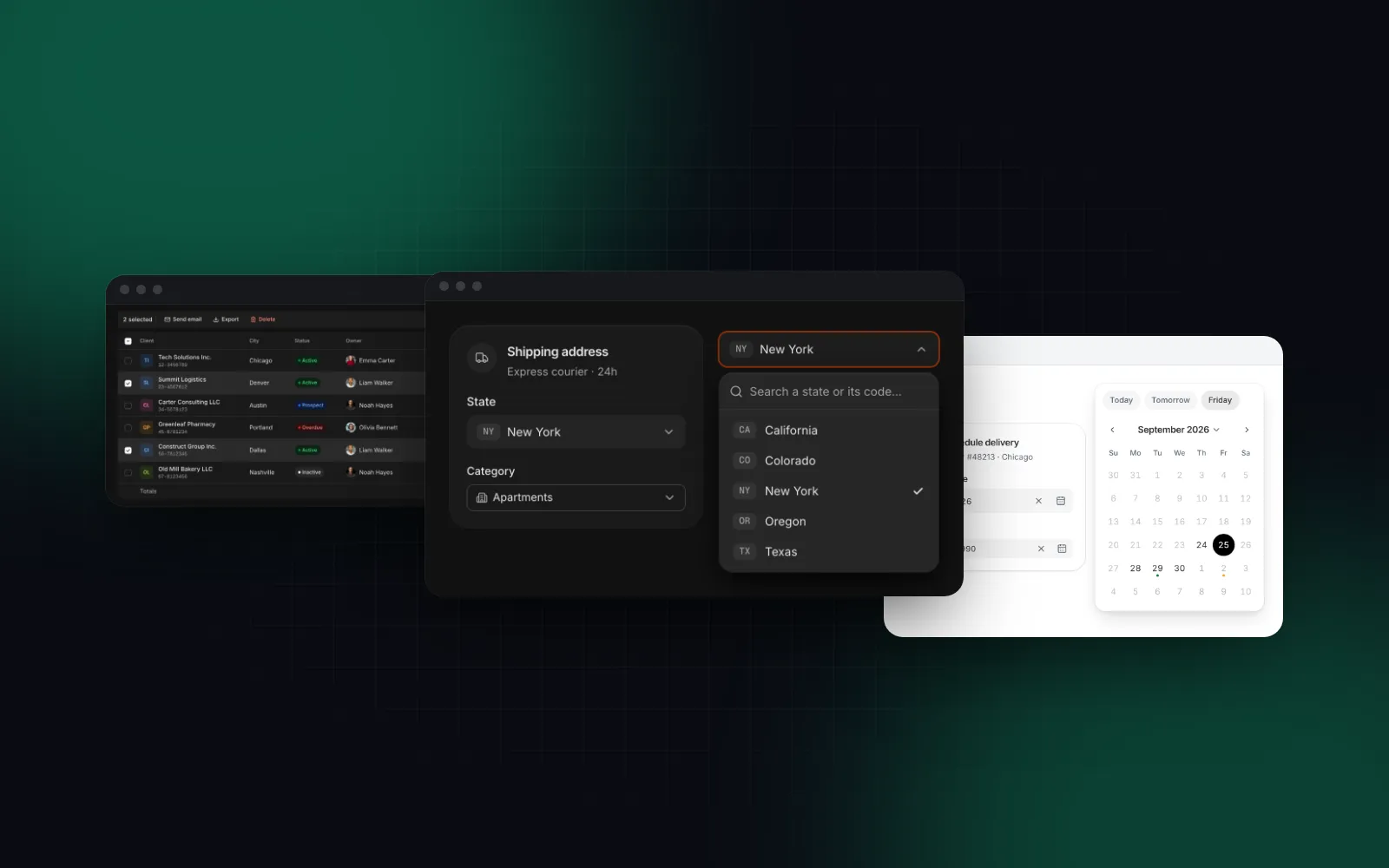
Wingo UI ships those as ready components you still own. The trade-offs: it is React only, built on Radix, younger than everything above with a smaller community, and the Data Table and date pickers are Pro. The two sections below show what the replacement looks like in code.
How do you replace the MUI X Data Grid?
Start from what your grid does today. A typical MUI X screen with server data looks like this:
Three callbacks feed one fetch. As a mui x data grid alternative, Wingo UI's Data Table folds them into one: with mode="server", data is the current page, rowCount the total, and every change arrives in onQueryChange as { page, pageSize, sorting, globalFilter, columnFilters }. Column pinning, which needs MUI X Pro, is a column option here, and below 768px each row becomes a card instead of a table you scroll sideways.
Map your GridColDef fields one to one: field becomes the accessor key, headerName becomes header, and type: "number" or "date" becomes type: "currency", "number" or "date". A singleSelect column with valueOptions becomes filter: "multi-select" with filterOptions. In client mode the options default to the values in the data; in server mode the table only sees one page, so pass them, as the city column does (a badge column lists its badge keys). The TanStack Table v9 data table guide covers the server side in more detail, including bulk actions.
$ npx wingo-ui@latest add data-tableHonest limits: MUI X Premium has row grouping, pivoting, aggregation and Excel export. If those are on your roadmap, keep MUI X for that screen or use Ant Design's Table. If your grid is mostly cell editing, look at the Editable Grid instead, a spreadsheet-like table with typed cells, range selection and copy and paste with Excel. The rest of the table family, from lists to a kanban board, is under Tables and Lists.
What replaces MUI Date Pickers?
MUI's pickers take a date library adapter and a provider:
The value is a Dayjs object (or Luxon, date-fns, Moment, per adapter), and the range pickers need MUI X Pro.
As a mui date picker alternative, the Date Picker takes and returns a plain Date, uses date-fns directly and needs no provider. You type the date in the field's locale or pick it from a calendar, and below 768px the calendar opens as a bottom sheet:
minDate becomes min, shouldDisableDate becomes a disabled matcher (a date, a list, a range or a function), and name writes the local ISO date to a hidden input so a plain form submit works.
$ npx wingo-ui@latest add date-pickerFor reports and bookings, the Date Range Picker shows two months with presets and Apply / Cancel on desktop, one swipeable month in a sheet on phones, and takes minDays and maxDays for stays. Both pickers live with the other fields under Inputs.
How do you migrate an MUI theme to Tailwind tokens?
An MUI theme is a JavaScript object: palette.primary.main, palette.error.main, palette.background.paper, palette.text.secondary, shape.borderRadius. In a Tailwind library the same decisions are CSS variables, and components read them through utilities such as bg-background and text-muted-foreground. The mapping to Wingo UI's tokens:
Copy your hex values into app/globals.css:
One difference to plan for: MUI components use primary by default, while Wingo UI components default to the neutral tone (black in light mode, white in dark mode) and use your brand color only where you pass tone="brand". Check each pair with a contrast script after the move; our Tailwind v4 design tokens guide includes one.
What about selects, dialogs and toasts?
These are the easy part of a migration, and you can do them first to learn the new library:
- MUI's
SelectorTextField selectmaps to the free Select: options as an array, search above 8 options, a hidden native select for forms, and a bottom sheet with 48px rows on phones. SnackbarplusAlertmaps to the free Toast: mount<Toaster />once in the root layout and calltoast.success("Saved")from anywhere, with no open state to manage.- MUI's full-screen
DialogwithuseMediaQuerybecomes a Dialog whoseresponsiveprop (defaulttrue) turns it into a bottom sheet below 768px.
Which MUI alternative should you pick?
- You want another free npm kit with forms and dates: Mantine (Mantine vs shadcn weighs it against the Tailwind route).
- You need a free, full-featured table without MUI X: Ant Design, if its design language fits.
- You like style props: Chakra UI (Chakra UI vs shadcn covers the trade-offs).
- You are building your own design system: React Aria Components, Base UI or Radix.
- You want Tailwind and source you own, and will build tables yourself: shadcn/ui.
- You want Tailwind, source you own and ready data tables, date pickers and phone layouts: Wingo UI.
- You need row grouping, pivoting or Excel export: stay on MUI X Premium for those screens, or compare it with AG Grid in our React dashboard library comparison.
More comparisons live under Comparisons and alternatives.
If you are moving off MUI step by step, start with a free piece: install the Select with npx wingo-ui@latest add select, put it next to your MUI select on one form and open both on a phone. The Data Table and date pickers are part of Pro, listed on the pricing page.
FAQ
What is the best alternative to MUI?
For a free npm package with the same breadth, Mantine: MIT licensed, with its own form, dates and charts packages. If you want Tailwind CSS and source you own instead, shadcn/ui is the free default and Wingo UI adds ready data tables and date pickers.
Is there a free alternative to the MUI X Data Grid Pro?
Ant Design's Table is MIT licensed and includes sorting, filters, pagination, row selection, fixed columns, tree data and virtual scrolling. TanStack Table v9 is the free headless option most Tailwind libraries build on, including the shadcn/ui data table guide and Wingo UI's Data Table.
What can replace MUI Date Pickers?
Mantine's @mantine/dates and Chakra UI's DatePicker both support ranges for free, and React Aria Components has DatePicker and DateRangePicker with full internationalization. In a Tailwind project, Wingo UI's Date Picker and Date Range Picker open as bottom sheets on phones and need no adapter or provider.
Can I migrate from MUI to Tailwind CSS gradually?
Yes. Install Tailwind CSS next to MUI, then replace one screen or one component family at a time, starting with the ones that hurt most, usually the data grid, date pickers and dialogs. MUI documents an enableCssLayer option that puts its styles in a CSS layer so the two systems coexist.
Why do teams leave MUI?
The common reasons are a product that should not look like Material Design, Emotion's runtime styling next to React Server Components, and per-developer MUI X Pro or Premium licenses for features such as column pinning and date range pickers. If none of these applies to you, MUI is still a solid choice.
- MUI
- Comparisons
- React
- Tailwind CSS
- Data tables