React Month Picker: Months, Quarters and Ranges
Invoices, payroll, budgets and monthly reports are filed by month, not by day. Making people open a day calendar and click through to the first of a month is slow, and it invites errors: someone picks the 14th and your query starts mid-month. A React month picker shows the year as twelve months, so the billing month or the quarter is one click away. This guide covers when to reach for one, what the existing React options do, and the props that matter in the Wingo UI Month Picker, with code for billing months, month ranges, quarters and closed accounting periods.
When should I use a month picker instead of a date picker?
Use one whenever the day does not matter. A subscription billing period, a sales report for Q3, a budget for November to December, a card expiry date, a closed accounting month: all of these are months. A month picker gives you three things a day calendar does not:
- One click per month. Twelve months fit on one screen, and a year arrow moves to the next one.
- Whole months in the value. You never get a range that starts on the 14th by accident.
- Quarters and spans of months as first-class picks, which day calendars do not have.
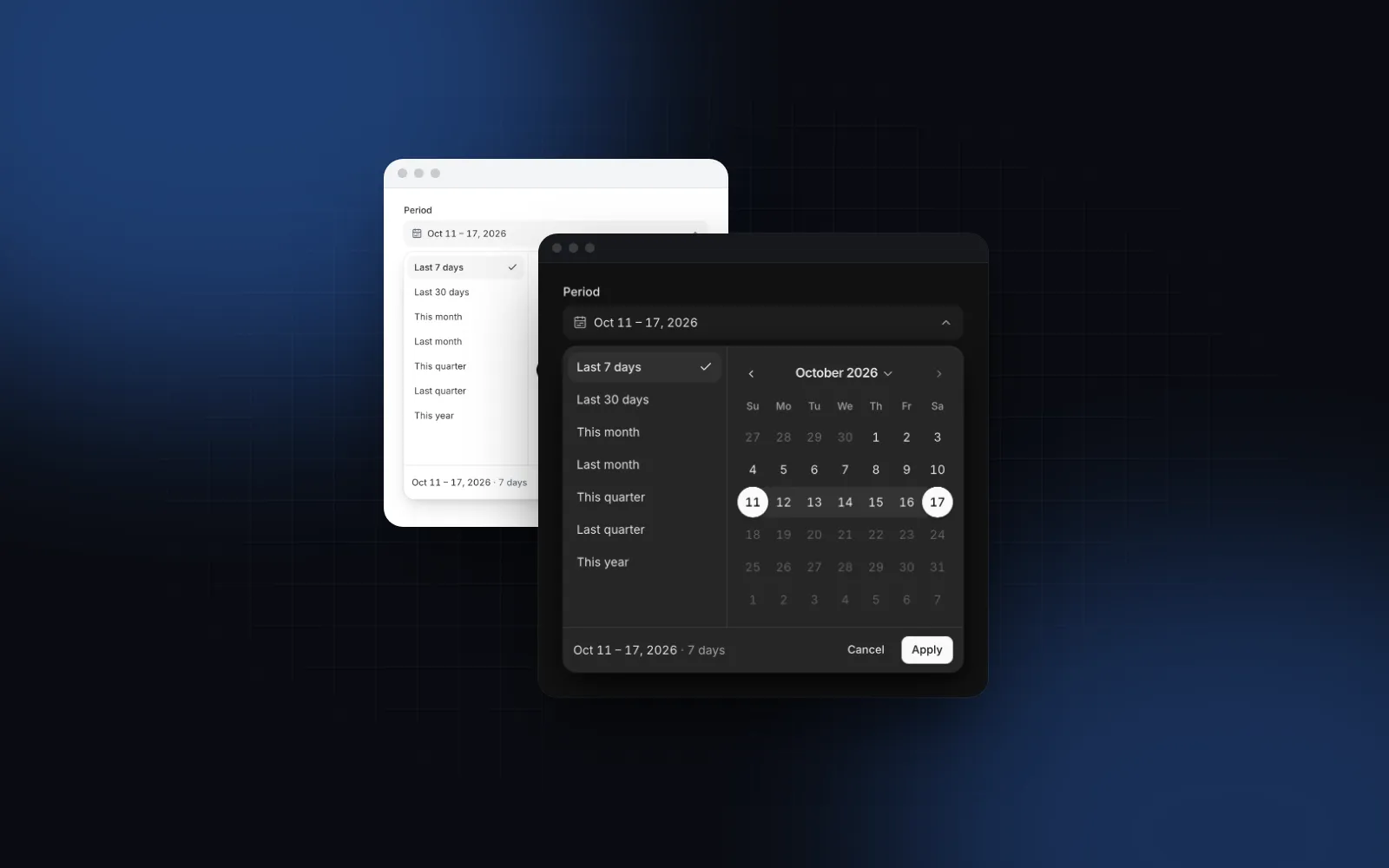
When the reader needs day-level ranges, such as "last 7 days" in analytics or check-in and check-out in a booking form, use a React date range picker instead. The two often sit on the same report page: months for the period, days for the drill-down.
What are the React month picker options?
The maintained choices are react-datepicker, Mantine's MonthPicker, the MUI X DatePicker with month and year views, and the Wingo UI Month Picker. They are what you land on when you look for a React month year picker or a React month range picker. A search for "month picker component react" on npm also turns up many small single-purpose packages; the table sticks to libraries with maintained docs. Facts are from each project's docs, source and npm entry, as of October 2026.
One detail to check in any month range picker: what the end of the range means. In react-datepicker, a click on a month selects the start of that month (getStartOfMonth in its month.tsx), so the end of a July to September range is September 1. A query that filters date <= end then drops almost all of September. Mantine and react-datepicker are both good picks if you already use their date stacks; Mantine also has presets. The rest of this guide covers the Wingo UI component.
What props does a React month picker need?
For a single month, value and onValueChange, plus min and max to fence the year grid. The value is the first day of the picked month at 00:00.
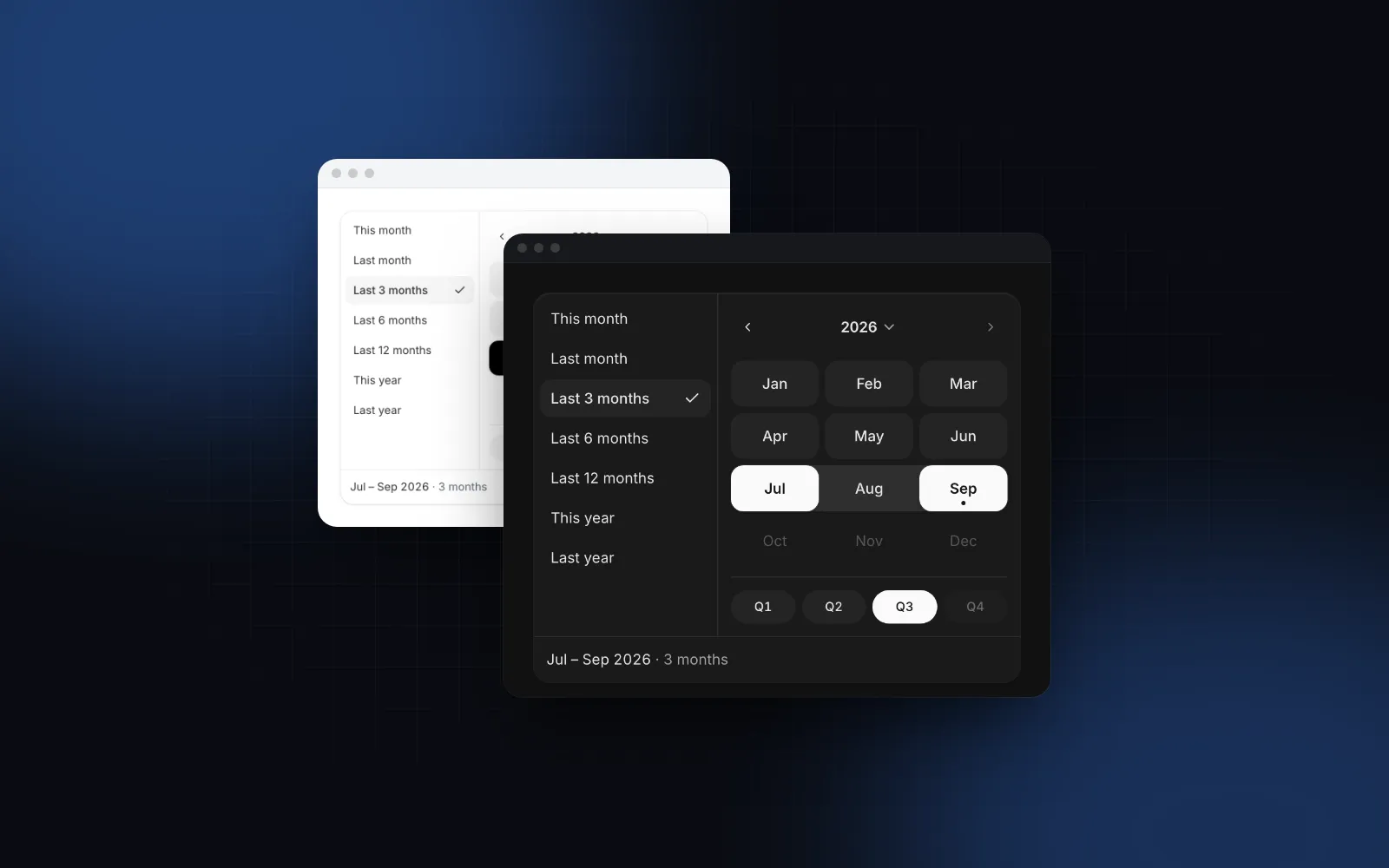
Click the field and a panel opens with the year at the top and its twelve months in four rows of three. The current month carries a small dot. The arrows move one year, and a click on the year opens a grid of twelve years for long jumps. A click on a month sets it and closes the panel (closeOnSelect is true by default). With presets, single mode adds This month and Last month. With name, a hidden input submits month=2026-09 with your form.
The props you will change most after that are size (sm, md, lg), variant (soft, outline, underline, ghost), monthFormat (short or long month names in the cells) and tone for the selected month.
$ npx wingo-ui@latest add month-pickerHow do I pick a range of months?
Set mode="range". The first click sets the first month, moving the pointer previews the band, and the second click sets the last month. A month before the first one swaps them. onValueChange only receives complete ranges, so a half-picked range never reaches your report query.
The range value runs from the first day of the first month to the last day of the last one, both at 00:00 local time. That makes July to September { from: Jul 1, to: Sep 30 }, which reads correctly in a summary. For a timestamp column, compare against the day after to, or rows from September 30 after midnight fall out:
toISODate writes the local calendar date (2026-07-01), never a UTC conversion, so the day does not shift with the time zone. In a form, name="period" submits period.from and period.to as the same local ISO dates.
presets in range mode adds This month, Last month, Last 3, 6 and 12 months, This year and Last year, clamped to min and max. A preset that would break maxMonths or touch a disabled month is turned off. You can also pass your own list of { label, value }, where value is a Date, a DateRange or a function that returns one. maxMonths caps the span: while you pick the end, months farther than the limit cannot be picked.
$ npx wingo-ui@latest add month-pickerHow do I pick a quarter?
In range mode the panel shows Q1 to Q4 chips under the grid, and each one selects its three months at once. In single mode they are hidden; pass quarters to add them, and a quarter then picks its first month. The quarter letter follows the locale: Q in English, T in Romanian, French, Spanish, Italian and Portuguese.
Two exported helpers cover the code side. quarterRange(year, quarter) returns the quarter as a range, and getQuarter(date) returns 1 to 4. Combined with maxMonths={3} and formatValue, the field reads "Q3 2026" for a full quarter and falls back to the month range for anything shorter:
Without the check, a July to August pick would also print "Q3 2026" and hide that the period is short. The registry demo's Fiscal quarter example uses the same test to switch its filing note between quarterly and monthly.
How do I block closed months?
Pass a function to disabled. It gets the first day of each month, and months where it returns true cannot be picked. This fits closed accounting periods, months before a contract starts or months without data:
In range mode, a band cannot cross a disabled month. A controlled value that falls outside min and max or on a disabled month still shows, and the field is flagged invalid so the problem is visible instead of silently rewritten. disabled={true} disables the whole field, the same as any input.
What about card expiry and custom formats?
The trigger text goes through Intl.DateTimeFormat: "September 2026" in single mode, and ranges through formatRange, so July to September 2026 prints the shared year once. displayFormat changes the parts, and formatValue covers formats Intl does not write, such as the 09/28 on a payment card:
locale sets the month names, the trigger text and the quarter letter. Left empty, it uses the nearest LocaleProvider, else the page's language.
Is it accessible with a keyboard?
Yes. Enter, Space or ArrowDown on the field opens the panel with focus on the selected month, else the current one. Arrows move one month, Up and Down move three (one row), Home and End jump to the ends of the row, and PageUp and PageDown move a year. Enter or Space picks. Escape steps back in order: it leaves the years grid, then drops a half-picked range, then closes the panel and returns focus to the field. The grid uses role="grid" with selected cells marked, each month has a full label such as "September 2026", the current month carries aria-current="date", and picks are announced through a polite live region. Reduced motion replaces the year slide with a fade.
How does it work on a phone?
Below 768px the field opens a bottom sheet instead of a popover: the label as the title, presets as a row of chips, 48px month cells and the quarter chips. Single mode commits on tap and closes. Range mode keeps a draft inside the sheet until you press Apply, and Cancel or dragging the sheet away keeps the old value. Set responsive={false} to keep the popover everywhere. The sheet pattern itself is explained in the React bottom sheet guide, and it is built on the free Drawer.
For a dashboard filter that should always be visible, inline renders the panel on the page without a trigger, and MonthPickerPanel exports the grid alone for your own layouts.
How do I add it to my project?
Run npx wingo-ui@latest add month-picker. The CLI copies the source into components/ui, adds the Field, Drawer, Button and date helpers it imports, and installs @radix-ui/react-popover, motion and lucide-react. The Month Picker is a Pro component (pricing), as is the Date Range Picker for day-level periods. Time inputs are covered in the React time picker guide, and the React form components guide applies the same keyboard, phone and label rules to every field. More single-component deep dives are in the component guides category.
FAQ
How do I make a month and year picker in React?
Render a year header with arrows and a grid of twelve months, and store the first day of the picked month. react-datepicker does it with showMonthYearPicker, MUI X with views={['month', 'year']}, and the Wingo UI Month Picker is a month and year picker by default.
How do I pick a range of months in React?
Use a picker with a range mode: the first click sets the first month, the second sets the last. In the Wingo UI Month Picker that is mode="range", and the value runs from the first day of the first month to the last day of the last month.
Does shadcn/ui have a month picker?
No. As of October 2026 the shadcn/ui component list has a Calendar and a Date Picker but no month picker, so you either compose one yourself or install a source component such as the Wingo UI Month Picker.
How do I pick a quarter instead of a month?
Show Q1 to Q4 chips under the month grid that select three months at once. The Wingo UI Month Picker shows them by default in range mode, and quarterRange(2026, 3) gives you Jul 1 to Sep 30, 2026 in code.
Is the Wingo UI Month Picker free?
No. The Month Picker and the Date Range Picker are Pro components. The Drawer it uses for the phone sheet and the Field around it are free.
- Date picker
- Forms
- React
- Mobile UI