React Date Range Picker With Presets and a Phone Sheet
A react date range picker sits at the top of almost every report, analytics page and booking form, and it is easy to get subtly wrong. Typical problems: the report reloads after the first click because the range changed, there are no presets so everyone clicks through months to find last quarter, the popover is a cramped two-month grid on a phone, and the week starts on Sunday for someone in Berlin. This guide covers what a report-style picker needs, the props that matter, and how the Wingo UI Date Range Picker handles desktop, phones and locales.
What should a React date range picker do for reports?
Five things, in rough order of how often people notice them missing:
- Presets first. Most report ranges are relative: last 7 days, this month, last quarter. A list next to the calendar turns a dozen clicks into one.
- Two months on desktop. Ranges often cross a month boundary, and two months side by side show both ends without paging.
- A draft, then Apply. The first click sets the start, the band follows the pointer as a preview, and the second click sets the end. Nothing reaches your state until Apply. Cancel, Escape or a click outside throw the draft away.
- A phone layout. One month at full width in a bottom sheet, with Apply in thumb reach.
- Locale-aware weeks and labels. The first day of the week, month names and the range text should follow the user's locale.
Here is how the common options compare as of October 2026:
The shadcn/ui example is free and MIT licensed, and you compose it yourself from Popover and Calendar. Its Calendar page (opens in a new tab) does have a Presets example, but it picks single dates (Today, Tomorrow, In a week), so range presets are still yours to write. The react-date-range README says the project is unmaintained, the GitHub repository is archived and its last npm release is from April 2024. MUI's licensing page puts the Date Range Picker in the paid Pro plan. The Wingo UI picker is a Pro component whose source is copied into your project.
If you already run MUI, its range picker is a solid choice. If you use shadcn/ui and only need a simple range on desktop, the shadcn date range picker example is free and small. The rest of this guide is about the report case.
What does the Wingo UI Date Range Picker look like?
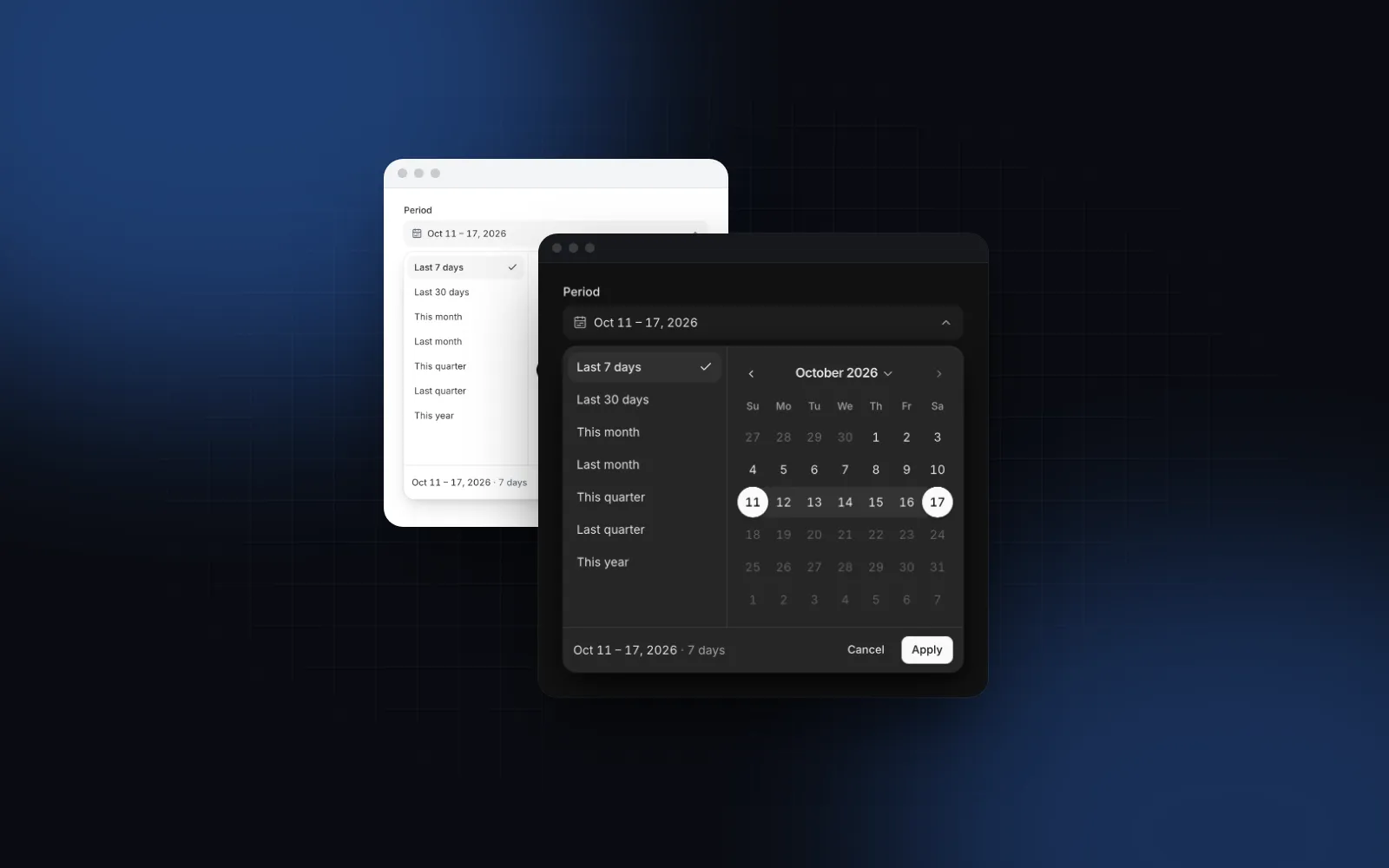
If you want a react date range picker Tailwind can style, avoid packages that bring their own stylesheet: react-date-range asks you to import a main stylesheet and a theme stylesheet, then override them. The Wingo UI picker is styled with Tailwind CSS v4 classes on the same semantic tokens as the rest of your app, so it follows your theme in light and dark mode. The demo below is a sales report. Open the Period field, try a preset, then pick two days by hand and watch the summary under the calendar count the days before you press Apply.
$ npx wingo-ui@latest add date-range-pickerThe minimal setup for a report is a value, a setter and a max of today so nobody picks a future range:
DateRange is { from: Date | null; to: Date | null }. onValueChange fires on Apply, on a clear, or, with confirm={false}, as soon as both ends are picked. It never fires with a half-picked draft, so you can run your query in it directly.
How do you add a React date range picker with presets?
presets is true by default and shows Last 7 days, Last 30 days, This month, Last month, This quarter, Last quarter and This year. Pass a list to choose your own. Built-in keys and custom ranges mix freely, and a custom value can be a function so it is computed when the panel opens instead of when the page loaded:
The other built-in keys are today, yesterday, last90Days, thisWeek, lastWeek, thisMonth, thisQuarter and lastYear. Presets that run past min or max are cut to fit, and presets that fall fully outside, or run longer than maxDays, are disabled instead of hidden, so the list never jumps around.
Which props matter for bookings and long ranges?
Reports and bookings need different rules. The same component covers both:
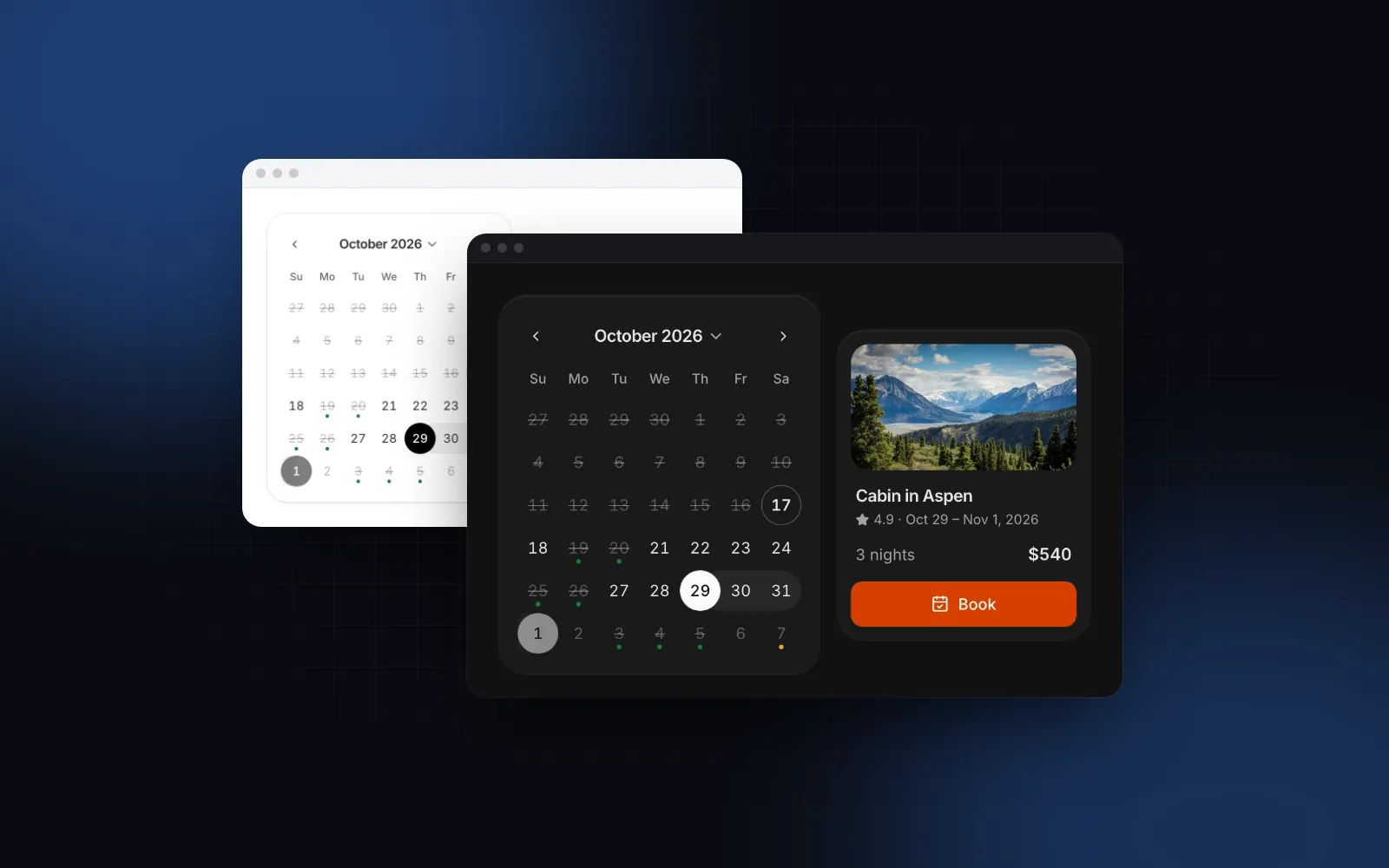
minDaysandmaxDayscount both ends. A two night minimum stay isminDays={3}. Ends that would break the rule are unavailable while you pick the end, and presets longer thanmaxDaysare disabled.disabledtakestrueto disable the whole field, or a matcher for days: aDate, a list,{ from, to },{ before },{ after },{ dayOfWeek: [0, 6] }or a function. Booked nights are a list of dates.excludeDisabled(defaulttrue) stops a range from spanning a disabled day, which is what a booking needs.labels.nightsswitches the summary from days to nights, so a 4 day stay reads as 3 nights.numberOfMonthsis 2 by default and can be 1 or 3. Phones always show one.
How does the date range picker work on mobile?
Date range picker mobile layouts usually fail in the same place: a two-month popover on a 390px screen either overflows or shrinks the day cells below a comfortable tap size, and it opens far from the thumb. Below 768px the Wingo UI field opens a bottom sheet instead. The sheet shows the presets as a row of chips, two Start and End cells (the end you are picking is outlined), one month you can swipe between, and Apply and Cancel pinned above the home indicator. Dragging the sheet down cancels, the same as Escape on desktop. The default md field is 44px tall on touch screens.
responsive (default true) controls the switch, and sheetTitle names the sheet. If you need a popover everywhere, for example inside a desktop-only admin tool, set responsive={false}. The same popover to sheet switch for any dialog is in our shadcn responsive dialog tutorial, and a full reporting screen around the picker is in the Next.js admin dashboard tutorial.
How do locale-aware weeks and labels work?
locale drives month and weekday names, digits, the trigger text and the first day of the week. With weekStartsOn left at its default of -1, the week follows the locale: Sunday for en-US, Monday for en-GB or ro-RO. The component reads the week info from Intl.Locale where the browser exposes it and falls back to a built-in table where it does not. Pass weekStartsOn={1} to force Monday regardless of locale.
The range text uses Intl.DateTimeFormat formatRange, so October 1 to 30 reads "Oct 1 – 30, 2026" in en-US without you writing a formatter. Change the parts with displayFormat, for example { day: "numeric", month: "short" } for a booking widget that never crosses a year.
Every string in the panel is a prop too: labels.apply, labels.cancel, labels.clear, labels.start, labels.end and labels.duration for the summary.
The underlying Calendar works on its own in mode="range" when you want the grid inline on a page instead of in a field. In this demo the locale is en-GB, so the week starts on Monday.
$ npx wingo-ui@latest add calendarIs the date range picker accessible with a keyboard?
Yes. Enter, Space or ArrowDown on the field open the panel and move focus into the calendar. Arrows move a day or a week, Home and End jump to the ends of the week, PageUp and PageDown move a month (with Shift, a year), and Enter picks the start and then the end. Tab reaches Cancel and Apply, Shift+Tab reaches the presets, where arrow keys move between them. Ctrl+Enter, or Cmd+Enter on a Mac, applies from anywhere in the panel, and Escape cancels and returns focus to the field.
With label, description and error, the field gets the same anatomy as every other Wingo UI input: a linked label, aria-describedby for the help text, and aria-invalid with an animated error message.
Which pitfalls show up in production?
- Time zones in forms.
date.toISOString()converts to UTC, so midnight on October 13 in Berlin becomes2026-10-12T22:00:00.000Zand your server reads the wrong day. Send local dates. Withname="period"the picker renders hidden inputsperiod.fromandperiod.toas local ISO dates such as2026-10-13. - Inclusive ends. "Last 7 days" ends today and includes it. When you query a database with a timestamp column, compare against the start of the day after
to, or you lose everything on the last day after midnight. - Presets computed at import time. A module-level
new Date()goes stale on a tab left open overnight. Use a function value for custom presets. - A query on every click. Without an Apply step, picking a start runs your report with an open range. Keep
confirmon for anything slower than a client-side filter.
Here is the form version, with a Server Action reading the hidden inputs. It checks the shape of both dates, because a request can skip your form, and keeps them as calendar dates so the server's time zone never shifts them:
When should you use a single date picker instead?
When the question is one day: a due date, a birthday, a delivery slot. The Date Picker lets people type a date in their locale or pick it from a calendar, with presets, limits and an optional time, and it also opens a sheet on phones. Use the range picker only when both ends matter. When the value is a time of day, see the React time picker guide, and for billing periods or reports by month, the React month picker guide.
For more single-component deep dives, see the component guides, or read our guide to React form components for how the date fields fit with the rest of a form.
How do you install it?
Run npx wingo-ui@latest add date-range-picker. It copies the picker with the Calendar, the Drawer used for the phone sheet, the Field and the date helpers it imports, and installs the npm packages they need, such as date-fns, motion and @radix-ui/react-popover. The Date Range Picker is part of Wingo UI Pro, so sign in first with npx wingo-ui@latest login.
FAQ
How do I add presets to a React date range picker?
Show a list of ranges next to the calendar and fill both ends when one is picked. In the Wingo UI Date Range Picker, presets is true by default (Last 7 days, Last 30 days, This month, Last month, This quarter, Last quarter, This year), or a list that mixes built-in keys like "yearToDate" with your own { label, value } entries.
Does shadcn/ui have a date range picker?
It has a Range Picker example on its Date Picker page, built by composing Popover and Calendar; the page says there is no DatePicker root component. As of October 2026 that page shows no presets, no Apply and Cancel step and no phone drawer, so you add those yourself.
Should a date range picker apply instantly or have an Apply button?
Use Apply when every change runs an expensive query, such as a report or an export, so people can pick both ends and a preset without triggering three loads. Commit instantly for a cheap client-side filter; in Wingo UI that is confirm={false}.
How should a date range picker work on mobile?
Open a bottom sheet instead of a popover, show one month at full width with large day cells, put presets in a scrollable row of chips, show Start and End cells so people know which end they are picking, and pin Apply and Cancel above the home indicator.
How do I send the range in a form without time zone bugs?
Send local calendar dates such as 2026-10-13, never toISOString(), which converts to UTC and can shift the day. With name="period" the Wingo UI picker renders hidden inputs period.from and period.to with local ISO dates.
- Date picker
- Forms
- React
- Mobile UI