React Gantt Chart: Drag, Progress and Dependencies
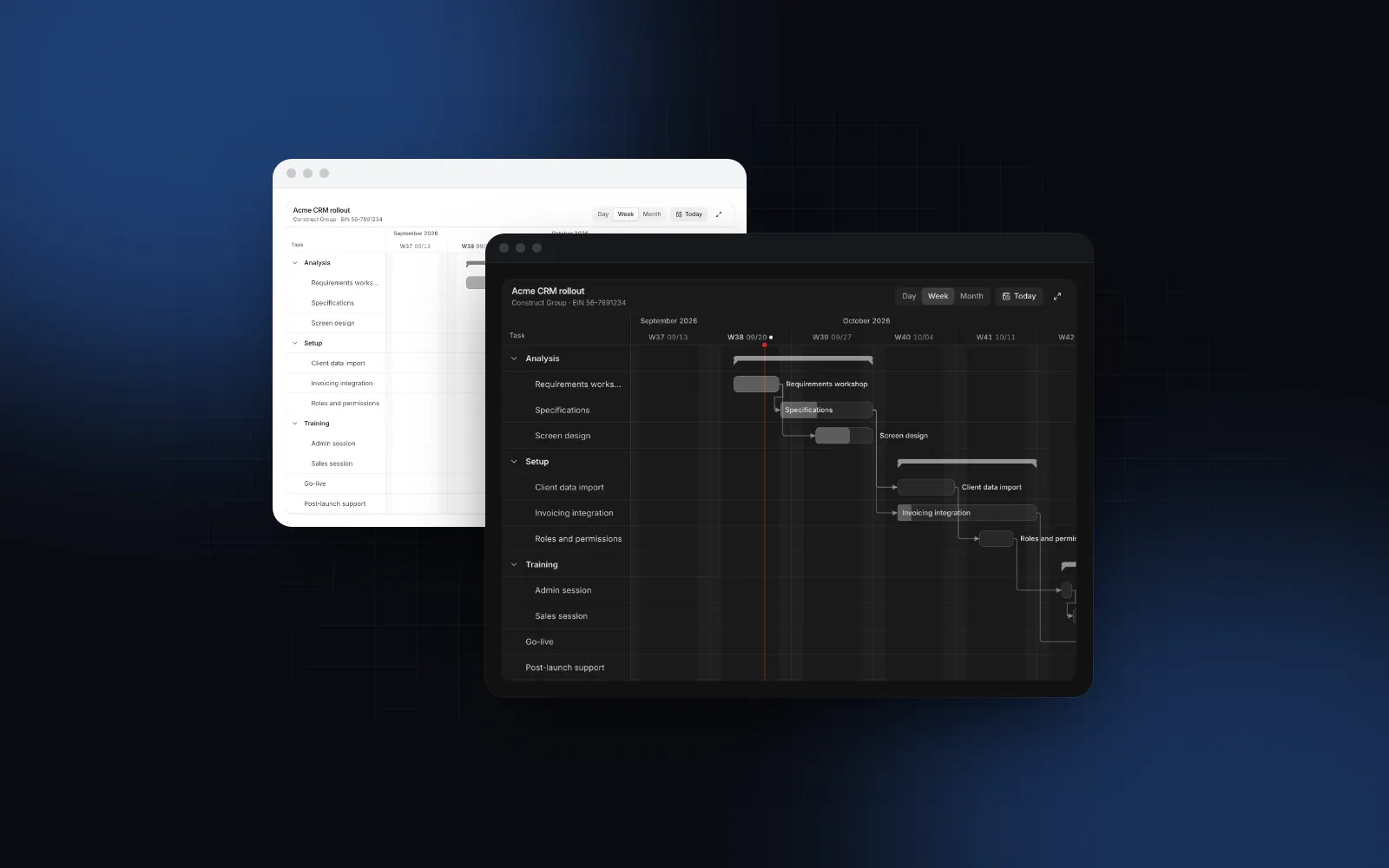
You need a React Gantt chart for a project plan, a roadmap or a client rollout. Drawing bars on a date axis takes an afternoon. Then people want to drag a bar to move a task, stretch it to change the end date, see which tasks wait on which, and open the plan on a phone, where a twelve week axis is 390px wide. This guide covers what a Gantt component has to handle, the free and paid options, the props that matter in the Wingo UI Gantt, saving changes to a server, and the point where a paid Gantt library is the better buy.
What should a React Gantt chart component handle?
Seven things:
- Bars you drag and resize. The body moves a task, the edges change its start or end, and the result snaps to whole days.
- Progress. A filled part of the bar, editable by drag or from a form.
- Dependency arrows from a predecessor's end to its successor's start, with a clear signal when the plan breaks one.
- Groups and milestones. Phases that fold, with a span and progress computed from their tasks, and diamonds for dates such as a go-live.
- Zoom. Days for the next two weeks, weeks for a quarter, months for a year.
- Keyboard and screen reader support. Every move possible without a mouse, and announced.
- A phone layout. A horizontal axis does not fit a phone, so the chart needs a different shape there.
Is there a free React Gantt chart?
Yes. If you search for a react gantt chart free of license fees, these are the options you will find. They differ in license, maintenance and how much you build yourself. Facts are from each project's docs, GitHub and npm, as of October 2026.
SVAR is the strongest free choice if you want a configured widget with a task grid, sorting and filtering out of the box. Kibo UI fits if you want source code in the shadcn style and plan to add dependencies and progress yourself, since its docs do not mention either. Skip gantt-task-react for new work: an archived repository gets no fixes.
What props does the Wingo UI Gantt need?
One array and one callback. tasks lists the rows, and onTaskChange receives every move, resize, progress drag and details save as { start, end, progress? }.
Three details in the task shape matter. end is inclusive, so a one day task has the same start and end. progress runs from 0 to 1. A task that other tasks name as parentId becomes a group: its span and its duration-weighted progress are computed from its children, and the chevron in the list folds it.
The props you will reach for next are defaultZoom (day, week or month, 40, 20 and 6 pixels per day), snap (day or week), listColumns (assignee, start, end, duration, progress, status), maxHeight (520px by default, with sticky headers and a sticky task list), editable and tone.
Drag a bar, stretch one of its edges, then open the zoom control and switch to months.
$ npx wingo-ui@latest add ganttHow does React Gantt drag and drop work?
A bar is three drag targets. The body moves the task and keeps its length, and the left and right edges move one end. While you drag, the original stays behind faded and a pill shows the new dates; on release the bar snaps to the snap unit. Near the edge of the timeline the view scrolls along, so you can drag a task into next month without letting go.
That is react gantt drag and drop with a mouse. On touch, a swipe across the chart must still scroll it. A bar on a touch screen lifts only after a press and hold (450ms, the library's long press default), so a quick swipe pans the timeline and a deliberate hold picks up the task. The same split between scrolling and dragging is explained in the dnd kit mobile touch drag tutorial.
The keyboard gets the same powers. Tab lands on one task, Up and Down move between tasks, Enter opens its details, Alt with Left or Right moves it by one snap step, Alt with Shift and Left or Right changes its end, and Escape cancels a drag. A live region announces each change, such as the task's new date range.
How do progress and dependency arrows work?
Set progressEditable and a small handle appears under each bar; drag it and progress moves in steps of 5%. The same value is editable in the details popover, together with the dates.
Dependencies are finish to start: list a predecessor's id in dependencies and an arrow runs from the end of that bar to the start of this one. When a task starts on or before its predecessor's last day, the arrow turns dashed red, the task list shows a warning icon, and the announcement names both tasks. The same check is exported as findDependencyViolations(tasks), so you can block a save or show a banner from the same rule the chart draws.
$ npx wingo-ui@latest add ganttThe chart does not move dependent tasks when you move a predecessor. That is a deliberate limit: the chart reports and your code decides. A simple forward pass on top of topoSortTasks, which orders predecessors first, pushes every late successor right:
Call it inside onTaskChange after you apply the change:
It only pushes tasks later. Moving a predecessor earlier leaves its successors where they are, so closing a gap stays a decision someone makes by dragging.
How do I save Gantt changes to a server?
Return a promise from onTaskChange. The bar keeps its new place while the request runs, and if the promise rejects it springs back to where it was and the chart announces that the change failed. Returning false cancels a change on the spot, which is how you refuse a move by rule.
Send dates as calendar days, as above. A Date serialized with toISOString() is in UTC, so a task that ends at local midnight in Berlin arrives on the server as 10 or 11 PM the day before (depending on daylight saving time). If the server keeps only the date part, the bar moves a day earlier after a reload.
How does a project timeline in React work on a phone?
It stops being a timeline. Below 512px of its own width the Gantt becomes a list of tasks grouped by phase, each with a mini bar placed inside the project's span, so you can still see what runs when. Tap a task and its details open in a bottom sheet below 768px (turn that off with responsive={false}). Between 512 and 1023px the list keeps only the names, and the extra columns appear from 1024px.
The switch follows the chart's own width, so a Gantt in a narrow side panel on a desktop gets the list too.
Should I use a Gantt chart or a timeline?
Use the Gantt for the plan and the Timeline for the history. A Gantt chart is bars with a start and an end: durations, overlaps and dependencies. A timeline is events at a point in time: "Specifications approved", "Invoice paid", "Shipped". A search for a react gantt timeline or a project timeline React component can mean either, so decide by the data: rows with a start and an end need the Gantt, single moments need the Timeline.
If the rows are rooms, cars or people and the bars are bookings, neither fits: that is a resource scheduler, covered in the React resource scheduler guide with the Scheduler component.
When is a paid Gantt library worth it?
When the chart has to do project management, not only show it. The Wingo UI Gantt draws finish-to-start dependencies, checks them, and leaves rescheduling to your code. It has no critical path, no resource histograms, no working-time calendars (weekends are shaded, holidays are not modeled), no baselines and no export. It virtualizes the rows once more than 150 are visible, but it does not load tasks on demand from a backend.
The paid editions exist for exactly that list. As of October 2026, SVAR PRO (opens in a new tab) adds auto-scheduling across all four dependency types, critical path, constraints, resource planning, working-time calendars, baselines, export to PDF, PNG, Excel and MS Project, and MS Project import. DHTMLX PRO (opens in a new tab) adds auto-scheduling, critical path, resource management, baselines, project and resource calendars and the official React wrapper, from $799 for one developer and one project. Bryntum (opens in a new tab) starts at $940 per developer at its small team rate (3 or more licenses). If your users are project managers who import MS Project files and ask what slips when a task slips, buying one is cheaper than writing a scheduler.
For a plan inside a product (a client rollout in a CRM, a roadmap in an admin), you need the seven things from the first section, your design tokens and code you can change. That is what the Gantt is built for. Wingo UI Pro is $8 a month, $80 a year or $150 once, as of October 2026 (pricing).
What are the common React Gantt chart pitfalls?
- Exclusive end dates. Store
endas the last day of the task, inclusive. Mixing inclusive and exclusive ends makes every bar one day too long or too short. - Group dates from the database. A group's span comes from its children. Do not save a separately edited group span and expect it to win.
- Cycles. A depends on B and B on A. The chart warns in development and
topoSortTaskskeeps such tasks in their original order, but a forward pass likepushDependentswill not resolve them.
How do I add it to my project?
Run npx wingo-ui@latest add gantt. The CLI copies the source into components/ui, adds the components and hooks it builds on (among them Popover, Date Picker, Slider, Progress, Tooltip and the long press hook), and installs date-fns, @tanstack/react-virtual, motion and lucide-react. For boards instead of plans, see the React kanban board guide. More single-component deep dives are in the component guides category, and the React form components guide applies the same touch, keyboard and screen reader rules to every form control.
FAQ
Is there a free React Gantt chart?
Yes. SVAR React Gantt has an MIT-licensed core with drag and drop, dependencies and zoom, DHTMLX Gantt has an MIT Community Edition you wrap in React yourself, and Kibo UI ships an MIT Gantt as source through its shadcn-style registry. gantt-task-react is MIT too, but its GitHub repository is archived and its last npm release is from July 2022.
How do I add drag and drop to a React Gantt chart?
Treat a bar as three drag targets: the body moves the task, the left edge changes the start and the right edge changes the end, and snap the result to whole days on release. The Wingo UI Gantt does this for you and reports every change through onTaskChange with the new start, end and progress.
What dependency types does a Gantt chart use?
Project tools know four: finish to start, start to start, finish to finish and start to finish. Finish to start is by far the most common, and it is the only type the Wingo UI Gantt draws; SVAR PRO auto-schedules across all four.
What is the difference between a Gantt chart and a timeline?
A Gantt chart plans work as bars on a time axis, so you see durations, overlaps and dependencies. A timeline lists events that happened at a point in time, such as an activity feed or an order history, which is what the Wingo UI Timeline component is for.
Is the Wingo UI Gantt free?
No. The Gantt and the Timeline are Pro components. The Popover, Tooltip and Progress the Gantt builds on are free.
- Gantt chart
- Drag and drop
- Project planning
- Mobile UI
- React