React Kanban Board: Drag, WIP Limits, Phone Layout
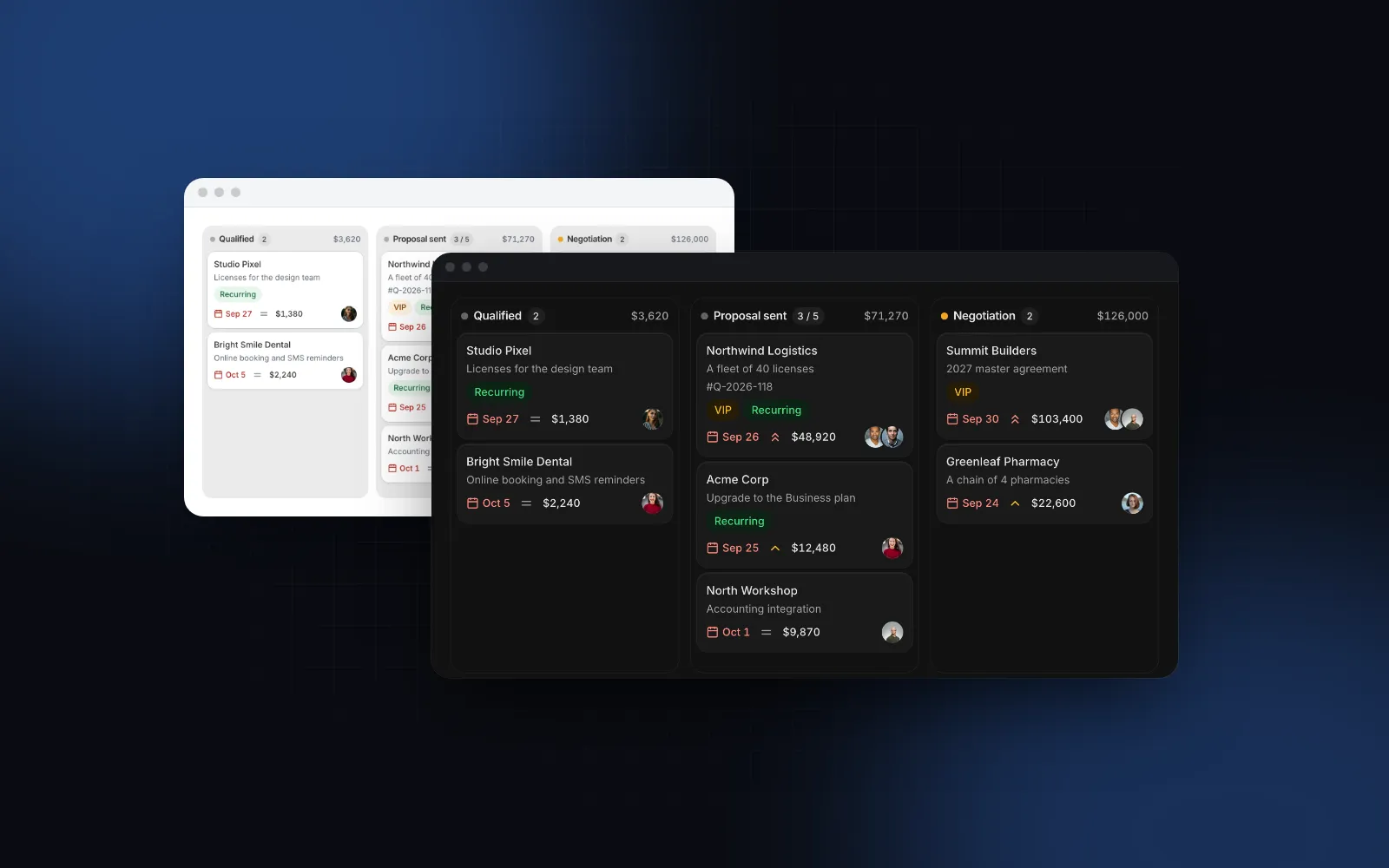
You need a React kanban board for tasks, orders or a sales pipeline. Dragging cards between columns with a mouse is the easy part, and most tutorials stop there. Then someone opens it on a phone and the five columns shrink to slivers, a swipe drags a card when they meant to scroll, a keyboard user cannot move anything, and "In progress" quietly fills up with twelve cards. This guide covers what a production board needs, the props that matter in the Wingo UI Kanban, and a full example with saving, inline add and WIP limits.
What should a React kanban board component handle?
Six things: three ways to drag, a way to move without dragging, WIP limits, inline add, a phone layout and screen reader announcements. Most React kanban board component demos only show the first one, a mouse on a wide screen. Here is the list we hold our own board to:
- Three ways to drag. Mouse after 8px of movement (so a click still opens the card), touch after a 250ms long press (so a swipe still scrolls), keyboard with Space and the arrow keys.
- A way to move without dragging. WCAG 2.2 success criterion 2.5.7 Dragging Movements (opens in a new tab) (level AA) asks for a single-pointer alternative to any drag unless dragging is essential. A Move to menu covers it.
- WIP limits that warn or refuse the drop.
- Inline add that stays open for the next card.
- A phone layout with one column at a time.
- Announcements of every move for screen readers.
Point 5 is the one demos skip: five 288px columns need 1,440px plus gaps, so on a 390px screen you either scroll sideways past slivers of columns or shrink cards until titles wrap after two words.
How do the React kanban libraries compare?
Dice UI is a free source component you install through the shadcn CLI, SVAR is a packaged widget built for large boards, and the Wingo UI Kanban is a Pro source component with a phone layout and WIP limits built in. These are the three names that come up when you search for a React kanban library or a shadcn kanban. Facts are from each project's public docs (Dice UI's MIT license from its GitHub repository), as of October 2026.
Dice UI is a good choice if you want a free set of composable parts and plan to build the phone behavior yourself. SVAR fits if you want a configured widget: its page lists card and column virtualization, which matters once a board holds thousands of cards. The rest of this guide covers the Wingo UI board.
What props does a React kanban board need?
Two arrays. columns lists the columns in order, and value (or defaultValue) lists the cards, each with a columnId. The board calls onValueChange with the whole new array after a drop, a Move to or an added card.
The board fills its container's height, so give the wrapper one.
A card takes title, description, tags, assignees, dueDate (red once it is overdue), priority, amount, a 16:9 cover image and a muted meta line. Amounts are summed into the column header in currency (USD by default); set a column's total to override the sum or null to hide it. The props you will change most often after that are limitBehavior, columnWidth (288px by default), size (sm for dense overview boards) and readOnly.
Drag a card to another column, then tab to a card and press Space to move it with the arrow keys. Open a card's ⋯ menu to find Move to.
$ npx wingo-ui@latest add kanbanHow do kanban WIP limits work in the board?
A WIP (work in progress) limit is the most cards a column should hold at the same time. Kanban WIP limits exist to make a bottleneck visible: when "In review" is full, the team finishes reviews before starting new work. Jira's column constraints (opens in a new tab) (documented for Jira Software Server) color a column red when it passes its maximum and yellow when it is under its minimum, as a visual signal only.
The Kanban supports both styles. Give a column a limit and its count reads "3 / 5":
limitBehavior="warn"(the default): at the limit the count turns amber, over it red with a one-time pulse and a line of text ("Over the limit: 6 of 5"). The drop still goes through.limitBehavior="block": a full column refuses drops, dims while you drag, and its entry in the Move to menu is disabled.
Use warn for teams that treat the limit as a conversation, and block for boards where the limit is a real capacity, such as a packing station that can only handle a fixed number of orders. A column with disabled: true accepts no drops at all, while its cards can still leave.
$ npx wingo-ui@latest add kanbanHow do I save moves and add cards from a server?
Update state at once, send the change, and roll back if the request fails. onValueChange gets the new array and, for moves, a second argument: { itemId, fromColumnId, toColumnId, fromIndex, toIndex }. toIndex is the position inside the target column, not in the flat value array, so send it with the column id and let the server renumber that column's sort keys. onMove runs before a move commits; return false to cancel it and the card flies back.
onAddCard shows + Add card under every column. Return the new card, or a promise of it, and the board inserts it at the end of the column. While the promise is pending the Add button shows a loading state, and if it rejects the text stays in the composer so nothing is lost. Enter adds and keeps the composer open for the next card, Shift + Enter makes a new line, and Escape closes it.
If you do not update value after onValueChange, the card springs back. That is the controlled contract, and it is why the rollback above is just a setTasks(previous). The snapshot is only safe for one request at a time: if a second move lands before the first one fails, restoring the first snapshot also undoes the second. When moves can overlap, refetch the board on a failure instead.
How do I make a kanban board work on mobile?
Show one column at a time. When the board is narrower than 576px, each column takes 85% of the width with the next one peeking from the edge, and the board snaps from column to column. A chip row on top shows every column with its count, lights the one in view, and jumps to a column on tap; mobileNav={false} hides it. The switch uses a container query on the board, so a narrow board in a side panel on a desktop gets the phone layout too.
Touch drag starts with a 250ms long press and a short haptic tick where the browser supports vibration, so a quick swipe scrolls between columns and a deliberate hold lifts the card. Hold a lifted card near the board's edge and the board scrolls sideways to the next column. The ⋯ button is always visible on touch, and Move to opens as a bottom sheet. The sensor setup is explained in the dnd kit mobile touch drag tutorial, and the sheet pattern in the React bottom sheet guide.
For a board that runs to the screen edges, pass the full-bleed classes the docs suggest, so the peeking column starts at the edge of the screen:
How do I make a kanban board accessible?
Give every move a keyboard path, a menu path and a spoken announcement. Every card is a Tab stop. Space picks it up, Up and Down move it within its column, Left and Right jump to the nearest spot in the neighboring column, Space or Enter drops it, and Escape puts it back. Enter on a resting card runs onCardClick. Shift + F10 or the Menu key opens the card's ⋯ menu, which is built on the Dropdown Menu; add your own entries with getCardActions and column entries with getColumnActions.
A screen reader hears each step from live announcements such as "Northwind Logistics moved to Negotiation, position 2 of 4". All strings, including those announcements, live in labels and merge over DEFAULT_KANBAN_LABELS, so you can translate the board without forking it. Give cards with a non-string title a textValue so menus and announcements have plain text to read. Reduced motion drops the tilt, the pulse and the sliding.
What are the common React kanban board pitfalls?
Four mistakes show up once a board moves from demo data to real data.
- No height on the container. The board fills its parent. Without a height, columns grow with their cards and the page scrolls instead of the column.
- A card with an unknown columnId. It is not rendered, and a development warning names it. Check this when column ids come from a database.
- Dragging as the only way to move. Keep Move to in the menu (it is there unless
readOnly), or the board no longer meets WCAG 2.5.7. - A board for a long list. A column with hundreds of cards reads better as a table with a status filter, which turns into cards on phones (responsive table pattern).
When should I use the Deal Pipeline instead?
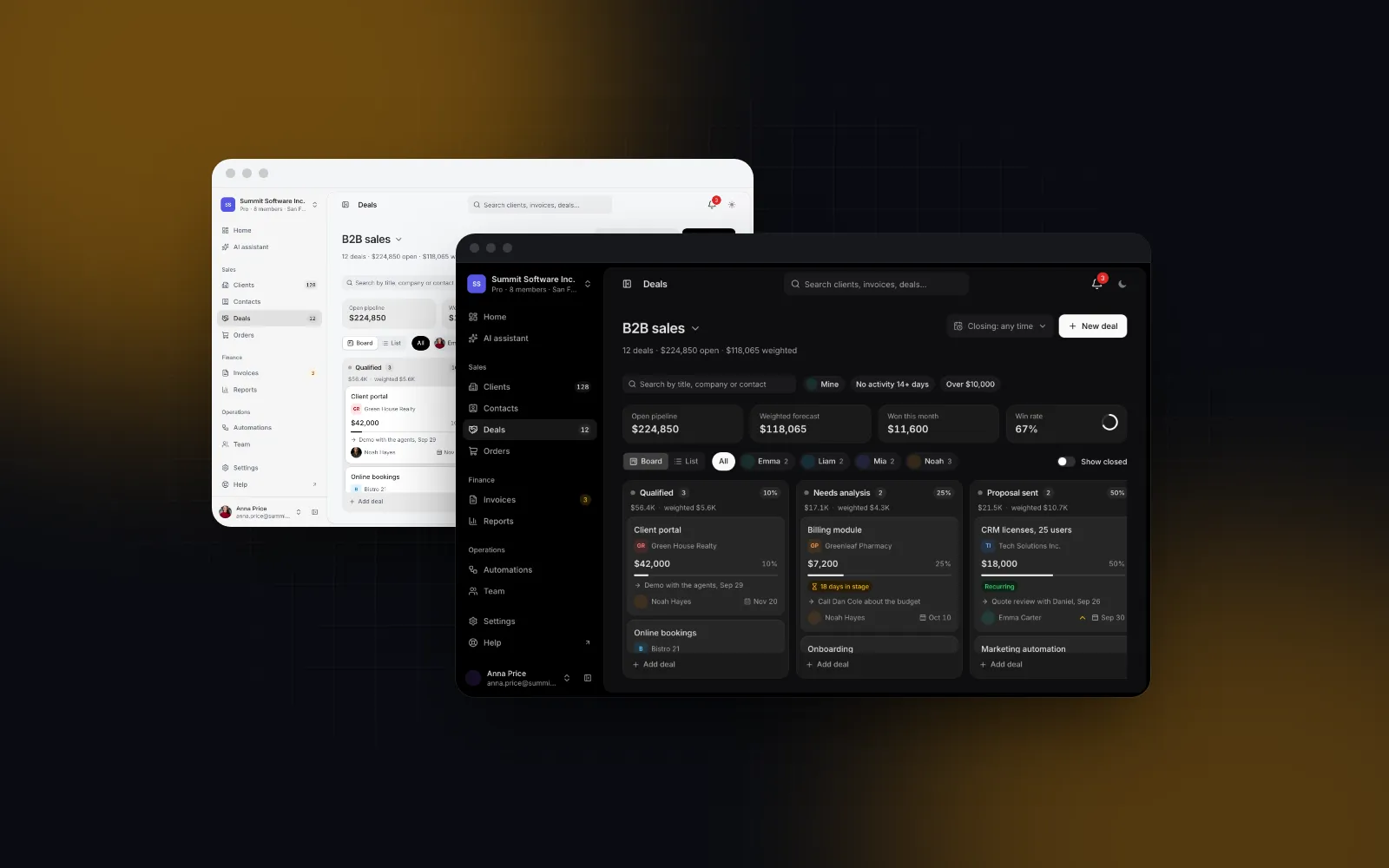
Use it when the board is a sales pipeline. The Deal Pipeline is built on the Kanban and adds stage probabilities, total and weighted total per stage, a forecast summary with the win rate, and a reason dialog when a deal is dropped on Lost. onDealMove can return a promise: the card shows a spinner while it saves and springs back if the save fails. It also has a list view and an owner filter.
$ npx wingo-ui@latest add deal-pipelineHow do I add it to my project?
Run npx wingo-ui@latest add kanban (or deal-pipeline). The CLI copies the source into components/ui, adds the components, hooks and helpers it imports, and installs @dnd-kit/core, @dnd-kit/sortable, @dnd-kit/utilities, motion and lucide-react. Both are Pro components (pricing). More single-component deep dives are in the component guides category, and the React form components guide applies the same touch, keyboard and screen reader rules to every form control.
FAQ
What is the best React kanban library?
It depends on what you need around the board. A source component built on dnd kit, such as the Dice UI or Wingo UI kanban, gives you code you can edit; a packaged library such as SVAR React Kanban gives you a configured widget. Check touch drag, keyboard moves and a phone layout before you pick, because many boards only demo on a desktop.
How do WIP limits work on a kanban board?
A WIP limit is the most cards a column should hold at once. Tools either warn (Jira colors a column red when it passes its maximum) or block the drop until a card leaves; the Wingo UI Kanban supports both through limitBehavior="warn" or "block".
How do I make a kanban board work on mobile?
Show one column at a time with the next one peeking, snap between columns, and add a row of chips to jump to a column. Lift cards with a long press so a swipe still scrolls, and offer a Move to menu in a bottom sheet for people who do not want to drag.
Is there a shadcn kanban component?
shadcn/ui itself does not ship a kanban board. Third-party registries do: Dice UI installs one through the shadcn CLI, and the Wingo UI Kanban installs as source with npx wingo-ui@latest add kanban.
Is the Wingo UI Kanban free?
No. The Kanban and the Deal Pipeline are Pro components. The Empty State it uses for empty columns is free.
- Kanban
- Drag and drop
- Mobile UI
- Accessibility
- React