React Audio Player with Waveform: Scrub, Seek, Peaks
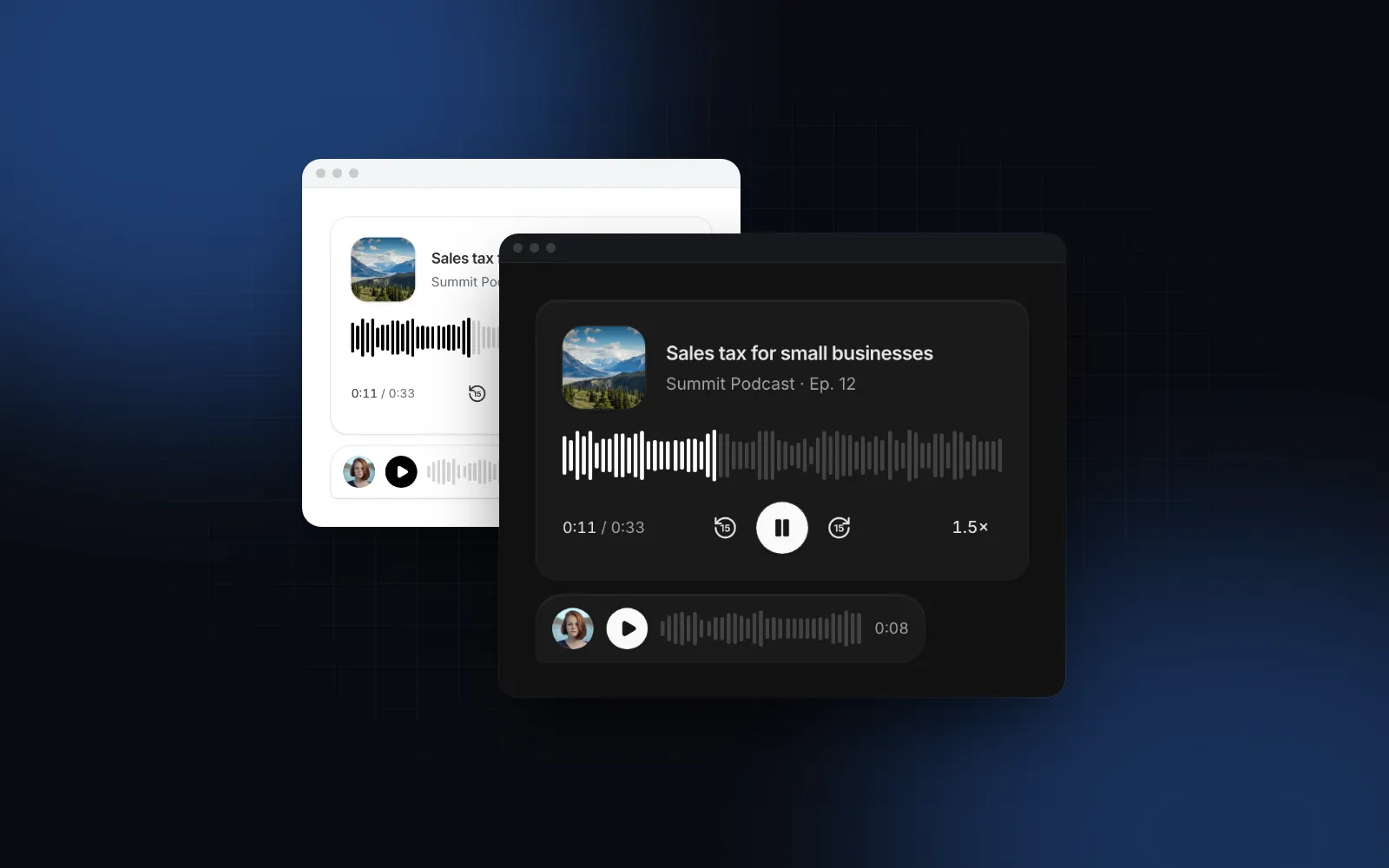
You need a React audio player with waveform bars: a podcast episode on a landing page, voice notes in a chat, or recorded calls in a CRM. The native <audio controls> element plays the file, but it looks different in every browser, shows no waveform and is hard to fit inside a chat bubble. A waveform library draws the bars; the hard parts are still yours: scrubbing on a phone, keyboard seeking, what a screen reader hears, and the jump in layout when the real waveform arrives. This guide covers those parts with the Wingo UI Audio Player and the useMediaControls hook it is built on.
What should a React waveform audio player handle?
Seven things. A React waveform audio player that holds up in production needs:
- Click, tap and drag to seek on the bars, with the time following the finger while you drag.
- Keyboard seeking with the arrow keys, Page Up and Page Down, Home and End.
- A slider that speaks a time. Screen readers announce the position as text, such as "1:12 of 4:05", instead of a raw count of seconds.
- Stable layout. The waveform has a fixed height and placeholder bars from the first render, so nothing shifts when the decoded peaks arrive.
- Peaks that scale. Short clips can be decoded in the browser; long ones need precomputed peaks.
- One player at a time. Starting a voice note pauses the one that was playing.
- Speed, lock screen and headphone controls, because people listen to podcasts at 1.5x with the phone in a pocket.
How do the waveform options compare?
The main choice is a waveform library you wire into your own UI, or a finished player component. The table compares one of each, with facts from each project's public docs as of October 2026.
wavesurfer.js is the better choice when the waveform is the product: editing, regions, zooming or a spectrogram. For a podcast player react component or a voice message player react component, a finished player is less work: it already has the controls, the keyboard map and the loading and error states.
What props does the Audio Player need?
Only src. Everything else has a default: the card variant, the neutral tone, 15 second skip buttons, a speed menu from 0.5x to 2x and as many bars as fit the width.
The props you will change most often are variant (card, compact or minimal), tone or color for the played bars and the play button, skipSeconds (0 hides the skip buttons), rates for the speed list, and barWidth, barGap and waveformHeight for denser or taller bars. title, subtitle and cover also become the lock-screen metadata while the file plays.
Press play, then drag across the bars. With a mouse, hover to see the time above the cursor; with the keyboard, Tab to the waveform and use the arrow keys.
$ npx wingo-ui@latest add audio-playerHow do I avoid layout jank while the waveform loads?
Reserve the space and fill it with bars from the first render. The waveform is 40px high in the card and 28px in the compact player (waveformHeight overrides both), so its box never changes size. Until real peaks exist, the player draws placeholderPeaks(src, count): stable, speech-like bars seeded from the url, identical on the server and the client, so there is no hydration mismatch. On the server the bars spread over the width; after mount a ResizeObserver counts how many barWidth + barGap bars fit and redraws.
When the decoded peaks arrive, the new bars cross-fade over the placeholders. The played part is the same bars in the tone, clipped with clip-path from a motion value, so playback repaints instead of re-rendering React on every frame. The time text uses tabular numbers and switches to an hours format for recordings of an hour or more, so its width does not jitter.
Should I decode peaks in the browser or precompute them?
Decode short files, precompute long ones. Without a peaks prop the player waits until it is within 200px of the viewport, fetches the file, decodes it with an OfflineAudioContext and keeps the loudest sample per bucket (decodePeaks caches the result per url and bar count). That is fine for a 30 second voice note. The wavesurfer.js performance notes (opens in a new tab) explain the limit: Web Audio decoding holds the whole file as raw PCM in memory, and a 60-minute stereo track can pass 500 MB. Decoding also needs the file on your origin or served with CORS; a blocked file stays on the placeholder bars.
For podcasts and call recordings, generate peaks once when the file is uploaded. BBC's audiowaveform (opens in a new tab) writes them as JSON; this is the command from the wavesurfer.js peaks guide (opens in a new tab):
The JSON data array holds interleaved min and max pairs per channel (data format (opens in a new tab)). The player wants one number per bar from 0 to 1, in any length, so fold each pair into its larger absolute value, downsample to a few hundred buckets and normalize:
Then read the file in a server component and pass it down. The player skips decoding and shows the real waveform in the server HTML:
How do I build a voice message player in React?
Use variant="compact": play, bars, time and a speed chip that cycles 1x, 1.5x and 2x on each tap, sized for a chat bubble. Put an avatar or a mic icon in leading. exclusive is on by default, so starting one voice note pauses every other exclusive player on the page.
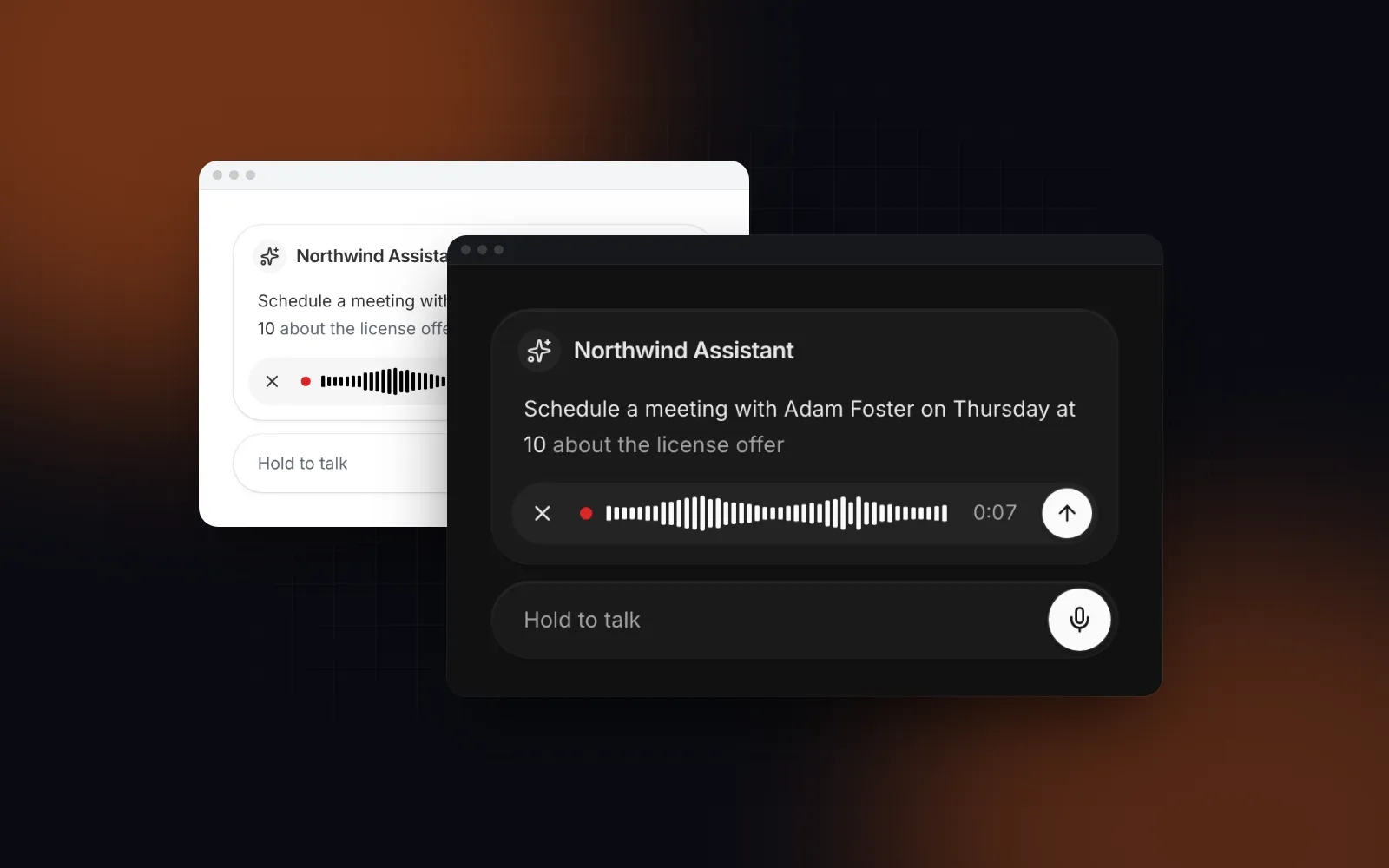
The compact player shows the length before it starts and the position after. Recording the voice note is the other half: the Voice Input records with MediaRecorder and hands you the Blob, and the React speech to text input guide covers the mic, the live transcript and the server fallback.
One trap with fresh recordings: Chrome's MediaRecorder has long written WebM files without a duration (Chromium issue 642012 (opens in a new tab)), so the audio element can report Infinity. Since Chrome 140 a recording made in one piece carries the duration, but one recorded with a timeslice or requestData() calls still does not (Addpipe, updated June 2026 (opens in a new tab)). The Voice Input records in one-second chunks, so expect the missing duration with its Blobs. The Audio Player treats an infinite duration as a live stream: it shows a Live badge and turns off seeking. Patch the duration in the recorded file before you play it, or play the uploaded file once the server has stored it.
How do I show recorded calls in a list?
Use variant="minimal": play, a thin scrubbable bar, the time and an optional download, small enough for a table row or an activity feed. It drops the waveform on purpose, because thirty rows of bars are noise. downloadable adds the download button, and fileName names the saved file.
$ npx wingo-ui@latest add audio-playerThe React CRM template is a full screen where call rows like this belong.
How do I make an audio waveform accessible?
Treat the waveform as a seek slider. The player renders it with role="slider", the label "Seek", aria-valuemin and aria-valuemax in seconds, and aria-valuetext such as "1:12 of 4:05", the same idea as the W3C media seek slider example (opens in a new tab), which converts seconds to minutes and seconds so nobody hears a raw number.
On the waveform, Left and Right (or Up and Down) seek 5 seconds, Page Up and Page Down 30, Home and End jump to the start or end, and Space, k or Enter play and pause. Anywhere in the player, j and l seek 10 seconds, m mutes, 0 to 9 jump to 0% through 90% and the angle brackets change the speed. Every button keeps a 44px touch target on phones, the volume slider hides on touch screens where the hardware keys do the job, and the speed menu opens as a bottom sheet below 768px. A missing file shows a message with a retry instead of a dead button. All strings live in labels and merge over DEFAULT_AUDIO_PLAYER_LABELS.
How do I build a custom layout with useMediaControls?
Use the hook with the exported Waveform part, which makes this a React waveform component you can drop into any layout. useMediaControls returns a ref for the <audio> element, state such as playing, duration and second (whole seconds, at most one render a second), motion values for progress and buffered, and actions such as toggle, seek, seekBy, seekToFraction and setRate. handleMediaKey gives any root the same keyboard map.
Pass aria-label and aria-valuetext yourself here: with a motion value for progress, Waveform cannot compute a numeric value on its own. If you only need to react to playback, AudioPlayer has setApi, which hands you the same controls without a ref, for example to highlight the current sentence of a transcript and seek when someone taps a line.
$ npx wingo-ui@latest add use-media-controlsWhat are the common pitfalls?
- A CORS-blocked file. Decoding needs
fetchto read the bytes. Files on another domain without CORS headers play fine and keep the placeholder bars. Passpeaksor serve the file with CORS. - Decoding long recordings. Precompute peaks for anything longer than a few minutes, or the tab pays for the full PCM in memory.
preload="none"without a duration. The player shows--:--until the first play. Keepmetadataunless you render hundreds of rows.- Two players talking at once. Leave
exclusiveon for chat threads and episode lists. - Fresh WebM Blobs in Chrome. Chunked recordings still have no duration. Fix it or play the uploaded file, as described above.
How do I add it to my project?
Run npx wingo-ui@latest add audio-player. The CLI copies audio-player.tsx into components/ui and use-media-controls.ts into hooks, adds the items the player builds on (Button, Dropdown Menu, Popover, Slider, Spinner, Tooltip and a few helpers), and installs the npm packages they need, such as motion and lucide-react. The Audio Player, the hook and the Voice Input are Pro items: Pro is $8 a month, $80 a year or $150 once as of October 2026 (pricing). More single-component deep dives are in the component guides category, and the React form components guide applies the same keyboard, touch and screen reader rules to every form control.
FAQ
How do I show a waveform for an audio file in React?
Either decode the file in the browser with the Web Audio API and take the loudest sample per bucket, or precompute the peaks on the server with a tool such as BBC audiowaveform and pass them as an array. Browser decoding is fine for short voice notes; precompute for podcasts and long calls.
Is wavesurfer.js the best way to add a waveform in React?
wavesurfer.js is a mature BSD-3-Clause library with an official React package, @wavesurfer/react, that exposes a WavesurferPlayer component and a useWavesurfer hook. It is a good choice when you want regions, spectrograms or other plugins. If you want a finished player UI with chat and call-log layouts as source code you can edit, a component such as the Wingo UI Audio Player fits better.
How do I make an audio waveform keyboard accessible?
Give the waveform role slider, a label such as Seek, and aria-valuetext with the position as text, for example 1:12 of 4:05, so a screen reader does not read a raw number of seconds. Arrow keys should move a small step and Page Up and Page Down a larger jump, as in the W3C media seek slider example.
Why does my recorded WebM voice note have no duration in Chrome?
Chrome's MediaRecorder has long written WebM files without duration metadata (Chromium issue 642012), so the audio element can report Infinity. Chrome 140 adds the duration to recordings made in one piece, but recordings made with a timeslice or requestData() still lack it, so fix the duration in the file or play the stored upload instead of the fresh Blob.
Is the Wingo UI Audio Player free?
No. The Audio Player, the useMediaControls hook and the Voice Input are Pro items. Some of the parts they build on, such as the Button, Tooltip, Popover, Dropdown Menu and Spinner, are free; the Slider is Pro.
- Audio
- Waveform
- Voice messages
- Accessibility
- React