React Prompt Input: Enter, IME, Files, Stop and Voice
A React prompt input is the box at the bottom of every AI chat, and the first version always looks done. A textarea, an Enter handler and a send button work on your laptop. Then someone typing Japanese sends half a sentence when they confirm a word, a phone user cannot add a second line, a 30 MB PDF fails with no message, the Stop button is missing while a long answer streams, and on iOS the box slides behind the keyboard. This guide walks through each of those details, with the code we ship in the Wingo UI Prompt Input. We build that library, so we are not neutral; outside facts link to their sources.
What should Enter do in a React prompt input?
On a hardware keyboard, Enter sends and Shift+Enter adds a line. MUI's chat composer docs (opens in a new tab) and Vercel's AI Elements Prompt Input (opens in a new tab) both document that default (as of October 2026). Three exceptions matter:
- Touch keyboards. A phone keyboard has no Shift+Enter. If Enter sends there, nobody can write a list. Prompt Input checks
(pointer: coarse)and lets Enter insert a new line on touch screens, so the round button sends. - Long-form prompts. With
submitShortcut="mod+enter", Enter is a new line and Cmd/Ctrl+Enter sends. Cmd/Ctrl+Enter sends in both modes. - Key repeat. A held Enter fires keydown repeatedly, so the handler ignores
event.repeat.
The enterkeyhint attribute (opens in a new tab) only changes the label or icon of the Enter key, never its behavior, so it has to match what your handler does. Prompt Input sets enterKeyHint="send" when Enter sends and "enter" on touch, where it makes a line. A hidden "Shift + Enter for a new line" hint, linked through aria-describedby, tells screen reader users the rule.
How do you stop Enter from sending during IME composition?
Return early from the key handler while a composition is open. Japanese, Chinese and Korean input methods use Enter to confirm a conversion, and that Enter reaches your keydown handler. MDN's keydown reference (opens in a new tab) explains why isComposing alone is not enough: on the keydown that opens or closes the IME it can be false, while keyCode is still 229. So the guard checks both, plus the Process key some browsers report:
Wire it up with onKeyDown={(event) => onPromptKeyDown(event, send)}, then test it with a Japanese or Pinyin input method before you ship. On macOS, dead keys for accents (Option+E, then E) open a short composition too, so the same guard covers them. TypeScript marks keyCode as deprecated; keep it anyway, since it is the only signal on those edge keydowns.
How should prompt input attachments work?
Send every way a file gets in through one validator, show progress per file, and let people cancel. People add files three ways:
- The + button. It opens Upload files, and on touch devices Take a photo (
capture="environment", turn it off withcamera={false}). - Drop. Files dropped anywhere on the composer are accepted, with a dashed overlay that says where they land.
- Paste. A pasted screenshot becomes an attachment. Pasted text stays text.
All three go through readAttachments, which checks the type by mime type and extension against accept, the size against maxFileSize (20 MB by default) and the count against maxFiles (10). Rejected files get one clear message ("Invoice.pdf is larger than 20 MB") instead of disappearing.
Then the upload. Pass onUpload(file, { signal, onProgress }) and each attachment shows a progress ring, a failure shows Retry, and removing a file aborts its request through the signal. Call onProgress as often as you like: the composer renders at most once per 100ms per file. One pitfall: fetch gives you no upload progress, so a real progress ring needs XMLHttpRequest:
Sending waits until no file is still uploading, and failed files are left out of the message. Without onUpload, attachments stay local and you upload them yourself in onSubmit. Resolve with a URL string or { url } and the attachment's url is set for you. Keyboard users get one more shortcut: Backspace with the caret at the very start of the box focuses the last attachment's remove button, and Backspace again removes it.
How do you add a Stop button while the answer streams?
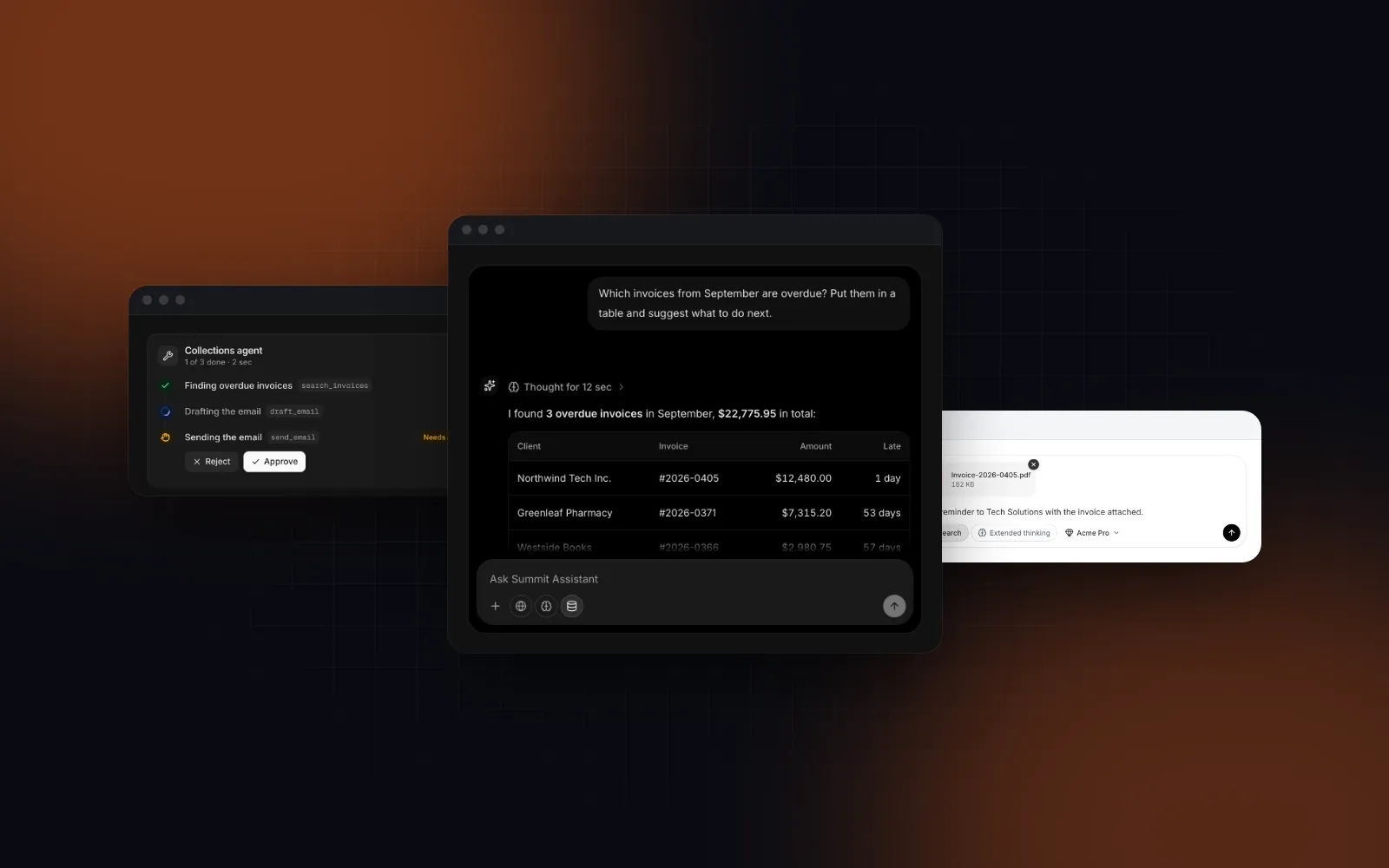
Turn Send into Stop for as long as the answer streams. Prompt Input takes a status of idle, submitting or streaming. While submitting, the button spins; while streaming, it is a Stop square that calls onStop. Sending is blocked until the status is idle again, but typing is not, so people can write the next question while the answer streams.
One pitfall sits on the server. Aborting the fetch closes the connection, but the model call in your route handler can keep running, and using tokens you pay for, unless it listens too. Pass request.signal from the route handler's Request to your model SDK or upstream fetch, so Stop ends the generation and not only the download.
Set stopShortcut="escape" and Escape stops the answer too. A bare key like Escape only works while focus is in the composer, so a dialog on the page keeps its own Escape, and an open menu or model list closes before the answer stops.
Two more details:
- The box clears at once. The text and files leave the composer the moment you send, and focus stays in the box. If
onSubmitreturns a promise that rejects, the text and files come back (unless the person has already typed something new) and an error is announced. - ArrowUp edits the last message. With
onEditLast, ArrowUp in an empty box calls it, so people can fix a typo in the prompt they just sent.
How do dictation and voice input fit in the composer?
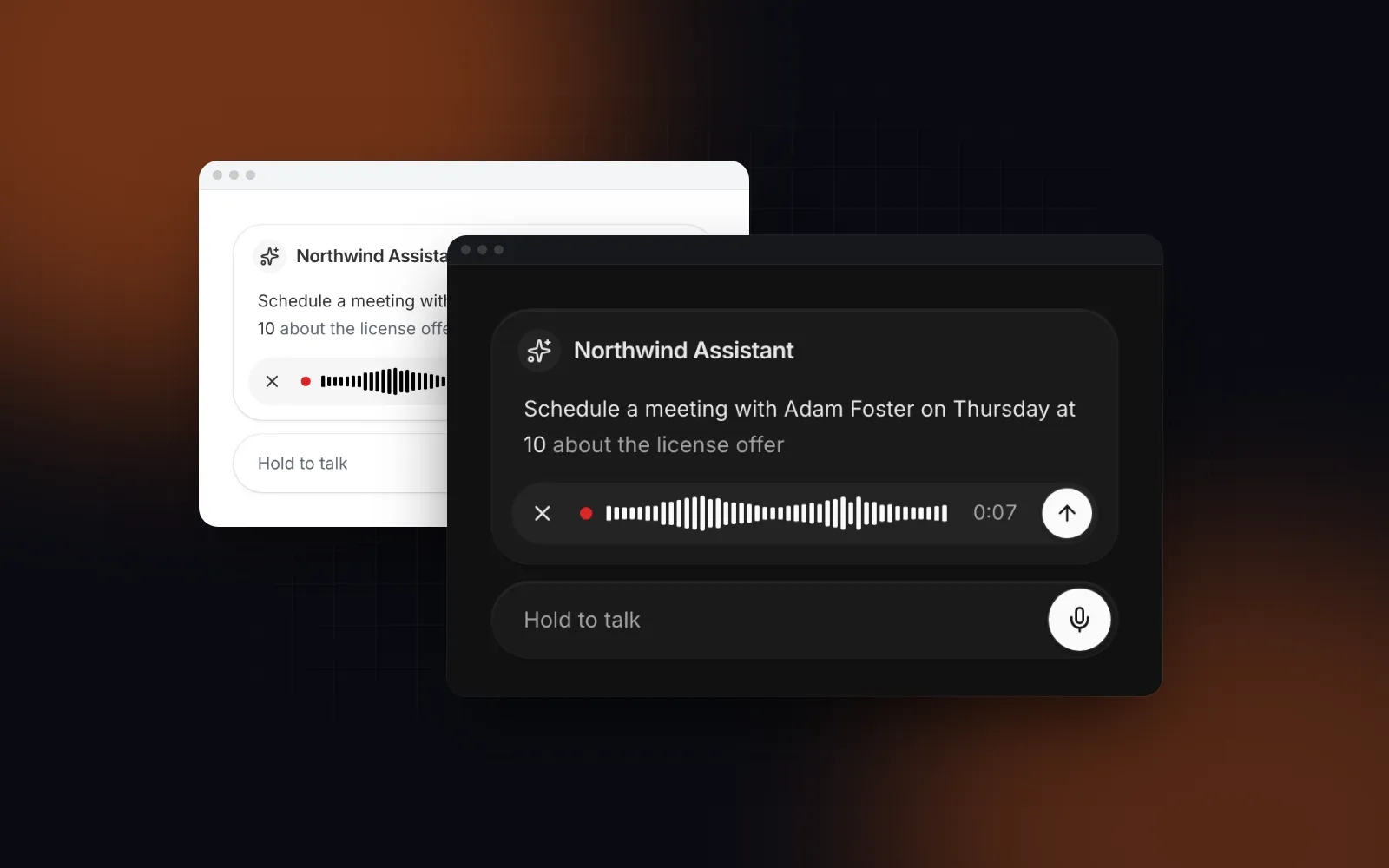
Pass voice and the Voice Input mic joins the toolbar; while recording, a pill with a live waveform takes it over. The words land where the caret was, replacing a selection, so someone can dictate into the middle of a prompt they typed. Finished words go into the text; words the browser is still unsure of stay muted in the pill. Cancel puts the text back exactly as it was.
The live words come from the Web Speech API, which MDN lists as limited availability (opens in a new tab), and in Chrome the audio is sent to a web service for recognition. Where the API is missing, the audio still records and the transcript stays empty. To transcribe on your server or send voice messages, pass onVoice as well and you get { blob, mimeType, durationMs, transcript } instead. Language, length and push-to-talk go through voiceInputProps={{ lang: "en-US", maxDuration: 60, mode: "hold" }} (the default maxDuration is 120 seconds). The fallbacks and the waveform are covered in the React speech to text input guide.
How do you keep an AI chat composer usable on a phone?
Hold the text at 16px, keep the keyboard open after a send and lift the box above the keyboard. These bugs only show up on a real phone, so Prompt Input handles them:
- No zoom on focus. iOS Safari zooms into inputs with text under 16px. The text is 16px on phones at every
size; thesmandmdsizes drop to 14 and 15px only from 768px up. - The keyboard stays open. Tapping Send would normally blur the textarea and close the keyboard. The button calls
preventDefaulton pointerdown while the box has focus, so the keyboard stays up for the next message. - Above the keyboard. With
position="fixed", the composer reads the visual viewport throughuseKeyboardInsetand lifts itself by the covered height with a motion value, no re-render per frame. It writes its height to--prompt-input-offseton<html>, so your thread can pad its content above it. The full story is in iOS Safari keyboard and position fixed. - Room for the text. In a composer narrower than 512px, tool chips move into the + menu as checkbox rows (a bottom sheet on phones), and only active tools stay visible. The check reads the composer's own width through a
ResizeObserver, not the viewport, so a composer in a narrow desktop side panel gets the same treatment. The Model Picker opens as a bottom sheet with 64px rows below 768px. - It grows, then scrolls. Up to
maxRows(8 by default), with CSSfield-sizing: contentwhere supported and one measurement per change where it is not.
$ npx wingo-ui@latest add prompt-inputWhere should prompt suggestion chips go?
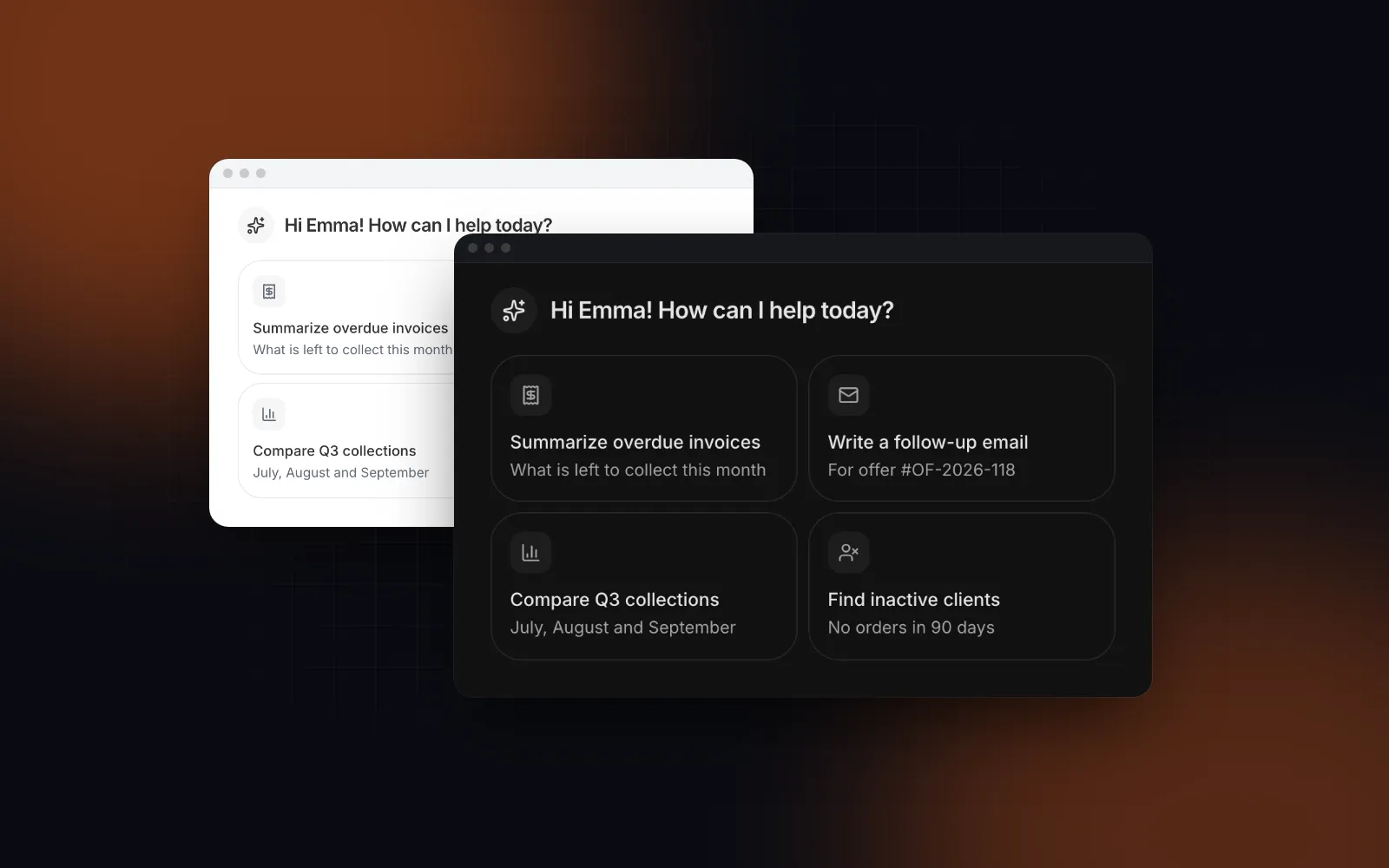
Above the composer on the empty screen, and as follow-ups after an answer. Prompt suggestion chips save typing on a phone and show what the assistant can do. Suggestion Chips renders them as pills, cards or rows (variant of chip, card or list), and keeps no selection: onSelect hands you the suggestion, and you decide whether it sends at once or fills the box for editing.
Filling the box suits prompts that need a detail, like a client name: give the suggestion a prompt that ends where the person types. Below 768px the pills sit in one swipeable row that runs to the screen edges, with 44px targets, and the whole group is one Tab stop with arrow keys inside. Pass disabled while a reply streams: picks are blocked but focus stays where it was.
$ npx wingo-ui@latest add suggestion-chipsWhat does a complete React AI prompt input look like?
A full composer for the Next.js App Router: a model picker, a tool, suggestion chips that fill the box, upload progress and a Stop that keeps the partial answer.
message carries { text, attachments, model, tools }, with the text trimmed and only ready (or local) attachments. tokenLimit shows a counter past 80% of 8,000 estimated tokens and blocks sending past it. The estimate comes from estimateTokens in lib/ai-chat: one token per CJK character and one per four other characters, close enough for a warning but no substitute for your model's tokenizer on the server. For the thread around this composer, with auto-scroll and streaming markdown, read the React AI chat UI guide.
When is another prompt input the better choice?
When your stack already decides it. If your app runs on the AI SDK, Vercel's AI Elements (opens in a new tab) is free, Apache 2.0 licensed and built on shadcn/ui, with a Prompt Input made of parts you compose yourself (PromptInputTextarea, PromptInputTools, PromptInputSubmit). Its README says, as of October 2026, that the project will be deprecated at the end of November 2026 and replaced by AI Elements from shadcn/ui (opens in a new tab), so new projects should plan for that move. Our AI Elements alternatives comparison covers the other kits. If you use MUI, its X Chat composer (opens in a new tab) handles Enter and IME composition and is labeled a preview as of October 2026. Wingo UI's composer fits when you want one component with the phone behavior, uploads and screen reader announcements already done, and you own the transport (any fetch, SSE or WebSocket call in onSubmit).
What should you try next?
Try submitShortcut, position and voice in the Prompt Input playground, then install it with npx wingo-ui@latest add prompt-input. It and the other components here are part of Wingo UI Pro. For connecting a coding agent to these components, start with the component library MCP guide, and find more posts in Building UI with AI agents.
FAQ
How do I make Enter send and Shift+Enter add a new line in a React textarea?
Handle onKeyDown: when the key is Enter without Shift, call preventDefault and submit; otherwise let the browser insert the line. Return early first when event.nativeEvent.isComposing is true or keyCode is 229, so Enter that confirms an IME conversion never sends.
Should Enter send the message on a phone?
No. Touch keyboards have no Shift+Enter, so if Enter sends, people cannot write a second line. Let Enter insert a new line on coarse pointers and give the send button the job, with enterkeyhint set to enter.
How do I show upload progress for prompt input attachments?
fetch does not report upload progress, so upload with XMLHttpRequest and read xhr.upload.onprogress, then pass the fraction to the composer. Abort the request when the person removes the file, and offer Retry when it fails.
How do I add a Stop button to an AI chat composer in React?
Keep a status of idle, submitting or streaming next to the composer, render Stop while it is streaming, and abort the request with an AbortController when it is pressed. Keep the partial answer in the thread and set the status back to idle.
Is the Wingo UI Prompt Input free?
No. Prompt Input, Suggestion Chips, Voice Input and Model Picker are part of Wingo UI Pro. Pro is $8 a month, $80 a year or $150 once (as of October 2026), and the 75 free items include the Textarea, Button and Tooltip it builds on.
- AI chat
- Prompt input
- React
- Mobile UI
- Accessibility