React Resource Scheduler: Drag to Book Rooms and Cars
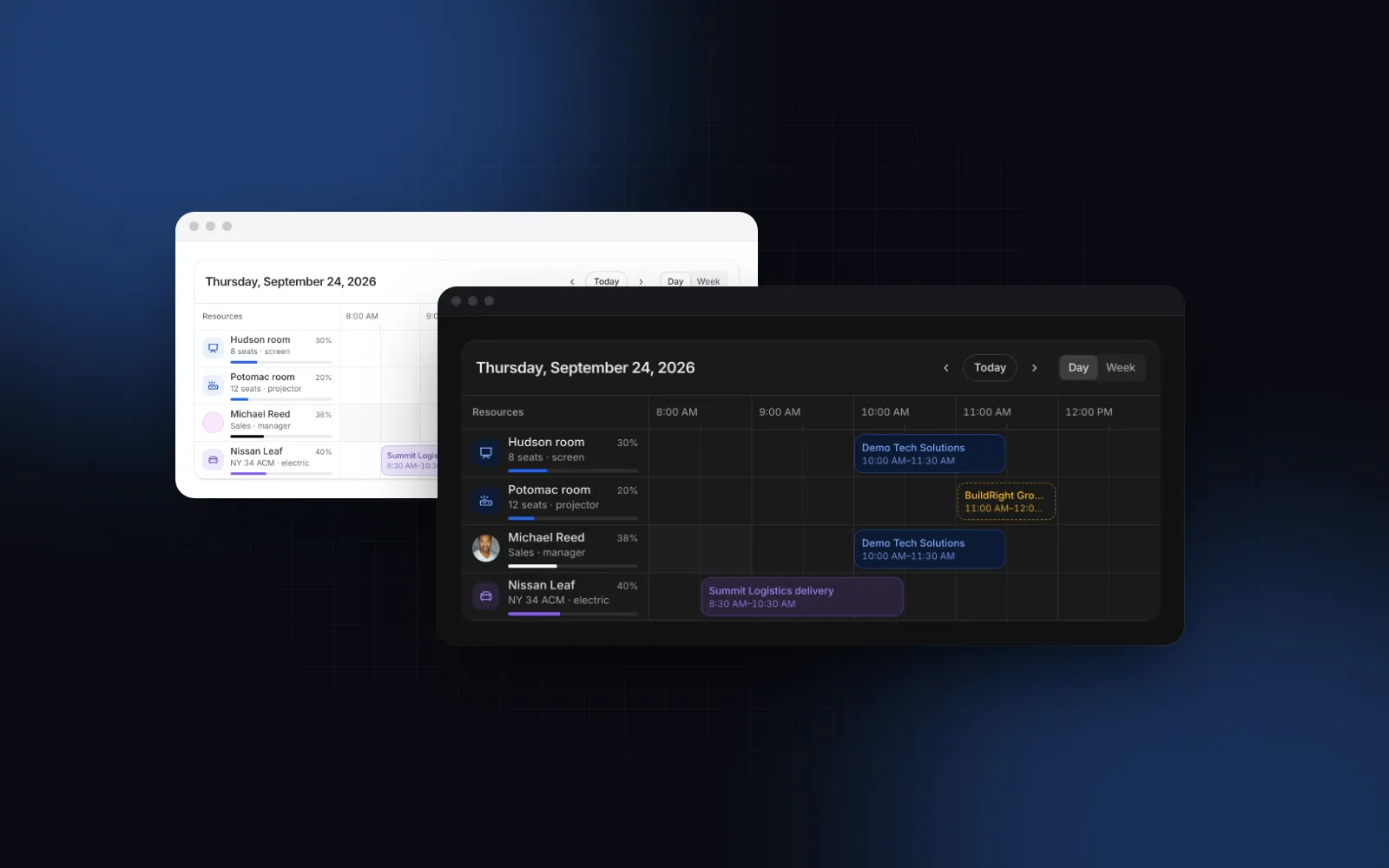
A React resource scheduler is the screen behind room booking, fleet planning and shift rotas: resources down the side, hours across the top, bookings as bars you can drag. It looks simple until people drag a meeting onto a taken room, book a car during its service, or both grab the Hudson room at 9 AM, and on a phone the 12 hour grid becomes a strip nobody can tap. This guide covers what a resource timeline needs, the props that matter in the Wingo UI Scheduler, how to keep bookings honest on the server, and what to show on a phone.
What is a resource scheduler, and how is it different from a calendar?
A calendar answers "what is on my day". A resource scheduler answers "which room, car or person is free at 2 PM". That changes the layout:
- Rows are resources. Each meeting room, vehicle or team member gets a lane. Lanes can be grouped (Rooms, Team, Cars) and folded.
- Columns are time slots. A day in 15, 30 or 60 minute slots, or a week of days.
- Availability is part of the row. Off hours are shaded, maintenance or time off refuses bookings.
- Bookings belong to one resource. Dragging to another row reassigns it.
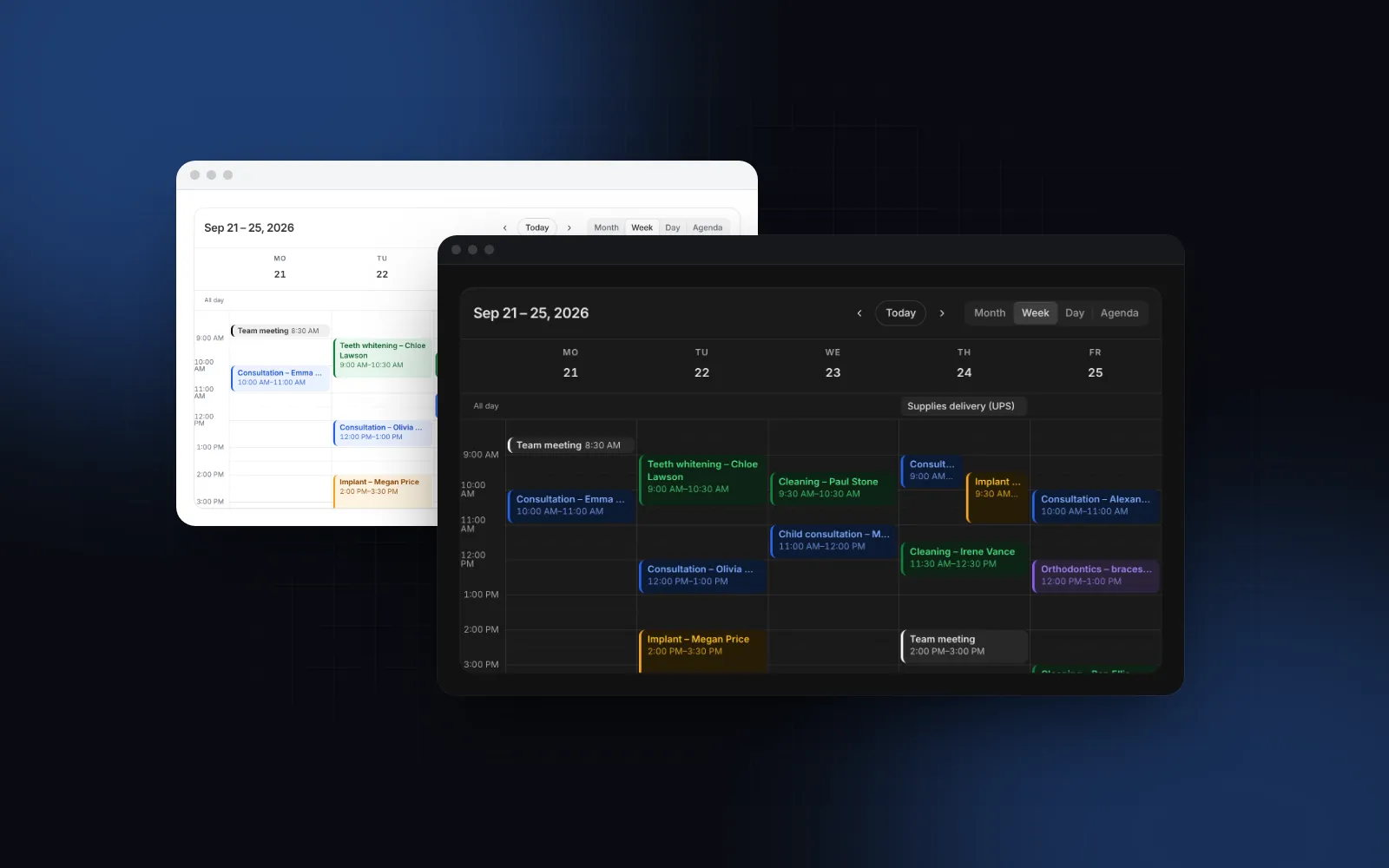
Every room booking UI needs these four. If your users mostly look at their own appointments, a month and week calendar such as Calendar View fits better; for availability across many things you want a react calendar resource timeline.
Which React resource scheduler options exist in 2026?
The main choices are FullCalendar Premium, Bryntum Scheduler, Syncfusion, the open source react-big-schedule and the Wingo UI Scheduler. Here is what their own pages say as of October 2026:
Pick Bryntum or Syncfusion when a large team needs a full planning suite with vendor support, FullCalendar Premium when you already use FullCalendar for month views, and react-big-schedule when your app runs on Ant Design. The Wingo UI Scheduler is for a Tailwind app that wants the timeline to match the rest of its UI, work on a phone and live in the repository as source you can edit.
What does a resource timeline look like in practice?
It is one grid with every resource's day side by side, so a free slot is a gap you can see. The demo shows nine resources in three groups on a Thursday in September. The red line is now, the bar under each name is how much of its working hours is booked, and the Potomac room is in maintenance from 2 PM to 4 PM.
$ npx wingo-ui@latest add schedulerTentative bookings are dashed; cancelled ones are struck through and never block a slot.
How do you set up resources and bookings?
You pass two arrays, resources for the rows and events for the bookings, plus callbacks that save what people change. Install it with npx wingo-ui@latest add scheduler. A resource is { id, name } plus optional avatar, icon, description, group, capacity, tone, color, unavailable and workingHours. A booking is a Calendar View event (id, title, start, end and optional extras) plus resourceId and an optional status.
The props that shape the grid are slotMinutes (what everything snaps to), dayStartHour and dayEndHour (8 and 20 by default), slotWidth, rowHeight and resourceWidth in pixels, and height (640px) before it scrolls with the time header and names pinned.
How does drag to create, move and resize work?
React scheduler drag and drop comes down to three gestures:
- Drag across free slots to book. The range snaps to the slots, stops at the next booking and opens a quick-book form under it with the title focused. Enter saves, Escape cancels. Save calls
onCreateEventwith{ start, end, resourceId, title }. - Drag a booking to move it. It follows the pointer to another time or another row, a ghost shows where it will land and turns red when that time is taken, and it settles into the slot on release.
- Drag an edge to resize. It stops at its neighbors instead of running over them.
The grid scrolls by itself near its edges, and Escape cancels any drag. Moves and resizes call onEventChange(event, change) with { start, end, resourceId }. The booking moves at once; return false or a rejected promise and it goes back, with the failure announced.
If you already have a booking form, pass onSlotSelect instead of onCreateEvent: a drag, click or Enter on a free slot hands you { start, end, resourceId }. onEventClick replaces the details popover the same way.
How do you stop double bookings?
Refuse overlaps in the UI and make them impossible in the database. In the UI, allowOverlap is false by default. A drop, a resize, a selection or a form save that overlaps another booking of the same resource is refused, the booking shakes and springs back, and screen readers hear "Hudson room is already booked then". Unavailable time refuses bookings even with allowOverlap on. Turn it on for people who can be double-booked; overlapping bars then stack in lanes and the row grows.
The UI check is not enough: two people can grab the same free slot at the same second. The file exports findConflicts(events, { start, end, resourceId, id? }), which returns the bookings of that resource that overlap the candidate and skips cancelled ones. Use it in your own forms on the client, and pass the booking's id when you check an edit, or the booking clashes with itself:
scheduler.tsx is a client module ("use client"), so do not import it into a server action or a route handler. Repeat the same rule in the database instead. In Postgres an exclusion constraint makes the overlap impossible, whatever the client sends:
A write that breaks the constraint fails with exclusion_violation (SQLSTATE 23P01). Catch that code and answer with a 409. send throws on any status outside 200 to 299, so a moved booking springs back and the quick-book form shows "Could not save" plus the title (the failed label), whatever text the server sent.
How should a React booking calendar work on a phone?
On a phone it should be a list of the day's bookings with one Book button, not a grid. A day from 8 AM to 8 PM in 30 minute slots is 24 columns of 48px, about 1,150px of grid to scroll sideways on a 390px phone. So when the scheduler is narrower than 576px of its own width (a container query, so a narrow side panel gets it too and the server HTML is already right) it becomes an agenda:
- a strip of the week's days, with dots on the busy ones,
- the day's bookings grouped by resource with their times,
- the resources that are free all day as chips that book them,
- a full-width Book button that suggests the next free slot.
Bookings and the booking form open as bottom sheets. Try it in a forced phone layout:
$ npx wingo-ui@latest add schedulerFor tablets in portrait, mobileView="day" keeps the day grid, scrolling sideways with the names pinned. On touch a tap on a free slot opens the booking sheet and a long press picks a booking up to move it, so a normal swipe still scrolls; our post on dnd kit on mobile explains the same trade-off in a sortable list. Lanes are at least 56px tall on touch screens, so every booking is a 44px target, and layout="mobile" or "desktop" forces one layout. For why sheets beat popovers on phones, see bottom sheets for the web.
How do you make a resource scheduler keyboard accessible?
Make the whole grid one Tab stop and move inside it with the arrow keys, so a keyboard user does not tab through hundreds of slots. In the Wingo UI Scheduler, Left and Right move through a row's free slots and bookings, Up and Down between resources, PageUp and PageDown a day or a week. Shift with the arrows selects slots and Enter books them; Alt with the arrows moves the focused booking and Alt with Shift resizes it. Moves, resizes, new bookings and refused drops are announced in a polite live region, and reduced motion makes the settles and the shake instant.
What breaks when a resource scheduler goes to production?
Time zones, the current time and data that does not match the rows cause most of the bugs:
- Time zones.
startandendareDateobjects, and hours are formatted in the zone of whatever renders them. A server on UTC and a browser in New York print different hours into the same HTML, and React reports a hydration mismatch. Store instants (timestamptz), run the server withTZset to your users' zone, or load the scheduler withnext/dynamicandssr: falsefrom a client component when users span zones. - The current time. Without
defaultDatethe server renders the first booking's day and the browser moves to today, so hydration matches. Pinnowin tests. - Missing resources. A booking whose
resourceIdis not inresourceslands in a "No resource" row. Treat that row as a bug report. - Working hours are whole hours.
workingHours: { start: 9, end: 17 }shades the rest of the day and the weekend. Lunch breaks and one-off closures go inunavailablewith alabel. - Labels. Every string is a prop.
labels={{ book: "Reserve", newBooking: "New reservation" }}changes the wording,conflicttakes a function of the resource name, andDEFAULT_SCHEDULER_LABELShas the full set to spread under a translation.
When is a regular event calendar the better choice?
A regular calendar is better when people mostly look at their own meetings. For that, use Calendar View: month, week, day and agenda views with drag to reschedule. A Scheduler booking is its event plus resourceId, so the same data feeds both. Our React calendar component with events guide covers that calendar in depth, and when the rows are tasks with dependencies rather than bookings, the React Gantt chart guide fits better.
$ npx wingo-ui@latest add calendar-viewTo pick one slot in a form, a Time Picker next to a date field is lighter than either. The React form components guide covers how those fields fit together, and the component guides have more single-component deep dives.
How do you add the scheduler to a Next.js app?
Run npx wingo-ui@latest add scheduler. It copies components/ui/scheduler.tsx and the 21 Wingo UI items it imports directly (plus their own dependencies), among them Calendar View (for the event type), Popover, Select, Time Picker, Tooltip and the date, motion and tone helpers, and installs lucide-react and motion. The Scheduler is part of Wingo UI Pro, so sign in first with npx wingo-ui@latest login.
FAQ
What is a resource scheduler in React?
It is a timeline where each row is a resource, such as a meeting room, a vehicle or a team member, and time runs across the columns. Bookings are bars in those rows, so you see availability per resource at a glance instead of one combined calendar.
Is FullCalendar's resource timeline free?
No. As of October 2026 the FullCalendar pricing page lists Timeline View and Vertical Resource View as premium features, with Premium starting at $480 for 1 to 10 developers. The Standard edition, which has the month, week and day views, is free.
How do I prevent double bookings in a React scheduler?
Refuse overlapping drops in the UI and check again on the server, because two people can book the same slot at the same moment. In the Wingo UI Scheduler allowOverlap is false by default, unavailable time always refuses bookings, and a rejected promise from onEventChange puts the booking back.
How should a booking calendar work on mobile?
Show one day as a list of bookings grouped by resource with a full-width Book button, instead of a wide grid that needs sideways scrolling. Moving a booking on touch should start with a long press, so a normal swipe still scrolls the page.
Should I use a resource scheduler or a regular calendar?
Use a resource scheduler when the question is which room, car or person is free at a given time. Use a regular event calendar with month and week views when each user mostly looks at their own appointments.
- Scheduler
- Booking
- Drag and drop
- Mobile UI