React Empty State Component: First Use, No Results, Errors
A list that has nothing to show is still a screen, and someone is looking at it. A new user sees an empty client list and wonders where to start. A search for "Tulsa" returns nothing and they wonder if search is broken. An API times out and the page looks exactly like the empty client list. A React empty state component is the small piece of UI that tells these situations apart and gives each one a way forward. This guide covers the types of empty state, the copy and actions that work for each, how to wire them in a list and a table, and the accessibility and phone details.
What should a React empty state component show?
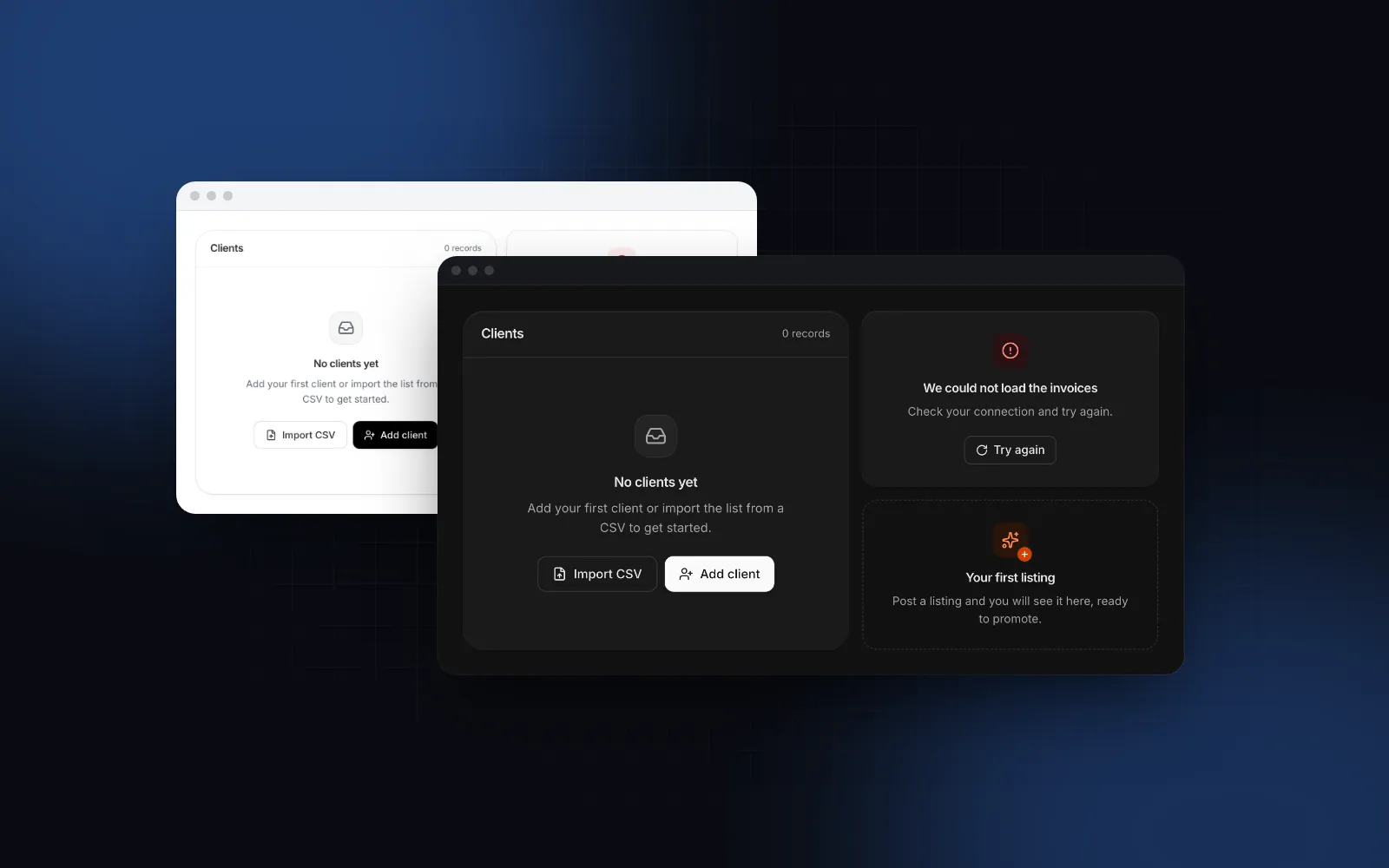
An icon or illustration, a title, a short description and one or two actions. The Nielsen Norman Group article on empty states (opens in a new tab) (Kate Kaplan, September 2021) gives them three jobs: communicate system status, provide learning cues and offer direct pathways to the key task. Each part of the anatomy maps to one of those jobs:
- The tile or illustration marks the area as intentionally empty. It is decorative, so screen readers skip it.
- The title names what is missing. "No clients yet" tells people more than "Nothing here".
- The description says why, or what will show up here, in one or two sentences.
- The actions fix it: add the first item, clear the filters, try again, request access.
The harder part is picking the right copy, because "empty" has several causes and each needs a different message.
Which kinds of empty state does an app need?
Six kinds cover almost every screen: first use, empty, no results, error, no access and offline. The PatternFly empty state guidelines (opens in a new tab) (checked October 2026) list overlapping types such as getting started, no results, no access and back-end failure, and the Wingo UI Empty State ships them as presets that set the icon, tone and default copy at once:
The order of the checks matters more than the visuals. An active filter means the list is filtered, and the copy has to say so. Telling someone with 200 clients to "Add your first client" because their search matched nothing makes them think their data is gone.
Switch the preset in the playground to see each one, then pick error and press the retry button.
$ npx wingo-ui@latest add empty-stateHow do I write empty state copy that moves people forward?
State what is missing, then give one clear next step. These are the rules we follow, most of them shared with the PatternFly guidelines linked above:
- Name the object. "No invoices yet" beats "No data". For creation states, "No X yet" reads as a starting point while "No X found" reads as a failure.
- Echo the query in no-results. A title like
No clients match "Tulsa"proves the search ran and shows a typo at a glance. - Say what the user can do next. One sentence. Save the tutorial for onboarding.
- One primary action. A second, quieter action is fine (Import CSV next to Add client). Three buttons is a menu.
- No blame and no exclamation points. "Check your connection and try again" instead of "You entered an invalid search!".
- Match the action to the cause. Retry for a timeout, Request access for a 403, Clear filters for no results. A retry button on a permissions error just fails again.
A few empty state design examples, before and after:
How do I build empty state UI in React?
Install the component, then branch on the state of your data in a fixed order: loading, error, filtered with no results, no data at all, and finally the list. Skip a check and the empty state UI React renders says the data is gone when it is only loading or filtered.
The props that matter:
presetpicks the icon, tone and default copy.title,description,iconandbadgeoverride any piece; passnullto hide one.actionstakes your buttons. Put the primary action last in the DOM: it sits at the end of the row on wide screens and on top when the row stacks.onRetryadds an outline Try again button. If it returns a promise, the button shows a loading state until the promise settles, and a rejection only stops the spinner, so you decide what the next state is.sizeissminside a table cell, list or popover,mdin a panel (the default) andlgfor a whole page.variantisplain,dashed(first-run areas, drop zones) orsurface(a raised panel).illustrationreplaces the icon tile with an image or SVG, andalign="start"left-aligns everything for cards and sidebars.
Should I show a skeleton or an empty state while data loads?
A skeleton, every time the request is still in flight. The empty state belongs to the moment the response arrives with zero items. If you render "No clients yet" before the fetch resolves, every page load flashes a message that says the data is gone, then replaces it. The Skeleton ships list, table, card and profile shapes (SkeletonList, SkeletonTable, SkeletonCard, SkeletonProfile) with a hidden "Loading" label for screen readers, so the loading state has the same footprint as the content it stands in for. The React skeleton loader guide covers shapes, layout shift and when a spinner is the better choice.
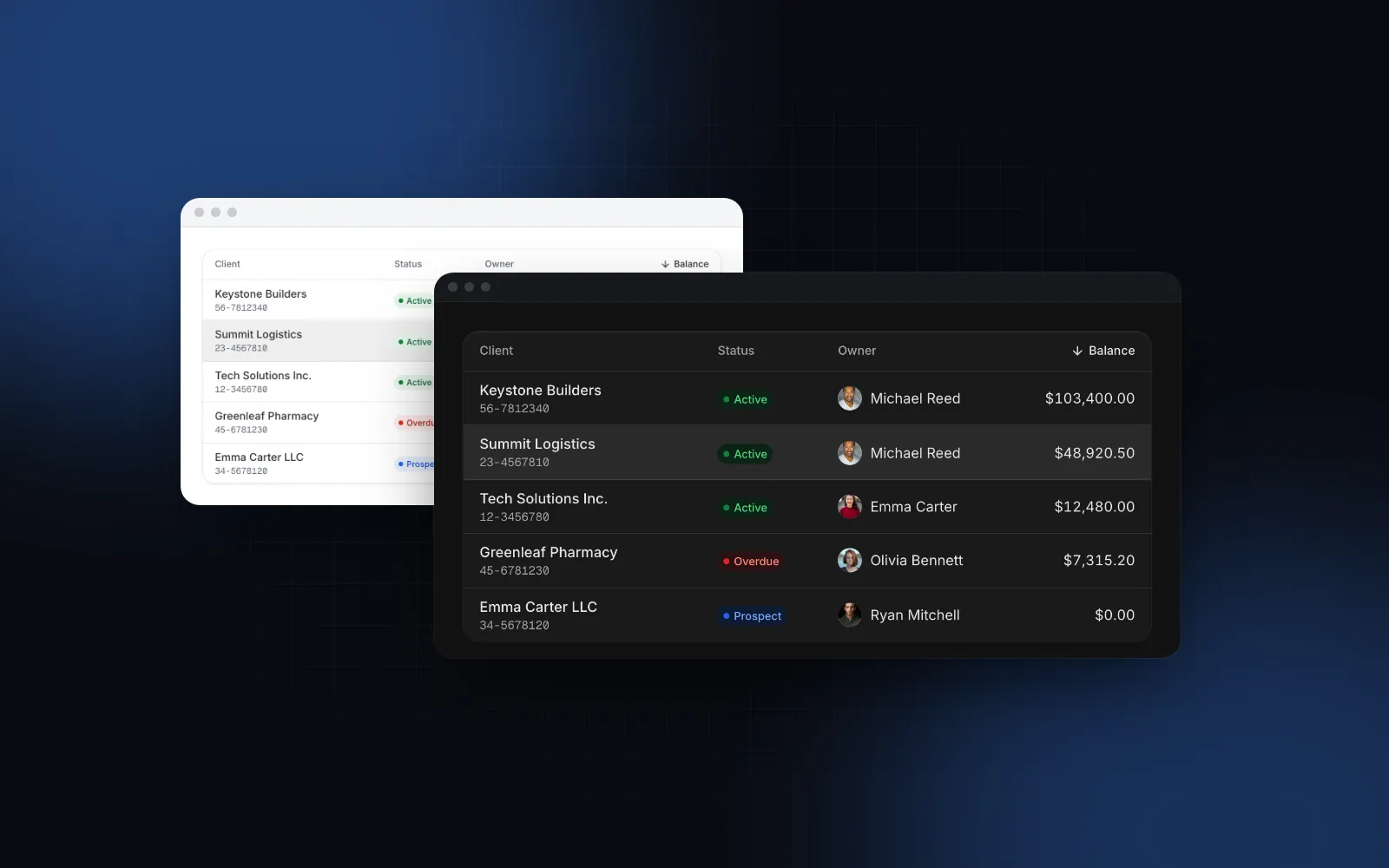
How do I handle a React table empty state?
Render the state in place of the rows, with separate copy for a table that has no rows and one whose search or filters hide every row. A plain HTML table needs one full-width cell so the state does not squeeze into the first column:
The Data Table handles the whole React table empty state flow itself. It shows skeleton rows while loading is true, an error state with Try again when you pass error and onRetry, an empty state when there is no data, and a no-results state with a Clear filters button when the search or filters hide every row. You replace the defaults with emptyState and noResultsState:
By default it renders the state alone, without column headers spread over nothing; showHeaderWhenEmpty keeps the headers. The Data Table is a Pro component (pricing); the Empty State inside it is free. On a phone the table turns into cards, a pattern explained in the responsive table guide.
How do I make an empty state accessible?
Announce states that follow a search or a failed load, keep the heading outline, hide the icon from screen readers and move focus when the state goes away:
- Announce states that appear after an action. WCAG 2.2 success criterion 4.1.3 Status Messages (opens in a new tab) (level AA) names "No results returned" as an example of a status message that assistive technology should present without moving focus. The
liveprop addsrole="status"with a polite live region, so a screen reader reads the title and description once when the state shows up. Use it for no-results and errors, not for a static first-run page. - Keep the heading outline intact. The title is an
h3by default; settitleAstoh2,h4orpto fit the page. - Leave the icon decorative. The tile and the illustration render with
aria-hidden, so the title carries the meaning. - Move focus when the state disappears. If Clear filters unmounts the empty state, focus would fall to the body. Send it back to the search input, as the component's no-results example does with a ref.
How does an empty state behave on a phone?
Its actions stack full width, primary on top, so they fit a thumb and a narrow column. The Empty State is a container query: when it is about 400px wide or less and has two or more actions, the row stacks. That rule follows the width of the component, so a narrow card on a desktop stacks too. The lg size drops to the md spacing below 640px, and Buttons get a 44px touch target on a coarse pointer. The entrance (the tile scales in, then the text and actions rise one after another) is reduced to a fade when the user asks for reduced motion, and server-rendered markup already shows the final state.
$ npx wingo-ui@latest add empty-stateHow do I translate the default copy once for the whole app?
Pass presets through UIProvider defaults. Each preset's icon, tone, title, description and badge merge over DEFAULT_EMPTY_STATE_PRESETS, so you set your house style once instead of on every screen:
Explicit props still win, so a single screen can keep its own copy.
How do I add it to my project?
Run npx wingo-ui@latest add empty-state. The CLI copies the source into components/ui, adds the Button and the motion, tone and config helpers it imports, and installs motion, lucide-react and @radix-ui/react-slot. For full-page versions (404, maintenance, offline), see the React 404 page tutorial. More single-component deep dives live in the component guides category, and the React form components guide applies the same copy, focus and phone rules to every form control.
FAQ
What is an empty state in UI design?
An empty state is what a list, table, search or page shows when it has no content to display. A good one says why it is empty and offers the next step, such as adding the first item, clearing a filter or retrying a failed load.
How do I show an empty state in a React table?
Render it in place of the rows once loading has finished and the data array is empty, with different copy for no data and for filters that match nothing. In a plain HTML table, put it in a single cell with colSpan set to the column count; the Wingo UI Data Table does this for you through its emptyState and noResultsState props.
Should I show a spinner, a skeleton or an empty state while data loads?
Show a skeleton or a spinner while the request is in flight, and the empty state only after the response arrives with zero items. Showing the empty state first makes people think their data is gone for a moment.
How do I make an empty state accessible?
Keep the icon decorative, give the title a heading level that fits the page outline, and use role="status" for states that appear after a search or filter change so screen readers announce them. If a button that clears the state unmounts it, move focus back to the search field.
Is the Wingo UI Empty State free?
Yes. The Empty State and the Skeleton are free components. The Data Table, which uses the Empty State for its no data, no results and error states, is a Pro component.
- Empty states
- UX writing
- Accessibility
- Tables
- React