Nextjs Blog Template: Markdown, Live Demos and JSON-LD
A typical nextjs blog template gives you a folder of Markdown files, a [slug] route and Tailwind typography. That gets you a page. It does not get you structured data, feeds, a table of contents that works on a phone, drafts that stay out of production, or a check that stops two posts from competing for the same search. This build log covers how we built the Wingo UI blog on Next.js 16 and our own templates, the decisions behind it, and the rules a script now enforces on every post, this one included.
What does a Next.js blog template need beyond a [slug] route?
It needs the parts that make a post findable and readable everywhere: structured data, feeds, a contents list that works on a phone, and checks that run before a post ships. The common starters do not include them. Vercel's Blog Starter Kit (opens in a new tab) (template page checked October 16, 2026) reads Markdown from a _posts folder, parses frontmatter with gray-matter, turns Markdown into HTML with remark and remark-html, and styles it with Tailwind CSS. The template page does not list a table of contents, JSON-LD, RSS or a sitemap. It is a clean starting point, and if you want a personal blog by tonight, it is the faster choice.
We had a longer list, because the blog is also a sales demo for our Blog Page template and Blog Post Page template:
- The full article in the server HTML: title, TL;DR, body, FAQ, author and dates, readable with
curl. - Live, interactive component demos inside the text.
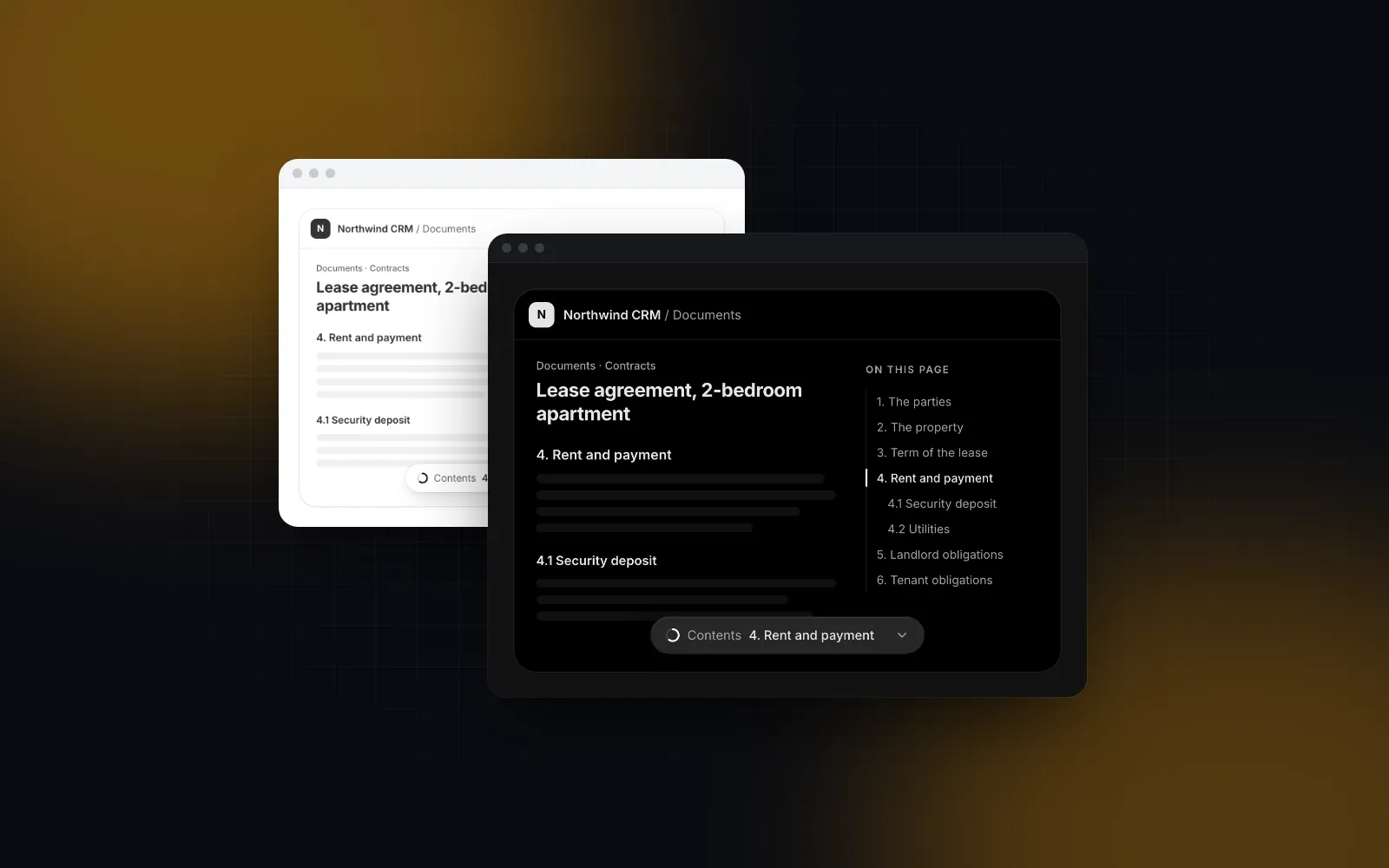
- A table of contents that sticks beside the article on desktop and becomes a bottom sheet on phones.
BlogPosting,FAQPageandBreadcrumbListJSON-LD, Open Graph images, a sitemap.- RSS, a JSON Feed and a Markdown version of every post for AI agents.
- A validator that fails CI when a post breaks the rules.
Why plain Markdown files instead of MDX?
Because every post has to exist as text in four places: the HTML page, the RSS item, the .md twin and llms-full.txt. Most nextjs blog template MDX setups let a post import any React component, but arbitrary JSX has no text form, so each import would need a hand-written fallback in three of those four places.
So ours is a nextjs markdown blog in the strict sense, with no JSX in posts. Posts are files in content/blog/posts/<slug>.md, the filename is the slug, and the frontmatter goes through a zod schema when the posts load. A bad field fails the build with the file name and the field, instead of rendering an empty description in production. This is a trimmed copy of the real schema:
Two details matter. YAML turns an unquoted 2026-10-16 into a JavaScript Date, so dateField turns it back into the plain day before the regex runs; without it, every unquoted date fails as "expected string". And .strict() rejects unknown keys, which catches typos like tdlr that would otherwise disappear silently. We parse with the yaml package and a small regex for the --- fences, so there is no gray-matter dependency.
How do live component demos work inside a Markdown post?
Embeds use the one piece of Markdown syntax that already points at external content: the image. A post writes , and the loader collects every such link (skipping fenced code) and checks that the slug exists in the registry. Optional playground values ride along as URL-encoded JSON in ?values=, and &h= reserves the frame height, clamped to 160 to 900px. Without it a component demo gets 360px and a block or template 640px, so nothing shifts when the demo mounts.
The Blog Post Page template has a figures prop that maps a #figure-<name> source to any React node. The site fills that map with a demo figure for each link: the real registry demo, the caption, and an install strip with the CLI command, a Free or Pro badge and a docs link. A paragraph that holds only a figure renders as a div, because a demo inside a <p> is invalid HTML and React warns about it during hydration.
Each demo mounts only when its box comes within 400px of the viewport, through an IntersectionObserver, so a post with three demos loads one chunk at a time. Blocks and templates render in a same-origin iframe of /preview/<slug> instead, which keeps their sticky headers out of the article and makes their media queries answer to the frame width, not the window. Here is the post page template itself, running inside this post:
$ npx wingo-ui@latest add blog-post-pageThe text around a demo has to make sense on its own. Crawlers, feed readers and AI assistants do not run JavaScript, so the .md twin replaces each figure with a line that names the component, links its docs and gives the install command.
How do you add a table of contents to a Next.js blog that works on phones?
Build the contents and the heading ids from the same slug function, and render the desktop list and the phone pill on the server. The classic bug in a nextjs blog with table of contents is a link to an id the rendered heading does not have, so we use one function in both places. The Markdown component has a headingIds prop that gives each heading an id from slugifyHeading, and the template's markdownToc(source) reads the h2 and h3 lines of the same source with the same function, suffixing duplicates with -2. The site appends the frontmatter FAQ to the body as an ## FAQ section before rendering, so it shows up in the contents too.
The list goes to the Table Of Contents component. On desktop it sticks beside the article and marks the section being read; below collapseBelow it turns into a pill pinned under the header that opens a bottom sheet with 48px rows. Both layouts are in the server HTML and the switch is pure CSS, so a phone never sees the desktop list flash first. This is the wiring, inside a client component:
The sticky offset comes from a --topbar-offset CSS variable. Our site header is 56px, so the post view sets it to calc(56px + env(safe-area-inset-top)), and jumped-to headings land just under the header on an iPhone with a notch.
$ npx wingo-ui@latest add table-of-contentsWhat does Next.js blog SEO look like on each post page?
Every post page is static HTML with complete metadata and one JSON-LD graph. Most of nextjs blog SEO is doing those boring parts on every page without exceptions. The route is static: generateStaticParams returns the published slugs and dynamicParams = false turns any other slug into a 404. generateMetadata returns the title, description, a canonical URL, Open Graph type: article with published and modified times, a summary_large_image Twitter card, and an alternate link to the .md twin.
For JSON-LD we follow the Next.js JSON-LD guide (opens in a new tab): a <script type="application/ld+json"> in the page, with < replaced by \u003c so a post title can never close the script tag. One graph per post holds a BlogPosting (headline, dates, author as a Person linking the author page, keywords, wordCount, and mentions with each component as SoftwareSourceCode pointing at its docs) and a FAQPage built from the same FAQ the reader sees. The BreadcrumbList comes from the visible breadcrumb component, so the markup and the page cannot disagree. Google stopped showing FAQ rich results on May 7, 2026, according to its Search Central changelog (opens in a new tab) (checked October 16, 2026), and we kept the FAQ anyway: it is the part of a post an assistant is most likely to quote.
One gotcha is easy to miss. Under a route group, Next.js names an opengraph-image route with a suffix: the first six base-36 characters of a djb2 hash of the parent path. The <meta> tags get the right URL automatically, but the JSON-LD image does not, so seo.ts computes the same hash to build a matching URL. If you move the route, both change together.
How do feeds and Markdown twins come from the same files?
Everything reads from one loader, getPosts(), which sorts by date and drops drafts in production builds. The RSS 2.0 feed at /blog/rss.xml and the JSON Feed 1.1 at /blog/feed.json list the newest 50 posts, and the newest 20 carry the full article as HTML, rendered with remark-gfm and remark-rehype from the same Markdown. Posts 21 to 50 still get an item with their summary, so a same-day batch never drops a post from the feed.
Each post is also Markdown at its URL plus .md, through a rewrite from /blog/:slug.md to a route handler, the same pattern we describe in our nextjs llms.txt tutorial. llms.txt lists every post with its .md link, and llms-full.txt appends the posts in full with their headings shifted down two levels so they nest under a ## Blog section.
How does the validator block keyword cannibalization?
It fails the build when two posts declare the same primary keyword. npm run blog:check runs in CI after the registry check, and the post loader throws on a duplicate too, because two pages aimed at the same search split the clicks and the links between them. It also requires that keyword in the title, the description, the slug and the first 100 words.
The other errors catch the mistakes that are easy to make in a Markdown repo:
- Fewer than 3 links to
/components/*pages, or no link up to the post's category page or pillar post. - An internal link to a route that does not exist, a published post linking to a draft, or a link to
/components/<template>, which redirects (the check asks for/templates/<slug>). - An
h1in the body, an image without alt text, an unknown component slug, an em dash anywhere. - A stale
published.generated.ts. Client components cannot readcontent/blog, so a script writesHAS_PUBLISHED_POSTSto a file the header reads, and the Blog link stays hidden until a real post exists.
Warnings cover word count per post type, a missing demo, a secondary keyword absent from the body, and an updated date older than 12 months.
What are the trade-offs of a Markdown blog in Next.js?
The two real costs are no custom React outside the figure syntax and a hard server/client split. The plain Markdown rule means a post cannot hold a one-off component. When we want a chart, it has to become a registry demo first, which is more work than an MDX import. We accept it because every embed is then a documented, installable component, and the .md twin stays honest.
The client boundary was the other cost. The template takes functions as props, such as onSubscribe for the newsletter form, and its figures map holds client demos. Functions cannot cross from a server component into a client one, so the post page is a server route that loads the post, renders the JSON-LD and breadcrumb, and hands plain data to a small client view. Each docs page also lists the posts that use its component, server rendered, which links the blog and the catalog in both directions. For the other screens in this category, see Build it: screens and apps and the Next.js admin dashboard tutorial, which builds five admin screens from Wingo UI blocks.
How do I start my own blog from these templates?
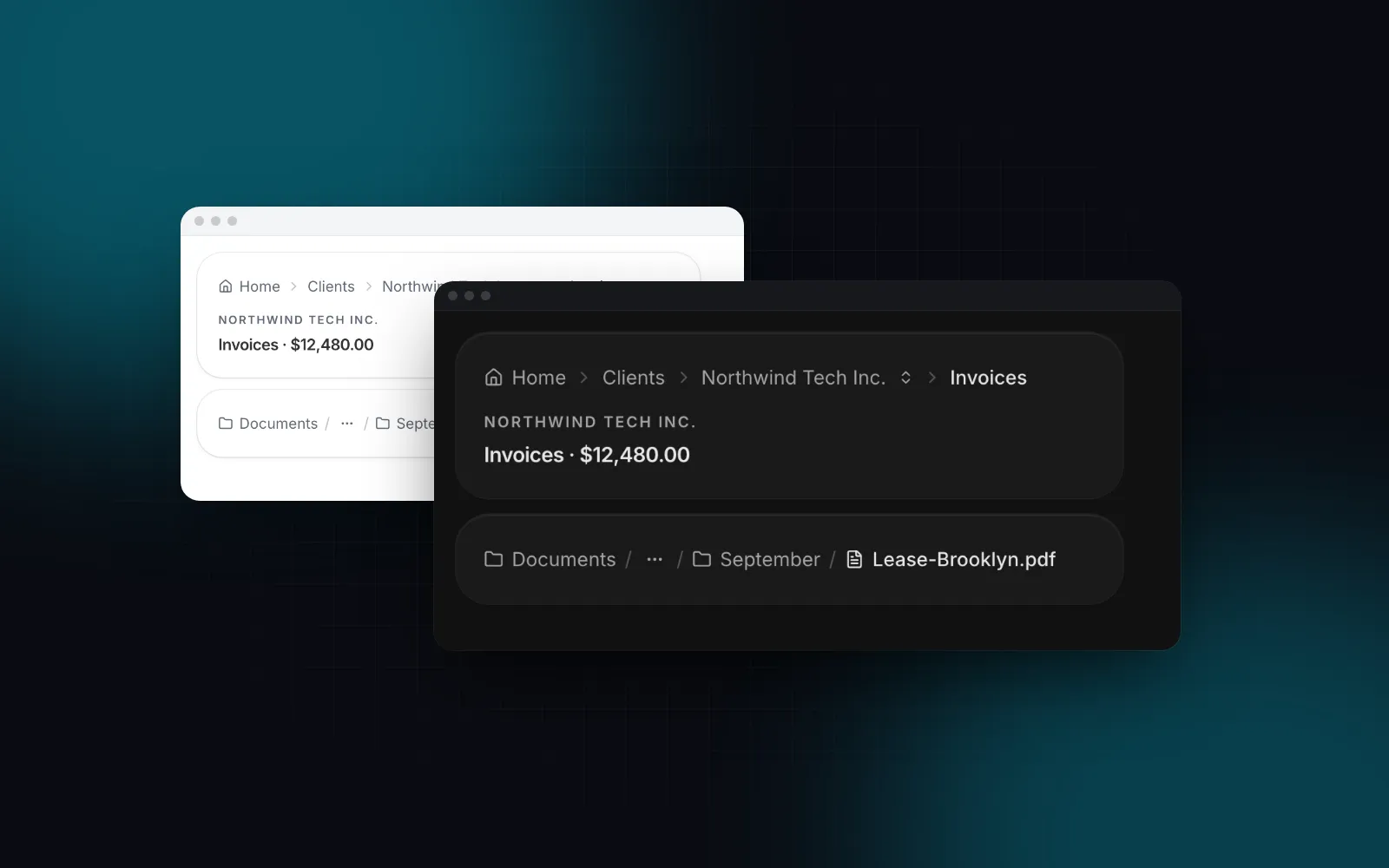
Install the post page with the CLI. It brings the blog index, the Breadcrumb component and the table of contents with it:
BlogPostPage takes functions and a router link, so it lives in a client component. The server route reads the Markdown and passes plain data down:
Three defaults bite on a first install. relatedPosts and categories default to the Acme sample data, so a real post shows three fake related cards until you pass your own or turn them off. Without onSubscribe the newsletter form waits 900 ms and reports success without sending anything. And the template draws its own marketing header and footer, so set header={false} and footer={false} when the page sits inside your site layout, as ours does.
The three blog items are part of Pro, see pricing. If you build with Claude Code or Cursor, the Wingo UI MCP server can look up the props for your agent while it wires the pages.
FAQ
Should a Next.js blog use MDX or plain Markdown?
Use MDX when authors need arbitrary React inside posts. Use plain Markdown with a small convention for embeds when posts should stay readable as text for feeds, .md pages and AI agents, which is why we chose it.
How do I add a table of contents to a Next.js Markdown blog?
Parse the h2 and h3 lines of the Markdown, give each one the same slug id your renderer puts on the heading, and pass the list to a table of contents component. Wingo UI's Blog Post Page does this with markdownToc and the Markdown headingIds prop, so the ids always match.
Does a Next.js blog need JSON-LD?
It is optional, but a BlogPosting node with the headline, dates, author and image describes the article to search engines and other readers in one place. The Next.js JSON-LD guide recommends a script tag in the page and suggests escaping the < character so the data can never close the tag.
Is FAQPage markup still worth adding?
Google stopped showing FAQ rich results on May 7, 2026, according to its Search Central changelog. We still render a visible FAQ and its FAQPage node because the answers are written to be quoted, and the markup costs one function call.
Are the Wingo UI blog templates free?
Blog Page, Blog Post Page and Table Of Contents are Pro items as of October 2026. Install them with npx wingo-ui@latest add blog-post-page, which also pulls in the blog page and the table of contents.
- Next.js
- Blog
- Markdown
- SEO
- JSON-LD
- Templates