Skip to content
WingoUI
ComponentsTemplatesDocsPricingAI agentsBlogChangelog
  1. Home
  2. Blog
  3. Next.js and Tailwind CSS
  4. Nextjs JSON LD: Typed Schema That Matches the Page
Auf Deutsch lesen
  1. Blog
  2. Next.js and Tailwind CSS
  3. Nextjs JSON LD: Typed Schema That Matches the Page
Next.js and Tailwind CSS

Nextjs JSON LD: Typed Schema That Matches the Page

SR
Serban Rusu · Founder of Wingo UI
Oct 16, 2026 · 10 min read

On this page

0%
  1. Where does JSON-LD go in the Next.js App Router?
  2. Which schema types does a product site need?
  3. How do I type JSON-LD with TypeScript in Next.js?
  4. How do I keep JSON-LD in sync with the visible page?
    1. How do I add breadcrumb JSON-LD in Next.js?
    2. How do I add FAQPage JSON-LD in Next.js?
  5. How do I put it all together on a blog post page?
  6. How do I test that the markup matches the page?
  7. What should I do next?
  8. FAQ
    1. How do I add JSON-LD in the Next.js App Router?
    2. Should I use next/script for JSON-LD?
    3. Does Google still show FAQ rich results?
    4. Can a client component render JSON-LD?
    5. Do I need schema-dts to type JSON-LD in TypeScript?

TL;DR

In the Next.js App Router, JSON-LD is a plain script tag of type application/ld+json that you render from page.tsx or layout.tsx, with JSON.stringify and every < replaced by \u003c; the Metadata API has no field for it. Write one typed builder per schema type (SoftwareApplication, BlogPosting, FAQPage, BreadcrumbList) with schema-dts, and feed each builder the same array the page renders, so the markup can never describe something the reader cannot see.

Published Oct 16, 2026

You added structured data once, copied a JSON blob from a generator, and six months later it says the page has seven FAQ questions while the page shows five. This tutorial sets up nextjs JSON LD so that drift cannot happen: one typed builder per schema type, a tiny component that prints the script safely, and a rule that every builder reads the same data the page renders. We cover the four types a product site needs: SoftwareApplication, BlogPosting, FAQPage and BreadcrumbList.

Everything here is TypeScript for Next.js 16 and React 19. More guides like this one are in Next.js and Tailwind CSS.

Where does JSON-LD go in the Next.js App Router?

In the page or layout itself, as a plain script tag. The official Next.js JSON-LD guide (opens in a new tab) (last updated March 2, 2026, checked October 16, 2026) recommends rendering structured data as a script tag in layout.js or page.js. The Next.js Metadata API does not help here: metadata and generateMetadata produce head tags such as title, description, canonical and Open Graph, and there is no JSON-LD field.

Two details from the same guide matter:

  • JSON.stringify does not sanitize anything. A post title that contains </script> would end the tag early, so replace every < with its unicode escape.
  • Do not use next/script. It exists to load and run JavaScript, and JSON-LD is data, so a native script tag is the right element.

Put that in one component and never write the tag by hand again:

tsx
// components/json-ld.tsx
import type { Graph } from "schema-dts";
// "<" escaped so a "</script>" inside a title or answer cannot end the tag
export function JsonLd({ data }: { data: Graph }) {
return (
<script
type="application/ld+json"
dangerouslySetInnerHTML={{ __html: JSON.stringify(data).replace(/</g, "\\u003c") }}
/>
);
}

It has no "use client", so it renders on the server and the script is in the first HTML response, where crawlers and AI readers that never run JavaScript can read it.

Which schema types does a product site need?

Four cover most pages of a SaaS or library site. What Google does with each one changed this year, so here is the state as of October 16, 2026, from Google Search Central:

TypeWhereWhat Google says
SoftwareApplicationhome, pricingA rich result needs name, offers.price and either aggregateRating or review (docs (opens in a new tab))
BlogPostingeach postNo required properties; author, datePublished, dateModified, headline and image are recommended (docs (opens in a new tab))
FAQPageFAQ sectionsLimited to government and health sites since September 2023; the FAQ rich result stopped appearing on May 7, 2026 and its docs were removed on June 15, 2026 (search updates (opens in a new tab))
BreadcrumbListevery page below the rootAt least two ListItems with position, name and item; the last item may skip item (docs (opens in a new tab))

Two notes on that table. First, the SoftwareApplication rich result requires ratings or reviews. If you have none, ship the node without them: it still describes your product, its price and its publisher. A rating that no reader can see on the page breaks the visibility policy covered below. Second, FAQPage no longer earns anything visible in Google. It is still a valid schema.org type that other parsers can read, and it costs nothing when it comes from data you already render. That is the condition for all four types.

How do I type JSON-LD with TypeScript in Next.js?

Use the schema-dts types and write one small builder function per schema type. Install the types once:

bash
npm install -D schema-dts

schema-dts (opens in a new tab) (version 2.1.0, published October 2, 2026) is the schema.org vocabulary as TypeScript types. Import it with import type and nothing ships to the browser. Then write one builder per type in a plain module. Each takes the data your page already has and returns a typed node, so a misspelled property or a number where schema.org wants text fails the type check in next build. This file is the whole schema layer:

ts
// lib/json-ld.ts
import type { BlogPosting, BreadcrumbList, FAQPage, Graph, SoftwareApplication, Thing } from "schema-dts";
const ORIGIN = "https://example.com";
const SITE_NAME = "Example";
// "/blog/post" -> "https://example.com/blog/post"
export const absoluteUrl = (path: string) => new URL(path, ORIGIN).toString();
// stable ids, so nodes on different pages point at the same thing
export const ids = {
organization: `${ORIGIN}/#organization`,
software: `${ORIGIN}/#software`,
};
// an @id plus the basics, so a tool that reads only this page still sees who and what
const organizationRef = () => ({ "@type": "Organization", "@id": ids.organization, name: SITE_NAME, url: absoluteUrl("/") }) as const;
const softwareRef = () => ({ "@type": "SoftwareApplication", "@id": ids.software, name: SITE_NAME, url: absoluteUrl("/") }) as const;
export type Crumb = { name: string; href: string };
export type FaqEntry = { question: string; answer: string };
export function softwareApplication(input: { name: string; description: string; price: number; currency: string }): SoftwareApplication {
return {
"@type": "SoftwareApplication",
"@id": ids.software,
name: input.name,
description: input.description,
url: absoluteUrl("/"),
applicationCategory: "DeveloperApplication",
operatingSystem: "Any",
offers: { "@type": "Offer", price: input.price, priceCurrency: input.currency, url: absoluteUrl("/pricing") },
publisher: organizationRef(),
};
}
export function blogPosting(input: {
title: string;
description: string;
path: string;
datePublished: string;
dateModified?: string;
image: string;
author: { name: string; path: string };
keywords: string[];
}): BlogPosting {
const url = absoluteUrl(input.path);
return {
"@type": "BlogPosting",
"@id": `${url}#article`,
headline: input.title,
description: input.description,
url,
mainEntityOfPage: url,
image: absoluteUrl(input.image),
datePublished: input.datePublished,
dateModified: input.dateModified ?? input.datePublished,
author: { "@type": "Person", name: input.author.name, url: absoluteUrl(input.author.path) },
publisher: organizationRef(),
about: softwareRef(),
keywords: input.keywords.join(", "),
};
}
export function breadcrumbList(crumbs: Crumb[]): BreadcrumbList {
return {
"@type": "BreadcrumbList",
itemListElement: crumbs.map((crumb, i) => ({
"@type": "ListItem",
position: i + 1,
name: crumb.name,
item: absoluteUrl(crumb.href),
})),
};
}
export function faqPage(entries: FaqEntry[]): FAQPage {
return {
"@type": "FAQPage",
mainEntity: entries.map((entry) => ({
"@type": "Question",
name: entry.question,
acceptedAnswer: { "@type": "Answer", text: entry.answer },
})),
};
}
// several nodes in one script
export function graph(...nodes: Thing[]): Graph {
return { "@context": "https://schema.org", "@graph": nodes };
}

The @id values do the linking. The blog post says it is about the software and published by the organization by pointing at their ids, so the full nodes can live once on the home page. A bare { "@id": ... } has a catch: a tool that reads only the post sees an empty node, because it never fetches the home page. That is why the refs above repeat @type, name and url next to the id, the same thing wingo-ui.com does for its organization and product nodes. graph() puts several nodes in one script, which is easier to read in the validator than four separate tags.

The price you pass to softwareApplication() should come from the same config your pricing table renders. On wingo-ui.com the offers in the JSON-LD are generated from the plans file that also draws the pricing page, so a price change cannot leave the markup behind.

How do I keep JSON-LD in sync with the visible page?

Render the visible content and the JSON-LD from the same array, in the same component tree. Google's structured data policies (opens in a new tab) (last updated July 10, 2026) put the rule in one line: do not mark up content that is not visible to readers of the page. Copy-pasted JSON breaks that rule slowly, one edit at a time. With one array and two renderers, the visible component and the JSON-LD builder read the same value, so they cannot disagree.

How do I add breadcrumb JSON-LD in Next.js?

Build one Crumb[] array and pass it to the visible trail and to breadcrumbList() in the same render:

tsx
import { Breadcrumb } from "@/components/ui/breadcrumb";
import { JsonLd } from "@/components/json-ld";
import { breadcrumbList, graph, type Crumb } from "@/lib/json-ld";
export function PageTrail({ crumbs }: { crumbs: Crumb[] }) {
return (
<>
<Breadcrumb items={crumbs.map((crumb) => ({ label: crumb.name, href: crumb.href }))} />
<JsonLd data={graph(breadcrumbList(crumbs))} />
</>
);
}

The Breadcrumb treats the last entry as the current page and renders it as plain text with aria-current="page", so you can keep its href in the array for the JSON-LD. Its phone form (one back link to the parent page below 640px, from the defaults mobileVariant="back" and mobileBreakpoint="sm") is switched with CSS, so the server HTML always holds the full trail that the JSON-LD describes.

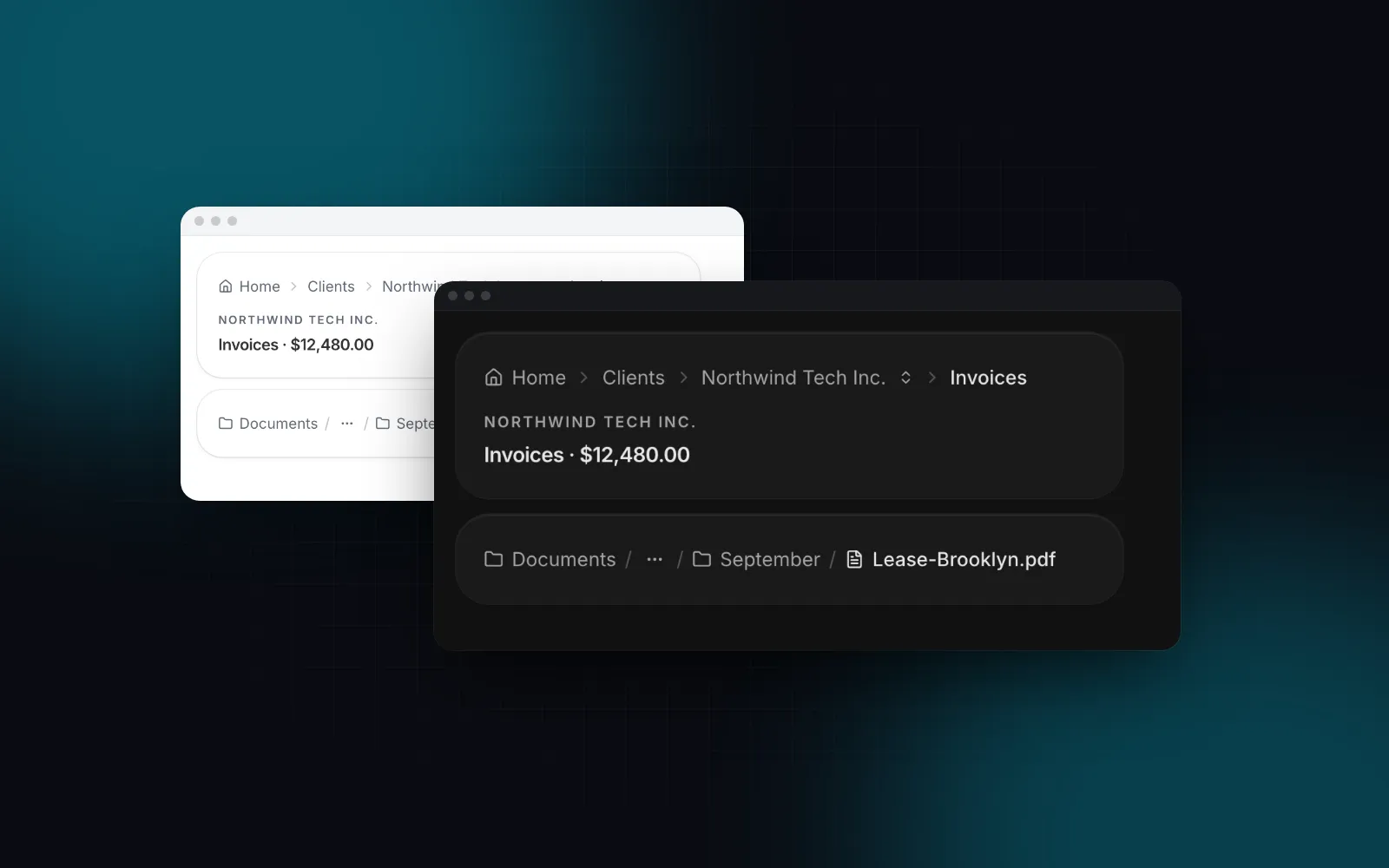
Narrow the window: the middle crumbs fold into the ellipsis one by one, and below 640px the trail turns into a single back link
$ npx wingo-ui@latest add breadcrumb
ProBreadcrumb docs

We hit this rule on our own blog. The Blog Post Page template draws its own trail (Blog, then the category, then the post), while the site's breadcrumb starts at Home and links categories to their own pages. Two trails on one page would mean the JSON-LD matches at most one of them. So the site hides the template's trail with classNames={{ breadcrumb: "hidden" }} and renders one server breadcrumb whose array also feeds the BreadcrumbList.

How do I add FAQPage JSON-LD in Next.js?

For a FAQ on a pricing or landing page, the FAQ Section does both jobs from one prop. It is built on the Accordion, so the questions are real buttons with arrow key support. Pass your items and turn on jsonLd, and it prints a FAQPage script next to the list, built from the same items:

tsx
// app/pricing/page.tsx
import { FaqSection, type FaqItem } from "@/components/blocks/faq-section";
const faq: FaqItem[] = [
{
question: "Can I switch plans later?",
answer: "Yes. Upgrades apply right away and downgrades apply at the next renewal.",
},
{
question: "Where do I start?",
answer: (
<>
Read the <a href="/docs">getting started guide</a>, then install your first component.
</>
),
},
];
export default function PricingPage() {
return <FaqSection items={faq} jsonLd />;
}

When an answer is JSX, the section walks its children for the plain text, so the second answer becomes "Read the getting started guide, then install your first component." in the script. If the text lives in a component's props instead of its children, set answerText on that item. The section escapes < the same way the JsonLd component does, so an answer from a CMS cannot close the script tag either.

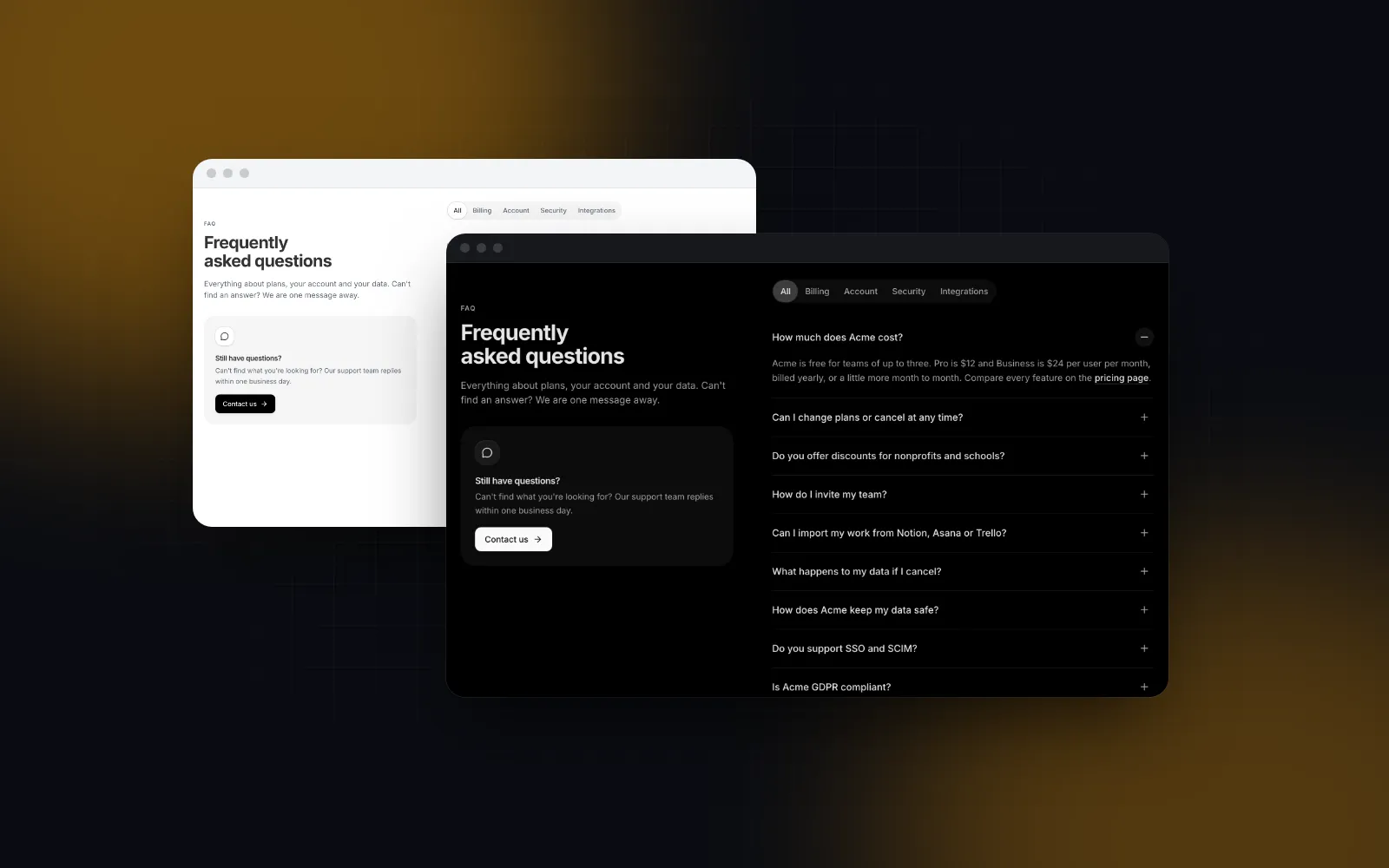
Open a question and the previous one closes; with jsonLd on, these same items also print a FAQPage script into the server HTML
$ npx wingo-ui@latest add faq-section
FreeFAQ Section docs

Use jsonLd when the section is the only FAQ on the page. On a page where you already build a @graph, leave it off and add faqPage(items) to the graph instead, from the same array. Two FAQPage nodes for one list say the same thing twice and make the output harder to check.

How do I put it all together on a blog post page?

Here is a post route that renders everything from one post object: the trail, the article, the FAQ and one @graph with all three nodes. The FAQ is appended to the Markdown body, so the visible questions and the FAQPage come from the same post.faq array:

tsx
// app/blog/[slug]/page.tsx
import type { Metadata } from "next";
import { notFound } from "next/navigation";
import { BlogPostPage } from "@/components/templates/blog-post-page";
import { Breadcrumb } from "@/components/ui/breadcrumb";
import { JsonLd } from "@/components/json-ld";
import { blogPosting, breadcrumbList, faqPage, graph, type Crumb } from "@/lib/json-ld";
import { getPost, getPosts } from "@/lib/posts";
export const dynamicParams = false;
export function generateStaticParams() {
return getPosts().map((post) => ({ slug: post.slug }));
}
export async function generateMetadata({ params }: { params: Promise<{ slug: string }> }): Promise<Metadata> {
const post = getPost((await params).slug);
if (!post) return {};
return { title: post.title, description: post.excerpt, alternates: { canonical: `/blog/${post.slug}` } };
}
export default async function PostPage({ params }: { params: Promise<{ slug: string }> }) {
const post = getPost((await params).slug);
if (!post) notFound();
const path = `/blog/${post.slug}`;
const crumbs: Crumb[] = [
{ name: "Home", href: "/" },
{ name: "Blog", href: "/blog" },
{ name: post.categoryName, href: `/blog/category/${post.category}` },
{ name: post.title, href: path },
];
// the visible faq and the FAQPage node read the same array
const faqMarkdown = post.faq.map((entry) => `### ${entry.question}\n\n${entry.answer}`).join("\n\n");
return (
<>
<JsonLd
data={graph(
blogPosting({
title: post.title,
description: post.excerpt,
path,
datePublished: post.date,
dateModified: post.updated,
image: `${path}/opengraph-image`,
author: { name: post.author.name, path: post.author.href ?? "/about" },
keywords: post.tags ?? [],
}),
breadcrumbList(crumbs),
faqPage(post.faq),
)}
/>
<Breadcrumb
items={crumbs.map((crumb) => ({ label: crumb.name, href: crumb.href }))}
className="mx-auto w-full max-w-[1200px] px-4 pt-6 sm:px-6"
/>
<BlogPostPage
article={{ ...post, body: `${post.body}\n\n## FAQ\n\n${faqMarkdown}` }}
categories={[{ value: post.category, label: post.categoryName }]}
relatedPosts={post.related}
header={false}
footer={false}
classNames={{ breadcrumb: "hidden" }}
/>
</>
);
}

getPost is your own loader. Here it returns the template's BlogArticle fields (slug, title, excerpt, category, date, readingTime, author, body, tags) plus categoryName, updated, faq and related. headline is post.title, the same string the template renders as the h1, and dateModified falls back to the publish date inside the builder.

One pitfall with image: the opengraph-image path above is right only when the route has no route group or parallel route in its path. Under a folder like app/(site)/blog/[slug], Next.js appends a short hash of the parent path to the metadata route (opengraph-image-<hash>, see getMetadataRouteSuffix in next/dist/lib/metadata/get-metadata-route.js). A hardcoded path then points at a 404. Copy the URL from the rendered og:image tag, or compute the suffix the way Next.js does. Our own post route sits under app/(library)/(site)/blog/[slug], so wingo-ui.com carries a helper like this one, shown here for a route at app/(site)/blog/[slug]:

ts
// djb2 of the route's parent folder, base 36, first 6 characters (same as next's getMetadataRouteSuffix)
function metadataRouteSuffix(parent: string) {
let hash = 5381;
for (let i = 0; i < parent.length; i++) hash = ((hash << 5) + hash + parent.charCodeAt(i)) & 0xffffffff;
return (hash >>> 0).toString(36).slice(0, 6);
}
const ogImage = (slug: string) => `/blog/${slug}/opengraph-image-${metadataRouteSuffix("/(site)/blog/[slug]")}`;

Pass the folder path exactly as it sits under app/, route groups included, and recheck it when you move the route.

This is close to what wingo-ui.com runs. Our post pages put BlogPosting and FAQPage in one graph and emit the BreadcrumbList beside the visible trail. The BlogPosting also lists every component the post covers in mentions, each as a SoftwareSourceCode node with its docs URL. If you also publish Markdown twins for AI readers, the same single-source idea applies there; see Next.js llms.txt with .md pages.

How do I test that the markup matches the page?

Check three things in order: the server HTML, the two public validators, and a script of your own that compares the markup with the visible text. Start with the server HTML, since that is what a crawler reads:

bash
curl -s http://localhost:3000/blog/my-post | grep -o '<script type="application/ld+json">[^<]*'

Then paste the URL or the HTML into the Schema Markup Validator (opens in a new tab), which checks any schema.org type, and the Rich Results Test (opens in a new tab), which only reports the types Google can still show.

Neither tool knows what your page displays, so add a check of your own. This script fetches a page, reads every JSON-LD node and fails when a headline, question or crumb name is missing from the visible text:

ts
// scripts/check-json-ld.mts
// usage: npx tsx scripts/check-json-ld.mts http://localhost:3000/blog/my-post
type Node = { "@type"?: string; headline?: string; mainEntity?: { name: string }[]; itemListElement?: { name: string }[] };
const html = await (await fetch(process.argv[2])).text();
const nodes: Node[] = [...html.matchAll(/<script type="application\/ld\+json">(.*?)<\/script>/gs)]
.map((match) => JSON.parse(match[1]))
.flatMap((doc) => doc["@graph"] ?? [doc]);
// the visible text: no scripts, no tags, the entities react writes decoded
const visible = html
.replace(/<script[\s\S]*?<\/script>/g, " ")
.replace(/<[^>]+>/g, " ")
.replace(/&#x27;/g, "'")
.replace(/&quot;/g, '"')
.replace(/&lt;/g, "<")
.replace(/&gt;/g, ">")
.replace(/&amp;/g, "&")
.replace(/\s+/g, " ");
const missing: string[] = [];
for (const node of nodes) {
const names =
node["@type"] === "BlogPosting" ? [node.headline] :
node["@type"] === "FAQPage" ? node.mainEntity?.map((q) => q.name) :
node["@type"] === "BreadcrumbList" ? node.itemListElement?.map((item) => item.name) : [];
for (const name of names ?? []) if (name && !visible.includes(name)) missing.push(`${node["@type"]}: ${name}`);
}
if (missing.length > 0) {
console.error(`not on the page:\n${missing.join("\n")}`);
process.exit(1);
}
console.log(`ok: ${nodes.length} nodes match the visible page`);

We ran it against two posts on our own dev server while editing this one, and each reported three nodes matching (the graph's BlogPosting and FAQPage, plus the BreadcrumbList). Run it in CI against a preview deploy and the "seven questions in the markup, five on the page" bug cannot ship.

What should I do next?

Install the two components that render visible content and its JSON-LD from one array:

bash
npx wingo-ui@latest add faq-section breadcrumb

The FAQ Section is free. The Breadcrumb and the Blog Post Page template are part of Pro. For the rest of the setup these pages sit in (tokens, dark mode, contrast), read the pillar guide on Tailwind v4 design tokens, and if you are starting a project from scratch, the Next.js component library setup walks through the App Router side.

Components in this post

  • FAQ Section

    A React FAQ section for marketing pages: an accordion, a split layout, an open grid or expandable cards, with topics and live search.

    Free
  • Breadcrumb

    A React breadcrumb that shows where you are, folds the middle of long paths and gives phones a back link.

    Pro
  • Blog Post Page

    A React blog post template: byline, share actions, a drawn cover, a Markdown body with a sticky table of contents and reading progress.

    Pro

FAQ

How do I add JSON-LD in the Next.js App Router?

Render a script tag with type application/ld+json from a page.tsx or layout.tsx and set its content with dangerouslySetInnerHTML, using JSON.stringify with every < replaced by \u003c. The Metadata API has no JSON-LD field, so it does not go in generateMetadata.

Should I use next/script for JSON-LD?

No. The Next.js JSON-LD guide says next/script is built for loading and running JavaScript, and that a native script tag is the right choice for structured data.

Does Google still show FAQ rich results?

No. Google Search Central says the FAQ rich result stopped appearing in Google Search on May 7, 2026, and removed its documentation on June 15, 2026; since September 2023 it had only shown for authoritative government and health sites. FAQPage is still a valid schema.org type, so keep it only for questions that are visible on the page.

Can a client component render JSON-LD?

Yes, as long as the script is part of the rendered output, because App Router client components also render on the server and the tag lands in the HTML. Never inject it from useEffect, since a crawler that does not run JavaScript would never see it.

Do I need schema-dts to type JSON-LD in TypeScript?

It is optional but useful. schema-dts (version 2.1.0 as of October 2026) gives you the schema.org vocabulary as TypeScript types; imported with import type, it adds nothing to the bundle and catches misspelled properties and wrong value types at build time.

  • Next.js
  • JSON-LD
  • SEO
  • App Router
  • TypeScript

Share

SR

About the author

Serban Rusu

Founder of Wingo UI

Serban Rusu founded Wingo UI. He builds its component library, CLI and MCP server, and writes about React interfaces for phones and AI coding agents.

More from Serban
Keep reading

Related posts

All posts
Build it: screens and apps

Nextjs Blog Template: Markdown, Live Demos and JSON-LD

How we built a nextjs blog template on Markdown files: zod frontmatter, live React demos, a sticky table of contents, JSON-LD, feeds and a strict validator.

SRSerban Rusu·Oct 16, 2026·10 min read
Build it: screens and apps

Nextjs SaaS Landing Page: What Each Section Must Prove

Build a nextjs saas landing page section by section: what the hero, proof, features, pricing and FAQ must prove, what to cut, and how each reads on a phone.

SRSerban Rusu·Oct 16, 2026·11 min read
Next.js and Tailwind CSS

Nextjs Cookie Consent: GDPR Banner and Consent Mode v2

Build nextjs cookie consent that holds up under GDPR: equal Accept and Reject buttons, per-category switches, Consent Mode v2 and embeds that wait for consent.

SRSerban Rusu·Oct 16, 2026·12 min read
Newsletter

Get new posts by email

New guides, tutorials and comparisons from the Wingo UI blog, sent when they are published.

No spam. Unsubscribe at any time.

WingoUI

Animated, configurable, mobile-first React components and blocks. Copy the source, make it yours, and let your coding agent build with it.

Product

  • Components
  • Templates
  • Pricing
  • AI agents
  • Theme generator

Resources

  • Docs
  • Blog
  • Changelog
  • Changelog RSS
  • llms.txt

Legal

  • Terms
  • Privacy
  • Refunds
  • License
  • Imprint

Component categories

  • Buttons & Actions
  • Inputs
  • Forms
  • Navigation
  • Overlays
  • Feedback
  • Data Display
  • Tables & Lists
  • Charts & Stats
  • Layout
  • Media
  • AI Kit
  • Text & Effects
  • Mobile
  • Commerce
  • Marketing Sections
  • Blocks
  • Hooks & Utilities

© 2026 Wingo UI

Wingo UI