Nextjs SaaS Landing Page: What Each Section Must Prove
A Next.js SaaS landing page is the one page every product needs and nobody wants to design from scratch. You search for a nextjs saas landing page template and get a long list (checked on October 16, 2026): open source starters like Saas UI (opens in a new tab), paid kits like Magic UI's SaaS template (opens in a new tab) with 14 sections (part of Magic UI Pro (opens in a new tab), $199 one time), and galleries like shadcnblocks (opens in a new tab), which lists 292 hero blocks and 96 pricing blocks. What those pages rarely say is what each section has to prove to a visitor, which ones to leave out, and what happens to the layout on a 390px phone.
This tutorial builds the home page section by section, in Next.js with Tailwind CSS v4, using the Landing Page template from Wingo UI, the library we build, so we are not neutral. It also works as a shadcn landing page: every section is a source file in your repo, styled with the same kind of tokens, and you change it like any shadcn component. Each section gets its job, the props that matter and its phone behavior.
What sections does a SaaS landing page need?
Most guides agree on the order of the SaaS landing page sections: hero, proof, features, pricing, FAQ, closing call to action. The 21st.dev guide to landing page sections (opens in a new tab) makes a point worth keeping: the sections are a menu, and a page with three honest blocks beats one with nine half-filled ones.
Keep one primary action across the page. If the hero says "Start for free", the featured plan and the closing band say the same thing and go to the same route.
How do I set up the landing page in the App Router?
If you came here looking for a nextjs landing page tailwind starter, this is the whole setup. It assumes a Next.js App Router project with Tailwind CSS v4 and Wingo UI initialized (npx wingo-ui@latest init). Install the template. It pulls in every section it composes (header, hero, logos, features, tour, numbers, quotes, FAQ, CTA, footer) as source files you own:
The sections are client components, because the menu, the pricing switch and the FAQ accordion respond to taps. The metadata export only works in a Server Component, so split the route in two: a server page.tsx that owns the metadata, and one client component that renders the page.
The server still renders the whole page to HTML, so search engines and AI assistants read every heading and answer without running JavaScript. linkComponent={Link} routes every link on the page (header, hero, feature cards, plans, footer) through next/link. onSubscribe matters more than it looks: without it the footer newsletter waits 900 ms and shows its confirmation anyway, so a launch page can collect zero emails while looking fine. If the page sits inside your own site layout, add header={false} and footer={false}.
$ npx wingo-ui@latest add landing-pageWhat does the hero have to prove?
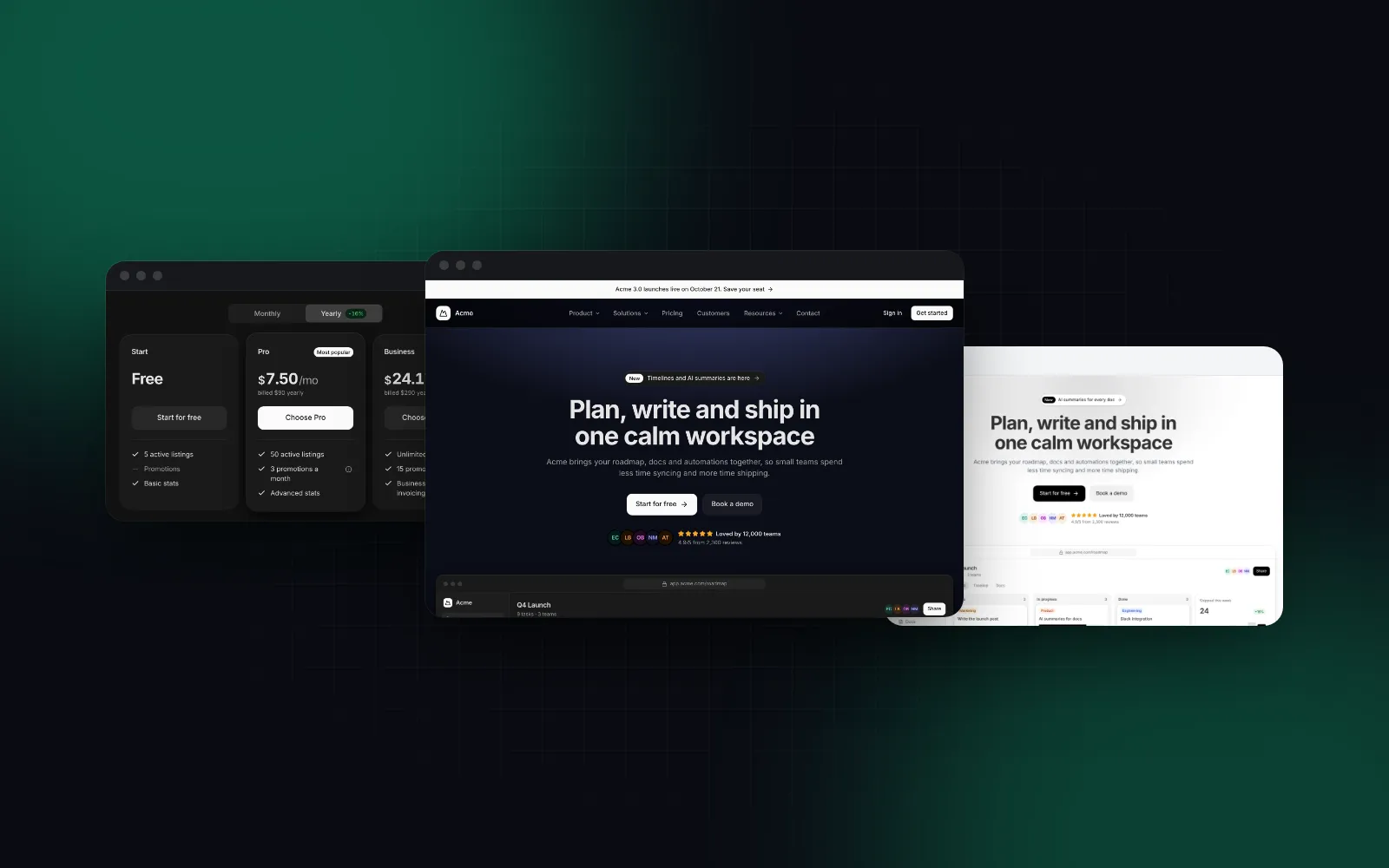
One thing: what the reader gets. The title states the outcome, the description says how, and the primary button is the cheapest next step (a free start beats "Request access"). The Hero Section renders the title as the page's h1 by default (headingAs="h1") and puts the announcement pill, both actions and a row of social proof around it.
Two details matter for speed. The default product shot is drawn with tokens in the DOM, so it follows light and dark mode and adds no image request in front of the first paint. And the entrance animation never runs during hydration: the server HTML is the final layout, and only a hero mounted later by a client navigation rises in. web.dev counts a Largest Contentful Paint (opens in a new tab) of 2.5 seconds or less at the 75th percentile as good, and a hero headline that waits for a fade-in works against that number.
On a phone the two buttons stack full width, and the split layout moves the media under the copy. The mockup folds its own sidebar, columns and chart to its width, so it fits a 360px screen without sideways scrolling.
$ npx wingo-ui@latest add hero-sectionIf you show a real screenshot instead, pass it through the template as heroProps={{ media: <Image src="/product.png" alt="The Acme board" width={1440} height={900} fetchPriority="high" /> }}. The explicit width and height reserve the space so nothing shifts, and fetchPriority="high" moves the image up the queue, since it becomes the LCP element once the drawn mockup is gone. Skip priority: Next.js 16 deprecated it in favor of preload, and the Image docs recommend fetchPriority or loading="eager" in most cases. media: null hides the shot entirely.
Where does social proof go, and what if you have none yet?
Right under the hero, before the features. That is where the visitor asks "who else uses this?". The template ships sample proof for a fictional Acme in more places than the obvious ones: the logo row ("Trusted by 12,000 teams"), the numbers band (38% faster delivery, 99.99% uptime), the quotes, and also the row under the hero buttons, which shows five avatars, "Loved by 12,000 teams" and "4.9/5 from 2,300 reviews". Replace each one with your own data or turn it off. That is why the example above sets showLogos, showStats and showTestimonials to false and passes socialProof: false to the hero. Invented logos and numbers are the fastest way to lose a skeptical developer, and a page with no proof section reads as early, which is honest.
When the logos are real, pass them as logos with name, icon and an optional href. The marquee pauses on hover and on keyboard focus, and under reduced motion it becomes a still, wrapped row.
How should the features section read on a phone?
Each feature answers "how does it keep the hero's promise?". Three to six is enough; past that, readers scan the titles and skip the rest. The template renders them with the Feature Grid in its bento layout: two wide cells and one tall cell with small drawn visuals ("chart", "tasks", "flow") beside three small ones. A feature with an href turns its whole card into one link, which gives a phone user a large tap area instead of a small "Learn more".
Every layout collapses to one column on phones, so write titles that make sense without the visual next to them. If six cells feel heavy, pass featuresProps={{ layout: "list" }} for compact rows, or layout: "numbered" for an editorial look.
Should the pricing go on the landing page?
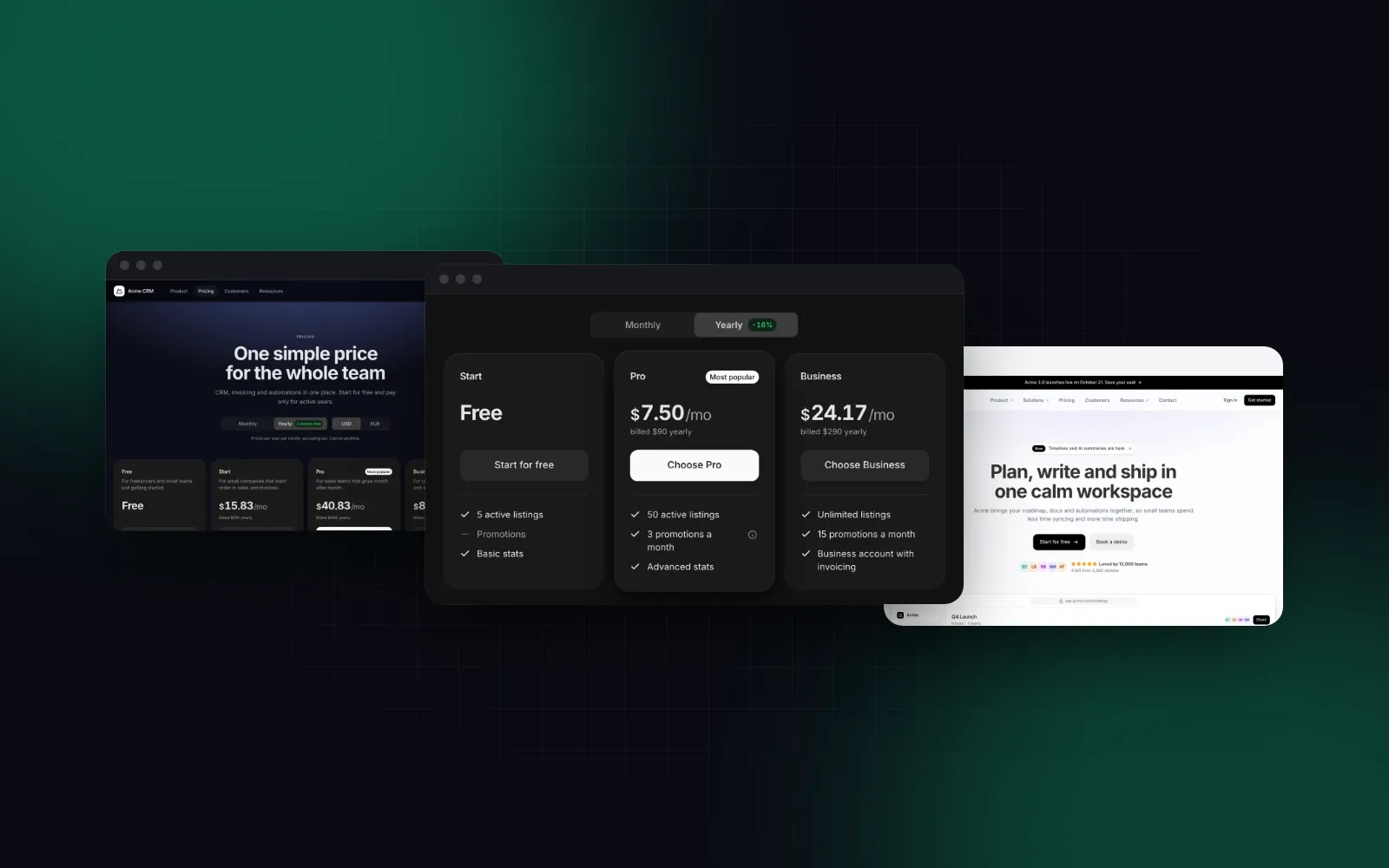
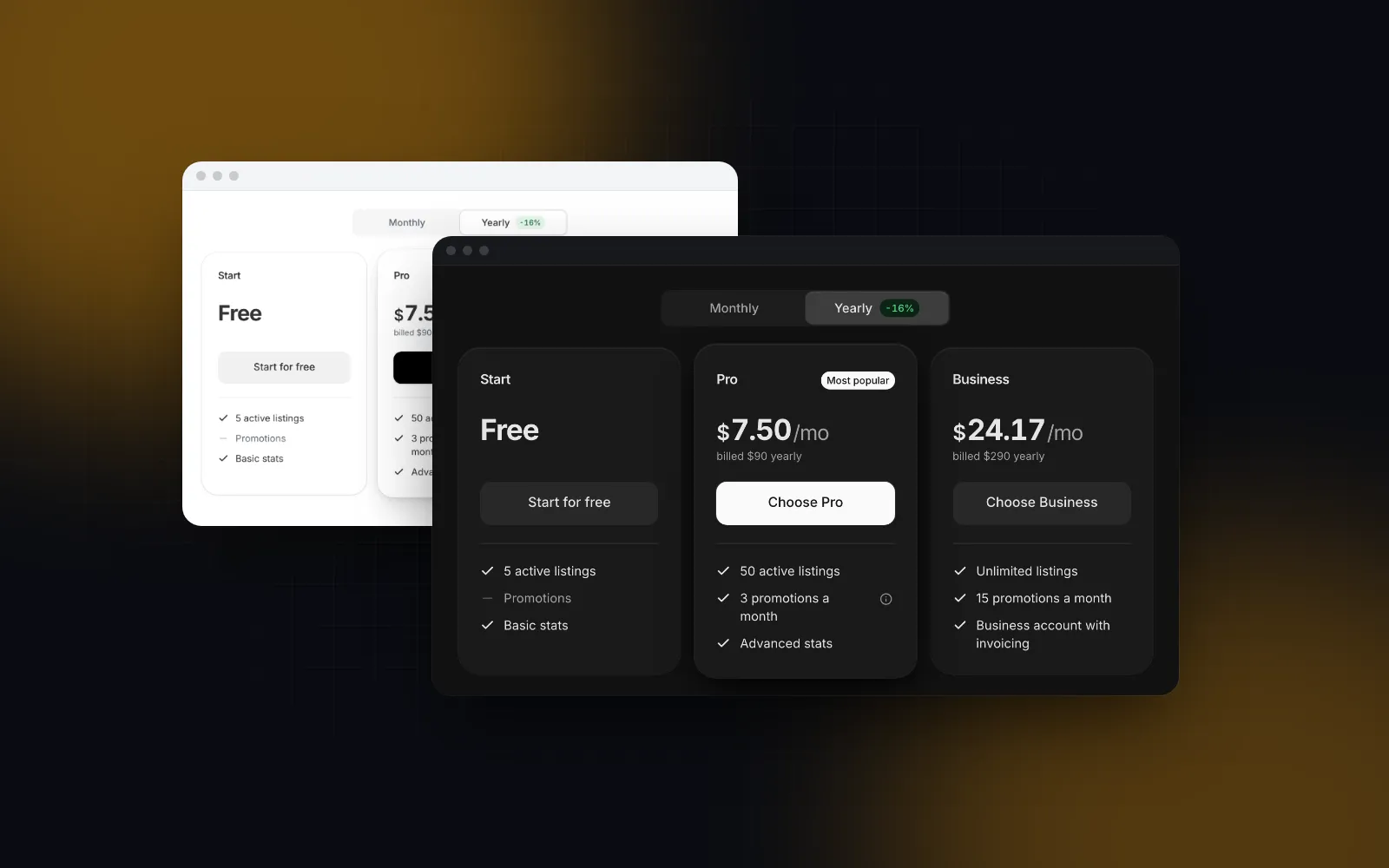
A teaser, yes. The visitor who scrolled this far wants to know whether it costs $0, $10 or "talk to sales". The template's pricing band lays out three plans in a row from 768px, with a Monthly / Yearly switch above them (yearly on load, set by defaultPeriod) and a "Compare all plans" link to /pricing below. Every plan button links to its own href.
The full comparison belongs on /pricing, built with the Pricing Table. Watch one difference when you copy plans between the two: the teaser's yearly is the monthly equivalent ($10), while the Pricing Table's yearly is the yearly total ($120), from which it computes the monthly figure and the savings badge itself. The teaser's savings badge is a label you set (labels.yearlySavings), so update it when the prices change.
This route needs no client wrapper. pricing-table.tsx carries its own "use client", and the plans are plain strings and numbers, so a Server Component can pass them straight in. Add an onClick to a plan's cta and that stops being true: functions cannot cross the server to client boundary, so that plan list moves into a client file.
When its container is narrower than 768px, the Pricing Table turns the plans into swipeable cards that open on the featured plan, and the comparison becomes a plan switcher above one column of rows. Our shadcn pricing page tutorial covers the comparison table and the yearly math in detail.
What belongs in the landing page FAQ?
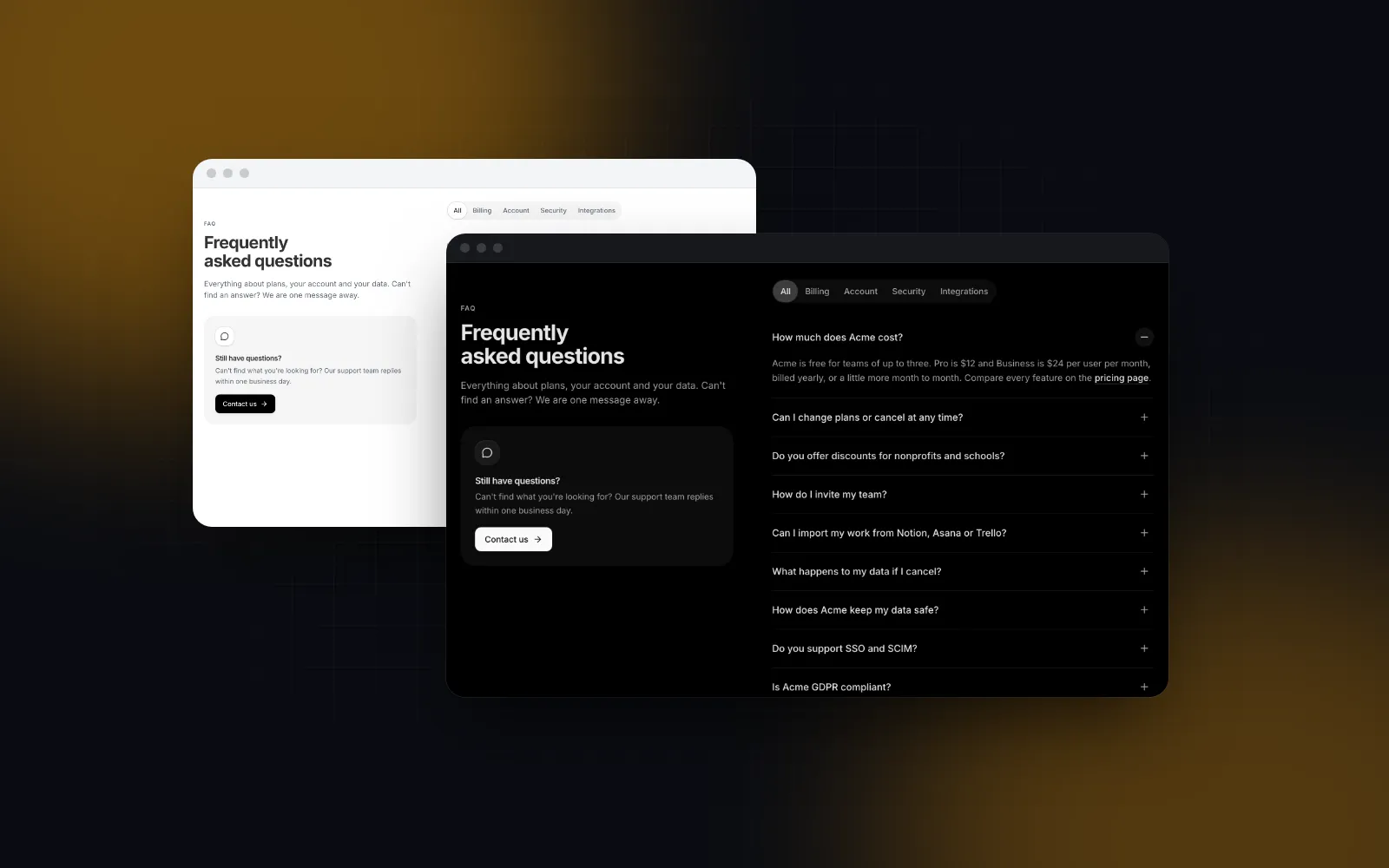
The objections the sections above did not answer: is the free plan really free, how per-user pricing works, how to import from another tool, where the data lives, how to cancel. Five short questions read best. The template renders them with the FAQ Section in its split layout, one answer open at a time.
On desktop the heading and a "Still have questions?" card stay in view while the questions scroll. That card promises "Our support team replies within one business day" by default, so either make it true or change it with faqProps={{ labels: { contactDescription: "..." } }}. Below 1024px they stack above the list, so on a phone keep the description to one sentence, or pass faqProps={{ contact: false }} to move the first question up.
jsonLd: true adds FAQPage structured data with the plain text of each answer. Do not add it for Google snippets. Google limited FAQ rich results to well-known government and health sites (opens in a new tab) in August 2023, and its Search Central changelog (opens in a new tab) says the feature stopped appearing in Search on May 7, 2026. The markup is one small script tag, but the visible answers in the server HTML do the real work.
$ npx wingo-ui@latest add faq-sectionHow do I check the landing page on a phone before launch?
Resize a desktop window and you miss touch, the on-screen keyboard and the browser bars. Open the page on a real phone, or in a 390px device frame, and check this list:
- The hero title fits in three or four lines, and the primary button is visible without scrolling.
- The menu opens as a full-screen sheet with Sign in and Get started as full-width buttons, and a swipe back toward the edge closes it.
- No section scrolls sideways, including the feature visuals and the pricing band.
- With reduced motion on, the marquees stand still and nothing rises in.
- Light and dark mode both have readable gray bands; the template alternates them by itself (
alternate). - The footer newsletter shows its error when your
onSubscriberejects, and the footer no longer says Acme: setlogo,columns,socialsandlabelsthroughfooterProps, and passstatus: falseuntil you have a real status page behind "All systems operational".
Our guide to mobile-first React components explains the rules behind this list: 44px touch targets, safe areas and sheets instead of popovers.
What is the next step?
Install the template with npx wingo-ui@latest add landing-page, replace the sample content with your own, and turn off every section you cannot fill honestly. The Landing Page, Hero Section, Feature Grid and Pricing Table are part of Wingo UI Pro; the FAQ Section, CTA Section, Logo Cloud, Marketing Header and Marketing Footer are free. For the rest of the product, the Next.js admin dashboard tutorial builds the screens behind the sign-up button, and the Build it category has the other pages a SaaS needs.
FAQ
What sections should a SaaS landing page have?
A header, a hero with one primary action, social proof, features, a pricing teaser, an FAQ, a closing call to action and a footer. Add a product tour or a numbers band when you have something real to show, and drop any section you would have to fill with placeholder content.
Is there a free Next.js SaaS landing page template?
Yes. As of October 2026, Saas UI (open source) and Finwise are free Next.js and Tailwind templates, and paid kits such as the Magic UI Pro SaaS template add more sections and an MDX blog. In Wingo UI the full Landing Page template is Pro, while the FAQ Section, CTA Section, Logo Cloud, Marketing Header and Marketing Footer are free.
Does shadcn/ui have landing page blocks?
Not as of October 16, 2026. The official shadcn/ui blocks page lists Featured, Sidebar, Login and Signup blocks, so hero, feature and pricing sections come from third party galleries or from composing Card, Button and Accordion yourself.
Can a Next.js landing page be a Server Component if the sections are client components?
Yes. Keep app/page.tsx a Server Component that exports metadata and renders one client component holding the sections. The server still renders the full HTML, so crawlers and AI readers get every heading and answer without running JavaScript.
Should I put full pricing on the landing page?
Put a three-plan teaser with a Monthly / Yearly switch on the home page and link it to a /pricing route with the full comparison table. The teaser answers what it costs; the comparison is for the visitors who are already deciding between plans.
- Next.js
- Landing page
- SaaS
- Tailwind CSS