React Multi Step Form with Zod, Saved Drafts and Motion
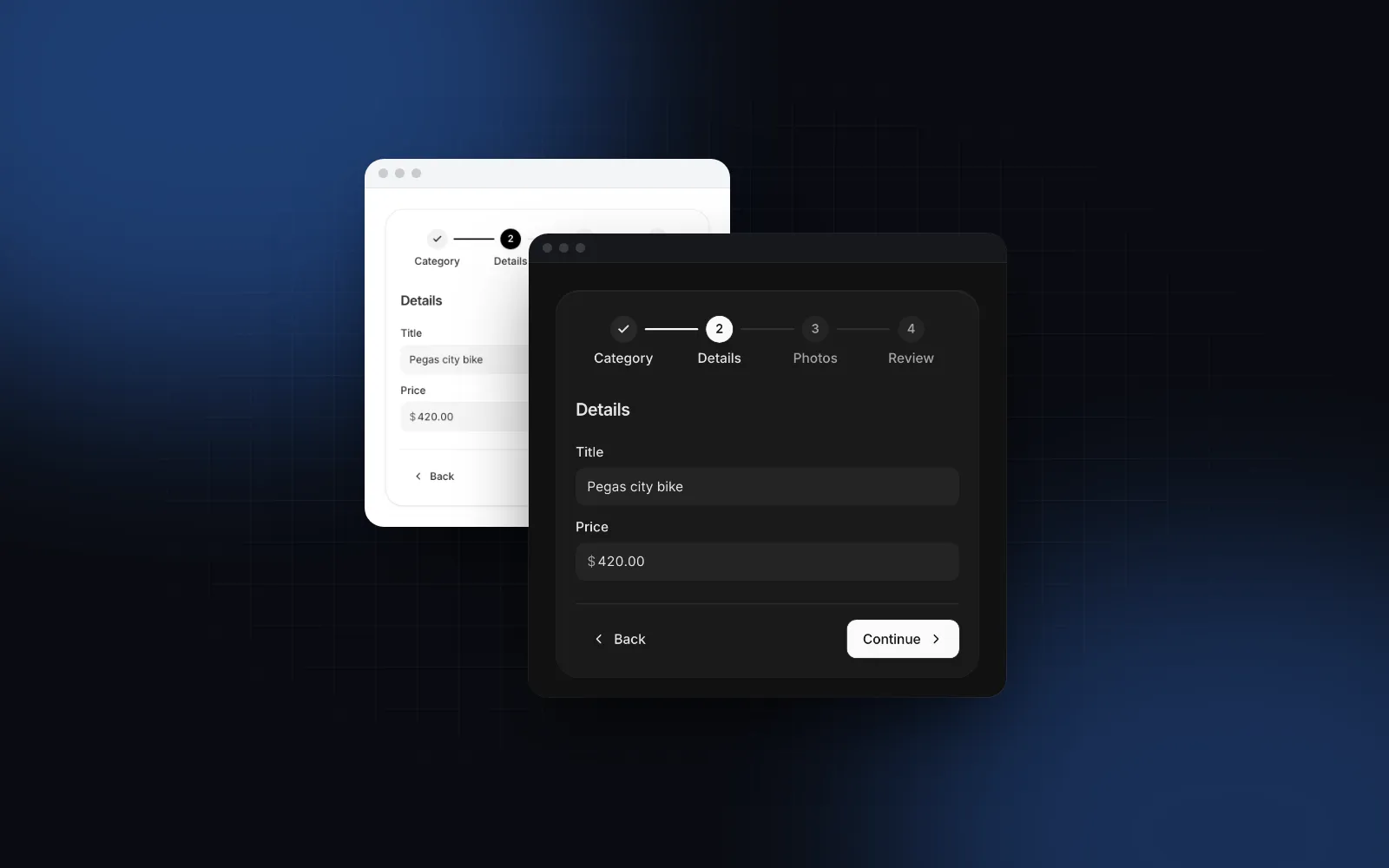
A React multi step form looks like a list of forms with a Next button between them. The work hides in the gaps: Continue has to validate only the fields on screen, a server check needs a spinner and an error in the right place, a reload should not throw away three steps of typing, and the next step should slide in from the side the user is heading. This tutorial builds a four step workspace signup that handles all of it with react-hook-form, zod and the Form Wizard from Wingo UI, the library we build. Stepper visuals get their own guide in the React stepper component post.
What does a good React multi step form need?
It needs seven things: per-step validation, async checks that run after the sync ones, focus that follows the user, visible progress, saved progress, direction-aware motion and one final submit. Here is what each means in practice:
- Per-step validation. Continue checks the current step only. Back never validates, because nobody should have to fix a field before they can go back and look at something.
- Async checks after sync ones. A "Is this URL taken?" request runs only when the format is already right, and the button shows that something is happening.
- Focus that follows the user. A failed step focuses the first invalid field. A new step moves focus to its heading, and a screen reader hears "Step 2 of 4: Workspace".
- Progress you can see. A stepper on wide screens, a progress bar with "Step 2 of 4" on phones.
- Saved progress. Values and the current step survive a reload or a closed tab.
- Direction-aware motion. Forward slides left, Back slides right, and reduced motion turns both into a crossfade.
- One submit. The last step sends a single object that the server validates again.
The Form Wizard covers the step state, focus, the stepper and the transitions. You bring the fields, the schemas and the draft storage. Install it with the fields this tutorial uses:
The CLI also installs react-hook-form, @hookform/resolvers and zod, which the validation helpers depend on.
$ npx wingo-ui@latest add form-wizardHow do I split a zod schema into steps?
Write one zod object per step and merge them into the schema for the whole form. Each step's field names then come straight from its own schema, so a field added to a step is validated by that step without a second list to keep in sync. This is the core of a zod multi step form:
createValidators comes from the form validation helpers: zod rules for names, emails, passwords, phone numbers and a ticked checkbox that share one set of English messages. Plain zod works the same way if you prefer your own rules. The examples use zod 4, where the message option is error.
How do I validate one step at a time with react-hook-form?
Use one useForm for the whole form and call trigger() with the current step's fields when the user presses Continue. The react-hook-form docs for trigger (opens in a new tab) describe it as returning a promise that resolves true when the targeted fields pass. With the zod resolver the full schema still runs, but only the fields you name get errors, so step 1 never shows messages for step 3.
A single form instance is also what makes this a react hook form wizard instead of four forms. The library's own wizard example (opens in a new tab) uses a separate store between pages, which fits a multi-page flow with routes. Inside one page you do not need it: per the useForm docs (opens in a new tab), shouldUnregister defaults to false, so a field keeps its value after its step unmounts.
Each step registers its validator with useFormWizardValidation. The wizard runs it on Continue, on Enter in a single-line field and before a forward jump in the stepper:
When the validator resolves false, the wizard marks the step with an error, shakes Continue and focuses the first element with aria-invalid="true" in the step. Wingo UI fields set that attribute whenever they get an error, through the shared Field anatomy, so focus lands on the right field without a ref per input. Controls that are not plain inputs, like a radio group, go through Controller and pass fieldState.error?.message to error.
useZodForm from the same helper file is useForm with the zod resolver and mode: "onTouched": an error appears after the user leaves a field, then updates on every keystroke until it is fixed.
How do I add an async check to one step?
Run the cheap rules first, then the request, and put the answer on the field with setError. The validator returns a promise, so the wizard keeps the user on the step until it settles:
Three details matter here. The format check stops a typo from reaching the network. The catch turns a failed request into a message instead of a silent block. And the wizard only shows a spinner on Continue once a validator has run for 120ms, so the instant trigger() calls never flash one. The manual error stays until the field validates again. With mode: "onTouched" that happens on each keystroke only after the field has lost focus once, so someone who typed the URL and pressed Enter keeps seeing "taken" while they edit, until they tab away or press Continue again. To clear it as soon as they type, register the field with register("slug", { onChange: () => clearErrors("slug") }).
The check here is a convenience. Two people can claim the same URL between the check and the submit, so the server must enforce uniqueness and the final submit must handle a conflict.
How do I save progress across reloads?
Write the values and the current step to localStorage on every change, and read them back after the component mounts. Reading during render would make the server HTML differ from the client's and break hydration, so the wrapper renders a placeholder of the same height until the draft is known:
Inside the form, watch(callback) subscribes to changes without re-rendering on each one. The current step is controlled through value and onValueChange, so it can be saved with the values. When the wizard mounts on a later step, it counts the steps before it as completed, and the stepper shows them with a check.
Keep secrets out of the draft. A password, a card number or an ID number should never land in localStorage, where any script on the page can read it. If a step collects one, leave that field out of what you save and ask for it again.
How do direction-aware transitions work?
The next step enters from the side you are heading: forward slides in from the right, Back from the left. The Form Wizard compares the new step's index with the old one, slides 32px in that direction, and lets the card's height follow on a spring so the footer does not jump. That height change is a motion layout animation: it measures once and animates a transform, so no layout runs per frame. With prefers-reduced-motion it crossfades instead, and animate={false} swaps steps with no motion at all.
If you build your own, the one trick is to pass the direction to AnimatePresence as well as to the step. The step that is leaving has already left your tree, so it only receives the new direction through AnimatePresence's custom prop:
Animate x and opacity only. A step change that animates height or width directly runs layout on every frame, which is what makes cheap wizards stutter on mid-range phones. More presets live in our spring presets post.
What about a progress bar on phones?
Use one. Below 768px a row of five numbered circles does not fit with readable titles, so on phones build the React multi step form with progress bar and a step count instead. The Form Wizard switches on its own: under 768px every stepper becomes a compact header with "Step 2 of 4", the step title and a bar. On wider screens you choose with stepper: "horizontal" (numbered markers), "vertical", "progress", "dots" or "none".
With fullScreenOnMobile, the default, the wizard fills its container on a phone: a sticky header, a body that scrolls on its own, and a sticky footer with 48px buttons padded for the home indicator. Give the container a height, such as h-dvh md:h-auto on the wizard itself. For a stepper outside a form, such as a checkout that spans several routes, use the standalone Steps component, covered in the stepper guide.
What is the final code?
The whole signup, about 270 lines, with the four steps, the async URL check, the summary with Edit links and the saved draft:
Two endpoints are yours to write: GET /api/workspaces/available and POST /api/workspaces. Parse the body with the same signupSchema on the server, so the client rules and the server rules cannot drift apart. When onComplete rejects, the wizard shakes the submit button and stays on the review step, and the draft is still saved.
The sign-up rules from form-validation also run on their own, outside a wizard. Leave a field, fix it, then submit with everything empty to see the timing useZodForm uses:
$ npx wingo-ui@latest add form-validationCan I build a shadcn multi step form instead?
Yes. For a survey or an intake flow with one question per screen, use shadcn/ui's Questionnaire (opens in a new tab), added in August 2026 (opens in a new tab). It handles the active item, progress, Previous and Next, required answers and focus, and reads the answers from FormData. Its docs leave persistence and branching to your page and do not cover react-hook-form.
For steps that each hold several fields, like the signup here, the shadcn/ui component list (opens in a new tab) has Field, Progress and Button but no stepper or wizard as of October 2026. That shadcn multi step form keeps the step index in state, renders one group of fields per step, calls trigger() on Next exactly as above, and adds its own focus handling, announcements and transitions. Community registries publish stepper components that install with the shadcn CLI, such as ReUI's stepper (opens in a new tab), if you want the visuals without writing them.
The schema split, the trigger() per step, the async check and the draft code in this post work the same in that setup, since none of it depends on the wizard component.
Where should you start?
Start from the Form Wizard docs, which have the playground and examples for a vertical stepper, dots for onboarding, an async check and a custom footer with Save draft. The Form Wizard and the form validation helpers are part of Wingo UI Pro, which costs $8 a month, $80 a year or $150 once as of October 2026 (pricing); Input, Radio Group, Checkbox and Field are free. For every other field in the form, read the React form components guide, and browse the rest of the component guides. For a checkout built on the same one-step-at-a-time validation, see the React checkout page tutorial.
FAQ
How do I validate only the current step in react-hook-form?
Call trigger() with an array of the current step's field names before you move on, and only advance when it resolves to true. With a zod resolver the whole schema still runs, but react-hook-form only reports errors for the fields you passed.
Should a multi step form use one useForm or one per step?
One useForm for the whole form is simpler: values survive when a step unmounts, the review step can read everything with useWatch, and the final submit gets one object. react-hook-form keeps the values of unmounted fields by default, since shouldUnregister is false.
How do I save multi step form progress across a page reload?
Subscribe to form changes with watch(callback), write the values and the current step id to localStorage, and read them back after the component mounts so the server HTML still matches. Never store passwords or card numbers, and clear the draft after a successful submit.
How do I add a progress bar to a React multi step form?
Show the current position as a progressbar with aria-valuenow and a visible Step 2 of 4 label. In the Wingo UI Form Wizard, stepper="progress" renders that header, and on phones every stepper turns into it automatically.
Does shadcn/ui have a multi step form component?
Partly. Since August 2026 shadcn/ui ships Questionnaire, which shows one question at a time with progress, Previous and Next, and required checks. It has no stepper or wizard for steps that each hold several fields, so that kind of shadcn multi step form still needs your own step state or a community registry.
- Forms
- React Hook Form
- Zod
- Wizard
- Mobile UI