React Countdown Timer: Blocks, Inline, Sleeping Tabs
You need a React countdown timer for a launch, a sale that ends at midnight, an auction or a trial. The first version takes ten minutes: a number in state, setInterval, minus one every second. Then it ships: a tab left in the background shows the wrong time, Berlin and New York see the launch at different moments, and the server-rendered page logs a mismatch warning. This guide covers the three ways a countdown usually looks, the pitfalls behind those bugs, and the props that matter in the Wingo UI Countdown.
How should a React countdown timer compute the time left?
From the target, every time. Keep one fixed moment (to) and compute to - Date.now() on each tick. The tick only decides when to repaint; it never carries the time itself. A version that stores a remaining count and decrements it is the one that drifts.
A minimal hook that gets this right looks like this:
It still has two rough edges. The interval runs on its own one second grid, so the display can sit up to a second away from the real value and reach zero late. And it starts null, so you have to decide what to render on the server. A full React countdown timer component takes care of both, and of the parts below.
Which countdown style fits: blocks, inline or words?
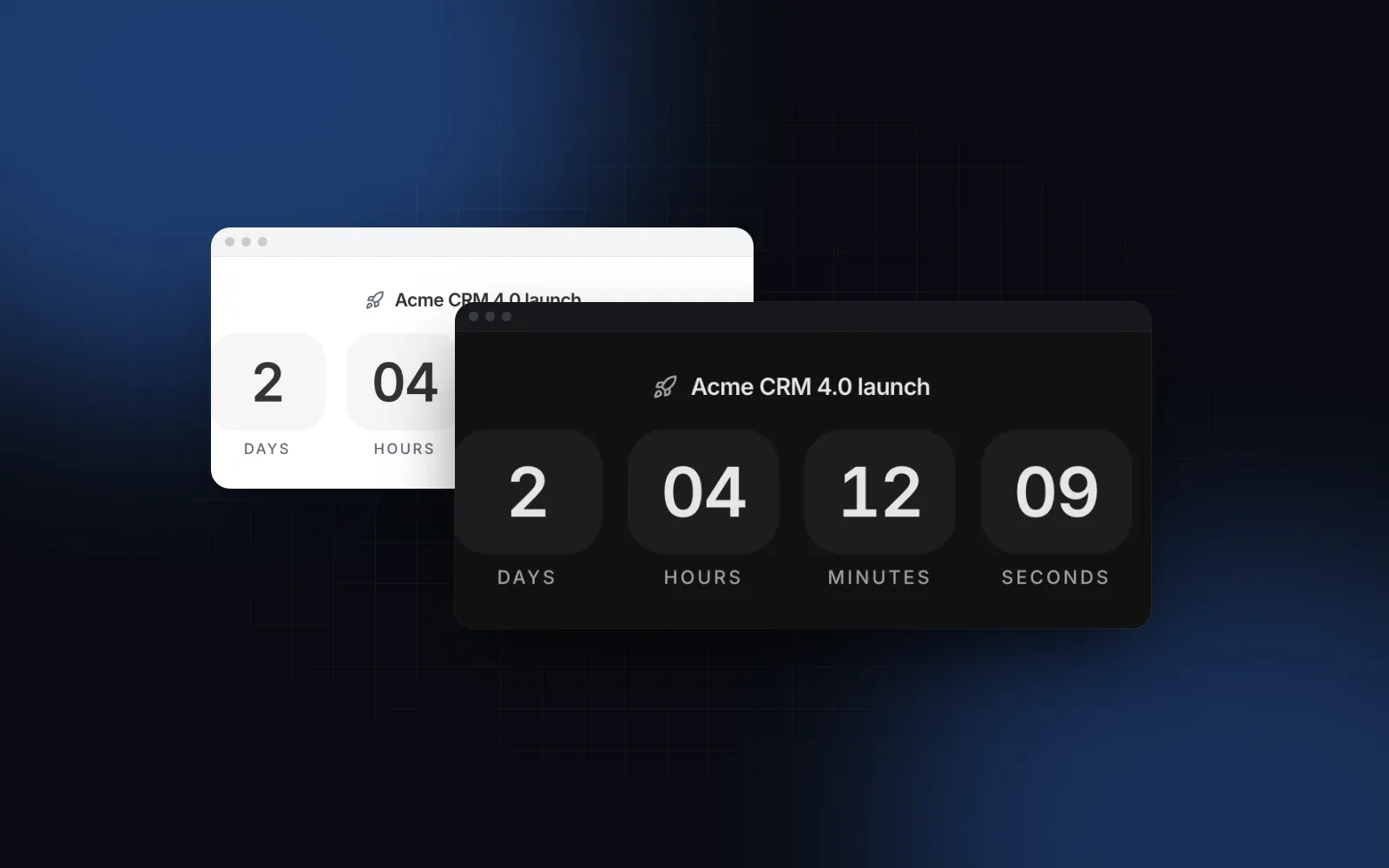
Pick by where the countdown sits. The Countdown has three variants:
Blocks roll each changed digit into place like an odometer, using the free Animated Counter underneath (animation="fade" crossfades instead, "none" swaps plain text). Leading zero units drop out as time passes, so a launch two days away shows days, while the last hour shows only minutes and seconds. It never shows "0 days".
$ npx wingo-ui@latest add countdownIn a launch hero, the countdown itself is one element:
The inline and text variants render a <span>, so they can sit inside a paragraph. The blocks variant renders a <div>, and a <div> inside a <p> is invalid HTML that Next.js reports as a hydration error, so keep blocks outside paragraphs.
precision sets how many units the text variant names (2 by default, "in 3 days and 4 hours"). showSeconds={false} hides seconds and ticks once a minute, which is calmer and cheaper on a long list of cards.
$ npx wingo-ui@latest add countdownWhy does a countdown drift in a background tab?
Because browsers throttle timers in tabs nobody is looking at. According to Chrome's timer throttling notes (opens in a new tab), timers in a hidden page are checked once per second, and from Chrome 88, once per minute when the page has been hidden for more than 5 minutes, has been silent for 30 seconds, its timers are chained 5 or more deep and WebRTC is not in use. MDN (opens in a new tab) lists a 1 second minimum in inactive Firefox desktop tabs and 15 minutes on Firefox for Android. A laptop that sleeps runs no timers at all.
A countdown that subtracts one per tick loses every skipped tick. One that recomputes from the target is only late to repaint. The Countdown goes one step further: it schedules each repaint for the exact moment the value crosses a unit boundary of the target, so the last tick lands on zero, and it recomputes as soon as the tab becomes visible again, so a tab that slept jumps straight to the right value.
There is a second timer trap for long countdowns. setTimeout stores its delay as a signed 32-bit integer, so the maximum is 2,147,483,647 ms, about 24.8 days. MDN notes that larger values overflow, and an overflowed delay can run at once. A setTimeout(openSale, saleAt - Date.now()) for a sale 45 days away can fire immediately. The Countdown never waits longer than one tick, and it caps any single wait at that limit, so a 45 day launch counts down normally.
How do I handle time zones in a launch countdown?
Store one absolute moment and format it per visitor. A launch at noon in New York on November 17, 2026 is 2026-11-17T17:00:00Z (Eastern time is UTC-5 then). Every browser counts down to that same instant, so the finish happens at the same moment everywhere.
The two formats to avoid, from MDN's Date.parse page (opens in a new tab):
- A date-time without an offset (
"2026-11-17T12:00:00") is read as local time on each visitor's device. Berlin hits zero six hours before New York. - A date-only string (
"2026-11-17") is read as midnight UTC, which is 7 pm on November 16 in New York.
When you print the launch time next to the countdown, format it in the visitor's own zone and name the zone, so "Nov 17, 2026, 12:00 PM EST" means the same thing to everyone:
Spell out the fields here. dateStyle and timeStyle cannot be combined with timeZoneName, and that combination throws a TypeError.
How do I render a countdown with server rendering?
Render a placeholder on the server and the digits after hydration. The server does not know the visitor's clock, and a statically prerendered page would freeze whatever time it computed at build time. The Next.js hydration error page (opens in a new tab) lists time-dependent APIs like the Date() constructor in render logic as a common cause of mismatches.
The Countdown reads the clock through useSyncExternalStore with a server snapshot of null. Until the clock is known, each unit renders -- over an invisible 00 at its final width, so nothing jumps when the real digits arrive and no mismatch is logged. The root's data-state is idle then, running while it counts and done at zero.
now pins the clock for screenshots and tests; a pinned countdown does not tick.
What happens when the countdown reaches zero?
onComplete fires once on the transition to zero, on time even when seconds are hidden. completedContent replaces the digits and springs in. A to that is already past when the component mounts renders the done state without calling onComplete, so a visitor who opens the page after the sale ended does not get a "sale just ended" toast.
The countdown is a display. It trusts the device clock, and a device clock can be minutes off or changed by hand. If the moment matters (a checkout price, an auction close, early access), the server checks the time when the request arrives. The countdown only tells people when to come back.
Is there a React countdown hook for custom layouts?
Yes. useCountdown is the clock behind the component, exported from the same file. It returns { days, hours, minutes, seconds, totalMs, done }, recomputed from the absolute time on every tick, with totalMs set to null until the clock is known. Its options are now, interval (default 1000), onComplete and units. With units: ["seconds"] the seconds carry the whole remainder, which suits a resend timer:
The Countdown docs pair this react countdown hook with the free Progress ring for a 60 second OTP resend, the same pattern as the React OTP input guide.
How does the countdown work for screen readers and on phones?
The root has role="timer" with aria-live="off", because a live region that changes every second would interrupt a screen reader user every second. A hidden sentence ("2 days, 4 hours and 12 minutes left") updates once a minute for anyone who navigates to it, and the finish is announced once, politely. Reduced motion turns the rolling digits into plain swaps.
On a phone, the lg blocks shrink their numerals and tiles below 400px of their own width, so four units still fit a 360px screen. The root carries data-urgent in the last minute for a color change near the end. Every string lives in labels (days, hours, minutes, seconds, names, short, sentence, done, and, in), with plural functions per unit, so a translation is a prop instead of a fork.
How do the React countdown libraries compare?
react-countdown is the headless choice, react-countdown-circle-timer draws a ring, and the Wingo UI Countdown gives you finished layouts as source. As of October 2026, from each project's public README:
For a ring around a 30 second quiz timer, react-countdown-circle-timer is the better fit. For headless logic with all your own markup, react-countdown is a solid choice.
Where does the countdown fit on a launch page?
At the top of a waitlist. The Waitlist Page template puts a Countdown under the headline, counting to launchAt, with a "live" note as its done content, and turns into a plain coming soon page when launchAt is null. The Next.js waitlist page tutorial wires it to a real signup table, a place in line and referral links, so the launch countdown React page you ship before day one collects signups instead of only ticking. For a single number that rolls instead of a full timer, see the animated number counter guide, and for relative dates like "3 hours ago" there is the Relative Time component.
How do I add it to my project?
Run npx wingo-ui@latest add countdown. The CLI copies components/ui/countdown.tsx into your project with the Animated Counter and the helpers it imports, and installs motion. The Countdown and the Waitlist Page are part of Wingo UI Pro. More single-component deep dives are in the component guides category.
FAQ
How do I make a countdown timer in React?
Keep the target moment (a timestamp or an ISO string with an offset) and recompute target minus Date.now() on every tick inside a useEffect, then split the result into days, hours, minutes and seconds. Never decrement a counter, because a throttled or sleeping tab skips ticks and the counter falls behind.
Why does my countdown timer slow down in a background tab?
Browsers throttle timers in hidden tabs: Chrome checks them once per second, and once per minute after a page has been hidden for more than 5 minutes with a chain of timers. A countdown that subtracts one per tick loses those skipped ticks, while one that recomputes from the target shows the right value on the next tick.
How do I show the same countdown in every time zone?
Store the launch as one absolute moment, such as 2026-11-17T17:00:00Z, and let each browser count down to it. A date-time string without an offset is read as the visitor's local time and a date-only string as UTC midnight, so either one gives people in different zones different finish times.
Is there a React countdown hook?
Yes. The react-countdown package exports useCountdown, and the Wingo UI Countdown exports a useCountdown hook that returns days, hours, minutes, seconds, totalMs and done for your own layout. A short custom hook works too if it recomputes from the target.
Is the Wingo UI Countdown free?
No. The Countdown and the Waitlist Page template are Pro. The Animated Counter that rolls its digits and the Progress ring used in the resend example are free.
- Countdown
- Timers
- React
- Next.js
- Accessibility