React Rich Text Editor: Tiptap, Markdown and Mentions
You need a React rich text editor for notes, comments, product descriptions or a help center. The first version is quick: install Tiptap, add StarterKit, render a toolbar. Then the questions arrive. What do you store in the database? How do pasted images get uploaded? Why does iOS zoom into the text on focus? Where does the toolbar go when the phone keyboard covers half the screen? This guide answers those, compares the editor frameworks, and shows the props that matter in the Wingo UI Rich Text Editor, with code for loading, saving, mentions and uploads.
Which React rich text editor framework should I pick?
Pick Tiptap unless you have a reason not to. It wraps ProseMirror in a React API, it is MIT licensed, and its extensions cover what product editors need: lists, task lists, links, images, mentions and Markdown. Facts below are from each project's docs and repository, as of October 2026.
Lexical is a good choice when you want Meta's engine and do not mind building more of the UI. Plate fits if you already think in Slate. Tiptap itself sells a Notion-like editor template (opens in a new tab) with a slash menu, block reordering, AI and real-time collaboration; its docs say production use needs at least the Start plan, which Tiptap's pricing page (opens in a new tab) lists at $49 a month billed annually or $59 monthly.
Can I build a Notion like editor in React?
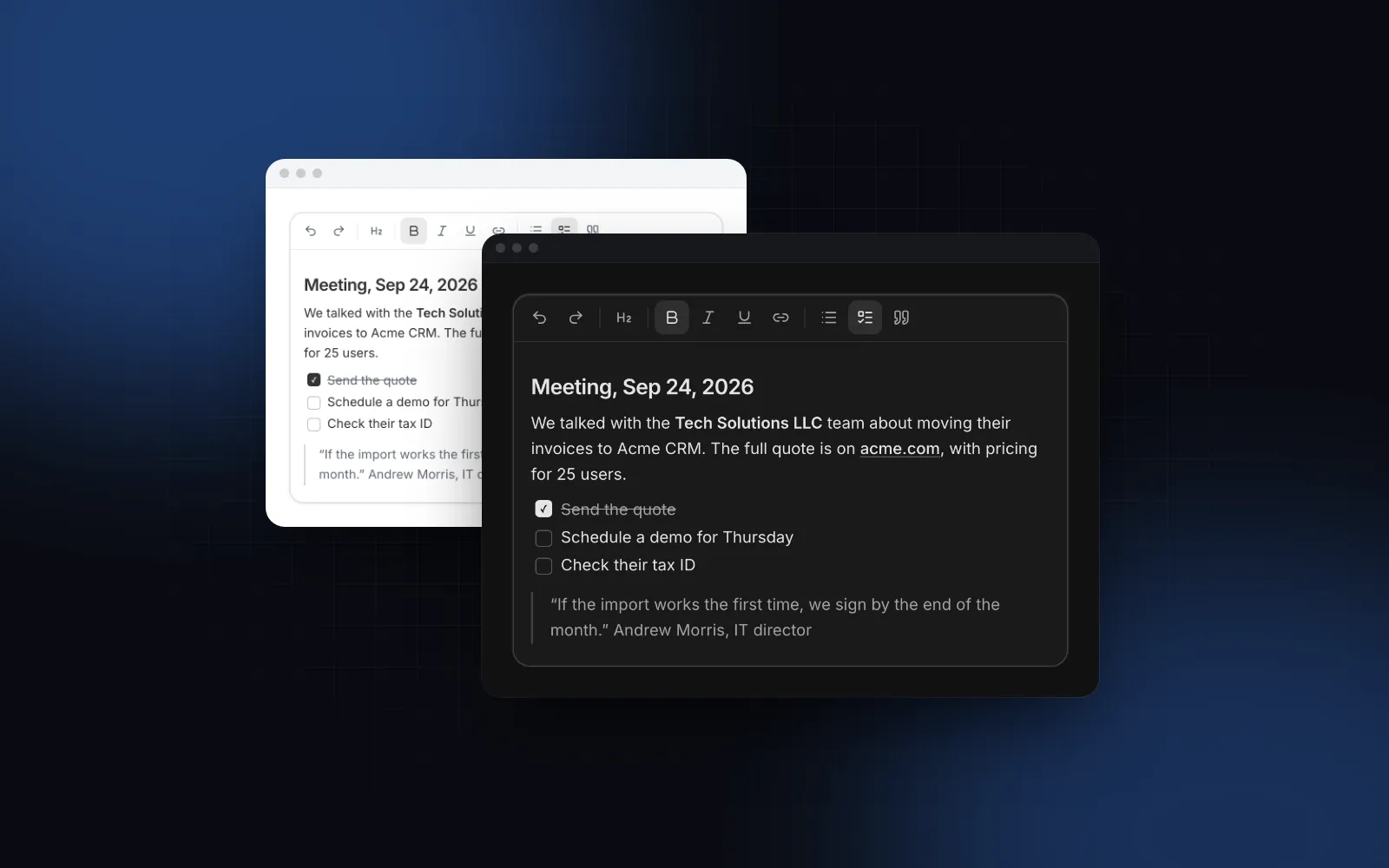
Yes, for the three features a notion like editor react build usually starts with: Markdown typed straight into the page, @mentions, and images that paste and upload. The Rich Text Editor does all three. Type # for a heading, - for a list, [] for a checklist, > for a quote, three backticks for a code block or **word** for bold, and paste Markdown from a README to get it formatted.
It does not ship a slash command menu or block drag handles. If you need them, the extensions prop appends your own Tiptap extensions after the built-in ones, and Tiptap's open source Suggestion utility, which already powers the mentions here, is the usual base for a "/" menu. If you want the full Notion feel with AI and collaboration out of the box, Novel or Tiptap's paid template will get you there faster.
Try the shortcuts in the live editor below, then switch the Output tabs to see the same document as HTML, JSON and Markdown.
What props does a Tiptap React editor need?
Three for the content: value (or defaultValue), onValueChange and format. A Tiptap React editor built by hand needs useEditor, EditorContent, the extension list and immediatelyRender: false for Next.js; this component sets those up for you.
onValueChange fires 150ms after the last keystroke (updateDebounce), and at once when the editor loses focus, so serializing a long document never slows typing. An empty editor reports "" in the HTML and Markdown formats. Passing back the value it just emitted never moves the caret; passing a different value, such as a document loaded from the server, replaces the content.
The props you will reach for next:
toolbar:trueshowsDEFAULT_TOOLBAR,falsehides it while keys and shortcuts keep working, or pass the items in order with"|"between groups.toolbarPosition="bottom"for a comment box,variant(outline,soft,ghost) andsize(sm,md,lg).headingLevels(1 to 3 by default),characterLimit,minHeightandmaxHeight.readOnlyrenders the document with the same styles and no toolbar, with links opening in a new tab.setApihands yougetHTML,getJSON,getMarkdown,getText,focus,clear,insertContent,isEmptyand the Tiptapeditoritself.
Should the editor store HTML, JSON or Markdown?
Pick one and stick to it, because each format changes how you render, search and migrate. The format prop decides what value, defaultValue and onValueChange speak.
The usual question about a react rich text editor markdown setup is whether the round trip loses anything. Through the official @tiptap/markdown extension, headings, lists, links, code and images map to standard Markdown, and task lists to the GitHub flavored - [ ] syntax. Underline has no Markdown syntax and comes out as ++text++, and a mention comes out as a shortcode like [@ id="emma-carter" label="Emma Carter"]. Tiptap's Markdown docs (opens in a new tab) call the extension an early release that can change. If you store Markdown, hide the underline button with a custom toolbar (Mod+U still applies underline, so expect the occasional ++text++) and test mentions against whatever reads the text later.
For plain form posts, name adds a hidden input with the value in the current format, so a Server Action receives it like any other field:
Inside saveNote, formData.get("body") is the Markdown string. Because the editor emits on blur, a click on Save right after typing still sends the latest text.
$ npx wingo-ui@latest add rich-text-editorHow do I add mentions and image uploads?
Pass mentions with an items function and onImageUpload with an upload function. Both can be async.
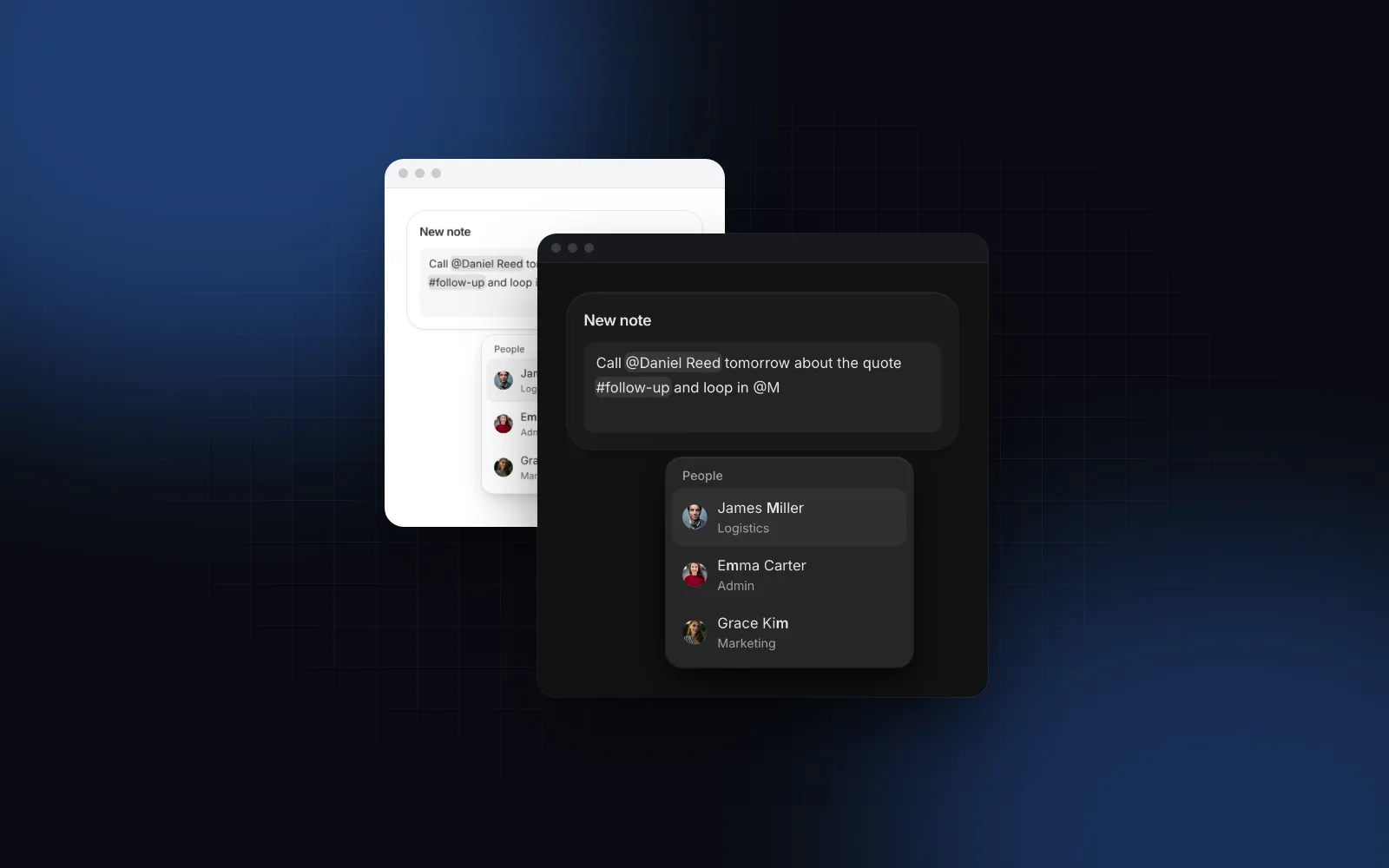
Type @ and the list follows the caret. Arrows move, Enter or Tab picks, Escape closes, and the person becomes a chip with a data-id. An async items function waits 120ms between keystrokes, so you do not query the server on every letter. Use trigger for a different character and onMention to notify someone.
Images can come from the toolbar's file picker, a paste or a drop. A dimmed preview with a progress bar holds the spot while uploadImage runs; if it rejects, the placeholder disappears and a screen reader hears "The image could not be uploaded". Files over maxImageSize (10 MB by default) or outside imageAccept are refused before upload, and base64 images are not allowed into the document. Without onImageUpload the image button asks for an image address instead. If all you need is mentions in plain text, the lighter Mention Input stores them as id-based markup; the React mentions guide explains why ids beat names.
How do I render saved rich text without loading Tiptap?
Put the exported PROSE classes on the wrapper of your saved HTML, and the page matches the editor without shipping the editor. Sanitize the HTML on the server first. The editor's schema drops unknown tags, and the link editor refuses javascript: addresses through normalizeUrl, but anyone can POST any HTML to your API, so run it through a sanitizer such as DOMPurify before you store or render it.
toneClasses sets the tone variables the MENTION chip classes read. PROSE covers headings, lists, quotes, code, links and images; checklists need their own styles here, or render the note with readOnly on the editor instead.
For stored Markdown, use the Markdown renderer. It renders GitHub flavored Markdown (tables, task lists, footnotes) in the same look, never renders raw HTML from the source, and has a streaming mode for AI answers, covered in the React Markdown streaming tutorial.
$ npx wingo-ui@latest add markdownHow does the editor behave on a phone?
It treats the phone keyboard as part of the layout. The text is 16px on phones at every size, so iOS Safari never zooms in on focus. While you type on a touch screen, the toolbar docks above the keyboard as a horizontally scrolling rail of 44px buttons, so formatting stays one thumb away. Below 640px the top toolbar keeps undo, redo, text style, bold, italic, link and the two lists, and moves the rest into a ⋯ menu. The text style menu, the ⋯ menu and the link editor open as bottom sheets.
The bubble menu over selected text only shows with a mouse or trackpad, because phones already have their own selection menus and a second one would cover them.
Is the editor accessible with a keyboard?
Yes. Toolbar buttons that have a shortcut show it in their tooltip (⌘B on a Mac, Ctrl+B elsewhere), and the pressed state follows the caret. Alt+F10 jumps from the text to the toolbar, Left and Right move between buttons, Home and End jump to the ends, and Escape returns to the text. Mod+K opens the link editor at the caret: Enter applies, an empty address removes the link, and addresses without a scheme get https://. Tab and Shift+Tab indent list items.
With label, description and error the editor uses the same Field anatomy as the other inputs, so aria-describedby, aria-invalid and aria-required are wired for you. The character counter speaks only when it crosses 90% and 100% of the limit, not on every keystroke. All strings live in labels and merge over DEFAULT_RICH_TEXT_EDITOR_LABELS, so you can translate the editor without forking it. The same field rules apply to every control in the React form components guide.
Is there a shadcn rich text editor?
Not in shadcn/ui itself: its component list (opens in a new tab) has a Textarea but no editor, as of October 2026. Community registries fill the gap. Minimal Tiptap (opens in a new tab) (MIT) installs through the shadcn CLI from its registry URL and outputs HTML, JSON, text or Markdown, and Plate installs its editor UI with npx shadcn@latest add @plate/plate-ui. The Wingo UI Rich Text Editor uses the same copy-the-source model. Pick Minimal Tiptap for a free toolbar on Tiptap, Plate for a Slate plugin stack, and this editor if you want mentions, uploads, counts and the phone toolbar already built.
What are the common pitfalls?
- Rendering on the server. Tiptap needs
immediatelyRender: falsein Next.js, or the server and client HTML disagree. Set it in your own editor; the component already does. - Using a rich text editor for a plain field. A bio or a support message rarely needs headings. The free Textarea grows with its content and counts characters.
- Mixing formats. Saving HTML from one screen and Markdown from another makes every later migration harder.
- Comment boxes built from scratch. If you need replies, reactions and an optimistic composer, the Comment Thread already has them.
How do I add it to my project?
Run npx wingo-ui@latest add rich-text-editor. The CLI copies the source into components/ui, adds the components and hooks it imports, and installs the Tiptap packages, @radix-ui/react-popover, motion and lucide-react. The Rich Text Editor and the Markdown renderer are Pro components (pricing). More single-component deep dives are in the component guides category.
FAQ
What is the best rich text editor for React?
For most product editors, Tiptap: it is MIT licensed, built on ProseMirror and has React bindings, Markdown and mention extensions. Lexical from Meta is the main alternative, and Plate fits if you want a Slate-based framework with shadcn-style UI.
Is Tiptap free?
The Tiptap editor and its open source extensions, including StarterKit, Mention and Markdown, are MIT licensed. Tiptap's cloud features, such as hosted collaboration, are paid plans, and its Notion-like editor template needs at least the Start plan ($49 a month billed annually, as of October 2026) in production.
How do I use Tiptap with Next.js?
Put the editor in a client component and pass immediatelyRender: false to useEditor, as the Tiptap Next.js guide does, so the editor initializes on the client after hydration and avoids a mismatch. The Wingo UI Rich Text Editor already sets it and reserves its min height so nothing jumps on mount.
Should I store rich text as HTML, JSON or Markdown?
Store Tiptap JSON if the editor is the only writer, HTML if you mostly render it on web pages or in email, and Markdown if people or tools also read the raw text. Markdown cannot hold everything: underline and mentions come out as Tiptap-specific syntax.
Is the Wingo UI Rich Text Editor free?
No. The Rich Text Editor and the Markdown renderer are Pro components. The Textarea, which covers plain multi-line input, is free.
- Rich text
- Tiptap
- Markdown
- Forms
- React