React Markdown Streaming Without Flicker or Scroll Jumps
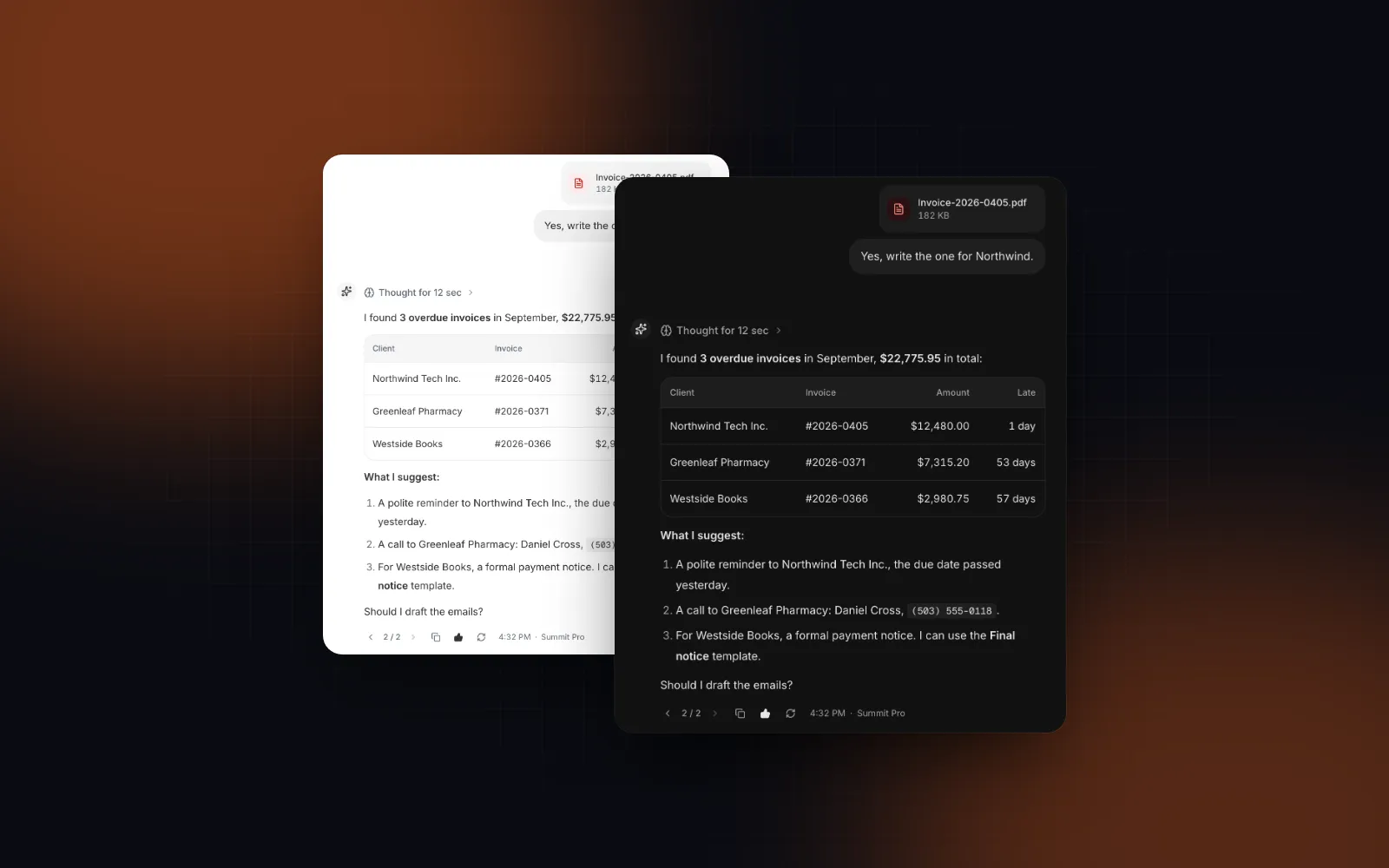
You pipe a model's answer into react-markdown and it mostly works. Then the details show up: **$22,7 sits on screen as raw asterisks before it snaps to bold, a code block opens and the rest of the reply turns monospace, a table renders as a row of pipes, and the view keeps dragging the reader back down while they try to reread the first paragraph. React markdown streaming has three separate problems: half-typed syntax, re-parsing the whole answer on every chunk, and scrolling. This tutorial fixes each one, then puts them together in a small chat. The code uses the Markdown renderer, Chat Message and the useStickToBottom hook from Wingo UI, the library we build, and it explains the technique so you can apply it to plain react-markdown too.
Why does streamed Markdown flicker in React?
The usual react-markdown streaming flicker has a simple cause: Markdown is only well formed once it is finished, and a stream shows you every unfinished state in between. A model sends a few characters at a time. At any moment the tail of the text can be an open **, a backtick with no partner, a link whose URL is half there, or a table header without its separator row. The parser does exactly what CommonMark says with that input, so you see raw syntax, and a few tokens later you see the formatted version.
The second cause is cost. Each chunk produces a new source string, and react-markdown runs remark and rehype over everything received so far. The work per chunk grows with the answer, so the total grows with the square of its length. The AI SDK cookbook's earlier memoization recipe (opens in a new tab) memoized parsed blocks "to prevent them from being re-parsed and re-rendered on each token update." React still reconciles the output, so most DOM survives a re-render. The exception is a components object written inline: every render hands React new component functions, React treats them as new types and remounts those elements, and a table the reader scrolled sideways snaps back to its first column.
The third is scrolling, covered below. A streaming markdown React setup that fixes only one of the three still feels broken, so this tutorial handles all of them.
How do you repair half-typed Markdown before parsing?
Rewrite only the unfinished tail of the source, before the parser sees it, so every intermediate state is valid Markdown that looks like the finished one. The Markdown component exports its repair step as a pure function, completeMarkdown(text). Here is what it returns for real mid-stream inputs:
Two rules keep the repair honest. It never touches anything inside a code block, so a ** in a code sample stays literal. And it only adds closers or holds text back; it never invents content. When the real closer arrives, the formatting is the one the reader already saw, so the text does not flip between raw and formatted.
If you stay on plain react-markdown, the same idea fits in one line while the answer streams: <ReactMarkdown>{streaming ? completeMarkdown(text) : text}</ReactMarkdown>. The function lives in components/ui/markdown.tsx, takes a string and returns a string, and uses no React.
How do you stop re-parsing the whole answer on every token?
Split the source into top-level blocks at blank lines, render each block in its own memoized component, and key the blocks by position. While text streams, only the last block's string changes, so only the last block parses again. Every finished paragraph, table and code block keeps its DOM.
The split has to respect Markdown's structure. A blank line inside a code fence does not end the block, and neither does a blank line between items of a loose list. splitMarkdownBlocks from the same file handles both:
The earlier AI SDK recipe did the split with marked.lexer and compared each block's content in React.memo. That works for the cost, but memoization alone leaves the flicker in the last block, which is the block the reader is looking at. Run the repair first, then split.
Two caveats. Reference-style links and footnotes ([id]: https://...) resolve across the whole document, so a block-by-block render cannot resolve them. While text streams, a [docs][1] whose definition sits in another block shows as literal brackets. Once streaming turns off, the Markdown component switches to a one-pass render if the source contains a definition (or you passed your own remark or rehype plugins), and the references resolve. Also keep any components override stable (module scope or useMemo). An inline object defeats the memo, so every block re-renders on every chunk, and inline functions remount their elements as described above.
Press Replay as a stream below and watch the bold total and the table header. They stay hidden until they are complete instead of flashing raw characters, and each new block fades in under a pulsing caret.
$ npx wingo-ui@latest add markdownHow do you render a streaming answer with the Markdown component?
Install it, append each chunk to state, and pass streaming while the answer is arriving:
/api/chat is your route handler returning a plain text stream. With streaming on, the component repairs the tail, re-parses only the last block, fades new blocks in, shows the caret after the last word and sets aria-busy on its root. The caret is dot by default; bar, block and none are the other options. Turn streaming off when the stream ends: the repair stops, the caret goes, and the finished blocks keep their DOM.
Two settings matter for model output. variant="compact" keeps headings small, so an answer that starts with # does not shout. allowImages={false} renders every image as a link with its alt text, so untrusted output cannot load a tracking pixel. Raw HTML in the source is never rendered.
How do you keep a chat pinned to the bottom while it streams?
Follow new content only while the reader is at the bottom, stop the moment they scroll up, and start again when they scroll back down or send a message. The first version of chat auto scroll to bottom in React is often a useEffect that scrolls whenever the messages array changes. During a stream it fails both ways: it misses height that changes without a state update, and it drags back a reader who scrolls up. Four rules make a stick to bottom chat feel right:
- Let go on intent. At the very bottom, a wheel turn upward has not moved
scrollTopyet when the next chunk lands, so a position check scrolls the reader right back. The hook stops following on the upward wheel event itself, and on any upward scroll while the content did not shrink, even inside the threshold. - Watch the content's size. Height also changes without a state update: an image finishes loading, a reasoning panel expands. A
ResizeObserveron the growing element catches every change whatever caused it, and aMutationObserverpicks up a child swapped in later, such as an empty state replaced by the list. - Follow outside React. Following writes
scrollTopin arequestAnimationFrameloop that re-reads the target every frame, so text that grows mid-animation is still caught. React state changes only whenisAtBottomorisFollowingflips. - Respect reduced motion. With reduced motion on, following jumps instead of easing.
You may see CSS scroll anchoring suggested for this. It was designed to keep visible content still when something changes above it; pinning to the bottom with it needs an anchor-element trick, and it gives you no isAtBottom state for a jump button. MDN's overflow-anchor page (opens in a new tab) lists it as Baseline only since September 2026 (checked October 2026), so phones on older browser versions still lack it.
scrollRef goes on the overflow-y-auto element, contentRef on the element inside it that grows. Scroll up while the answer below is still arriving: following stops at once, the text keeps growing underneath and a New messages button appears.
$ npx wingo-ui@latest add use-stick-to-bottomHow do you build a streaming Markdown chat in React?
Render each message with Chat Message inside a useStickToBottom scroller, and on every chunk replace only the streaming message's object. Chat Message renders its content through the same Markdown component and turns on streaming when status is "streaming". It is wrapped in memo, so the finished messages above keep their props and do not render again. Here is the whole thing in one file:
What each piece does while an answer streams: the pending message shows typing dots until the first chunk, the streaming message repairs its Markdown and re-parses only its last block, the other messages skip rendering, and the scroller follows the growing answer until the reader scrolls up. An aborted request keeps the text that arrived and marks the message as stopped.
This file leaves out what a production thread adds: a count of new replies on the jump button, keeping the reader's place when older history loads at the top, and a polite live region that announces when a reply starts and when it is ready instead of reading every streamed word. The Chat Thread component does those. Its composer slot usually takes a Prompt Input, which ignores Enter while an IME is composing and, with position="fixed", stays above the phone keyboard. The React AI chat UI guide walks through each part.
When should you use Streamdown or use-stick-to-bottom instead?
When you want free, open-source building blocks and are fine composing them yourself. Both are good choices, as of October 2026:
- Streamdown (opens in a new tab) from Vercel is Apache-2.0 licensed and describes itself as a drop-in replacement for react-markdown designed for AI streaming, with memoized rendering. Its termination docs (opens in a new tab) say it uses the remend preprocessor to close incomplete bold, italic, inline code, strikethrough, links and block math. If your answers contain math, pick it: our Markdown component renders GitHub flavored Markdown without math support. If your app already uses the AI SDK, it is also the natural pick.
- use-stick-to-bottom (opens in a new tab) from StackBlitz Labs is an MIT-licensed, zero-dependency hook and component with velocity-based spring scrolling, and it lets the reader cancel stickiness by scrolling up. Our hook shares its name and its goal.
The Wingo UI versions fit when you want the renderer, the message and the scroller to share one look and one set of props, with phone behavior already handled: text stays at 15px in chat, wide tables and code scroll inside their own box, and a long press on a message opens its actions in a bottom sheet on touch screens. Markdown, Chat Message and useStickToBottom are part of Wingo UI Pro (pricing).
What should you try next?
Open the Markdown docs, press Replay as a stream in the playground, then install it with npx wingo-ui@latest add markdown. If you build with a coding agent, the component library MCP guide shows how to let it install these components directly. More posts like this one are in Building UI with AI agents.
FAQ
Why does react-markdown flicker while an AI answer streams?
Each chunk changes the source string, so react-markdown parses and renders the whole answer again, and unfinished syntax such as an open ** or a half-typed link renders as raw characters until its closer arrives. The text then flips between raw and formatted on every few tokens.
How do I stop a streaming code block from breaking the rest of the message?
Close the open fence yourself before parsing: if the text has an opening ``` without a closer, append one. Also hold the fence back until its first line ends, or a half-typed language name can briefly pick the wrong highlighting.
Is memoizing Markdown blocks enough to fix streaming?
It fixes the cost, because finished blocks stop re-parsing, but the last block still shows half-typed bold, links and table headers. You need both: block memoization for speed and a repair step on the tail for the flicker.
How do I auto-scroll a React chat to the bottom only when the user is at the bottom?
Track whether the scroller is within a small threshold of its end, follow new content only while that is true, and stop following as soon as the reader scrolls up, even by a few pixels. A ResizeObserver on the content catches every change in height, including ones without a state update, such as an image that finishes loading.
Does CSS overflow-anchor solve stick to bottom on its own?
Not reliably for streaming. Scroll anchoring was designed to keep visible content still when something changes above it, it gives you no at-bottom state for a jump button, and MDN lists overflow-anchor as Baseline only since September 2026, so older browsers on phones still lack it.
- Markdown
- Streaming
- AI chat
- React
- Scrolling