React Native vs PWA in 2026: Which One Do You Need?
You have a React web app and people keep asking for "the app". So you search React Native vs PWA and find agency posts that end with "it depends". This post replaces that with five checks: push notifications, offline, install, gestures and store presence. Each one has a clear answer in 2026, and most of them hinge on what Safari on iPhone allows. If you came here from a PWA vs React Native Reddit thread, the short version: iPhone web apps gained push in 2023, and the gap is smaller than it was, but it is still there.
We build Wingo UI, a React component library for the web, so we have a side: our components run in a browser, and none of them run in React Native. Platform facts below link to Apple, WebKit, Google, Microsoft and the React Native docs, and were checked on October 16, 2026. Where React Native is the better pick, we say so. For other comparisons, see the comparisons category or our shadcn alternatives guide.
What is the actual difference between a React PWA and React Native?
A progressive web app is your website plus a manifest and, usually, a service worker. The browser renders it, and once someone installs it, it opens in its own window without the address bar. In a react pwa vs react native comparison, the PWA side is the React DOM you already write: the same components, the same Tailwind classes, the same deploy.
React Native renders real platform views. You write React, but with View, Text and Pressable instead of div and button, and the result ships as an iOS and an Android binary through the stores. Since React Native 0.76 (opens in a new tab) the New Architecture is the default, and 0.82 was the first release that runs entirely on it. The React Native docs recommend starting with a framework (opens in a new tab), which in practice means Expo (npx create-expo-app@latest).
So the useful question is which features of your app the iPhone browser refuses to give you. The next sections go through them one by one.
How do React Native and PWAs compare in 2026?
React Native wins on device access, background work and the App Store; a PWA wins on reach, updates and cost. Checked on October 16, 2026. "iPhone" means every browser on iOS, because they all use WebKit.
Can a PWA send push notifications on iPhone?
Yes, with two conditions. WebKit added Web Push for Home Screen web apps (opens in a new tab) in iOS and iPadOS 16.4: the site has to be added to the Home Screen first, and the permission request has to come from a direct user interaction, such as a tap on a button. A Safari tab on iPhone cannot receive Web Push. The same release added the Badging API for the app icon. Since iOS 18.4, WebKit also supports Declarative Web Push (opens in a new tab), which shows a notification described in the push payload without needing a service worker to run.
That order matters for your product. On Android a visitor can turn on notifications in the first session. On iPhone they install first, open the Home Screen app, then tap your button. Ask in that order:
useInstallPrompt is the hook behind the Install Prompt. It reports platform ("ios" on iPhone and iPad in any browser) and isStandalone (the installed app), so the same component shows the right thing in a tab and in the Home Screen app. The service worker that receives the push is your own; the Next.js PWA guide (opens in a new tab) has a complete one.
React Native wins this row if notifications are the reason the app exists. A delivery tracker, a chat app or a marketplace that needs to reach people who never installed anything from your site cannot depend on an Add to Home Screen step.
How well does a PWA work offline?
Well for reading, weaker for writing. A service worker can cache the app shell and API responses, and IndexedDB holds the data people need on a train. What you cannot do on iPhone is queue a write and let the browser send it later: the Background Sync API is not in Safari or Firefox at all (caniuse (opens in a new tab)). Your app has to retry when it is open again.
Storage lasts longer once the app is installed. WebKit's 2020 storage post (opens in a new tab) caps script-writable storage at seven days of Safari use without interaction with the site, and says web apps added to the Home Screen have their own day counter that resets with real use. One more reason to guide people to install.
Next.js 16 also has an experimental useOffline (opens in a new tab) hook, imported from next/offline and enabled with experimental.useOffline. It keeps failed navigations and Server Actions pending and retries them when the connection returns, and the hook tells you when to show an offline banner. It does not make a full reload work offline; that still needs a service worker.
If your app is a field tool that collects data for hours without signal and must sync in the background, choose React Native, or keep the PWA and accept that people open the app to sync.
How do people install a PWA compared with a store app?
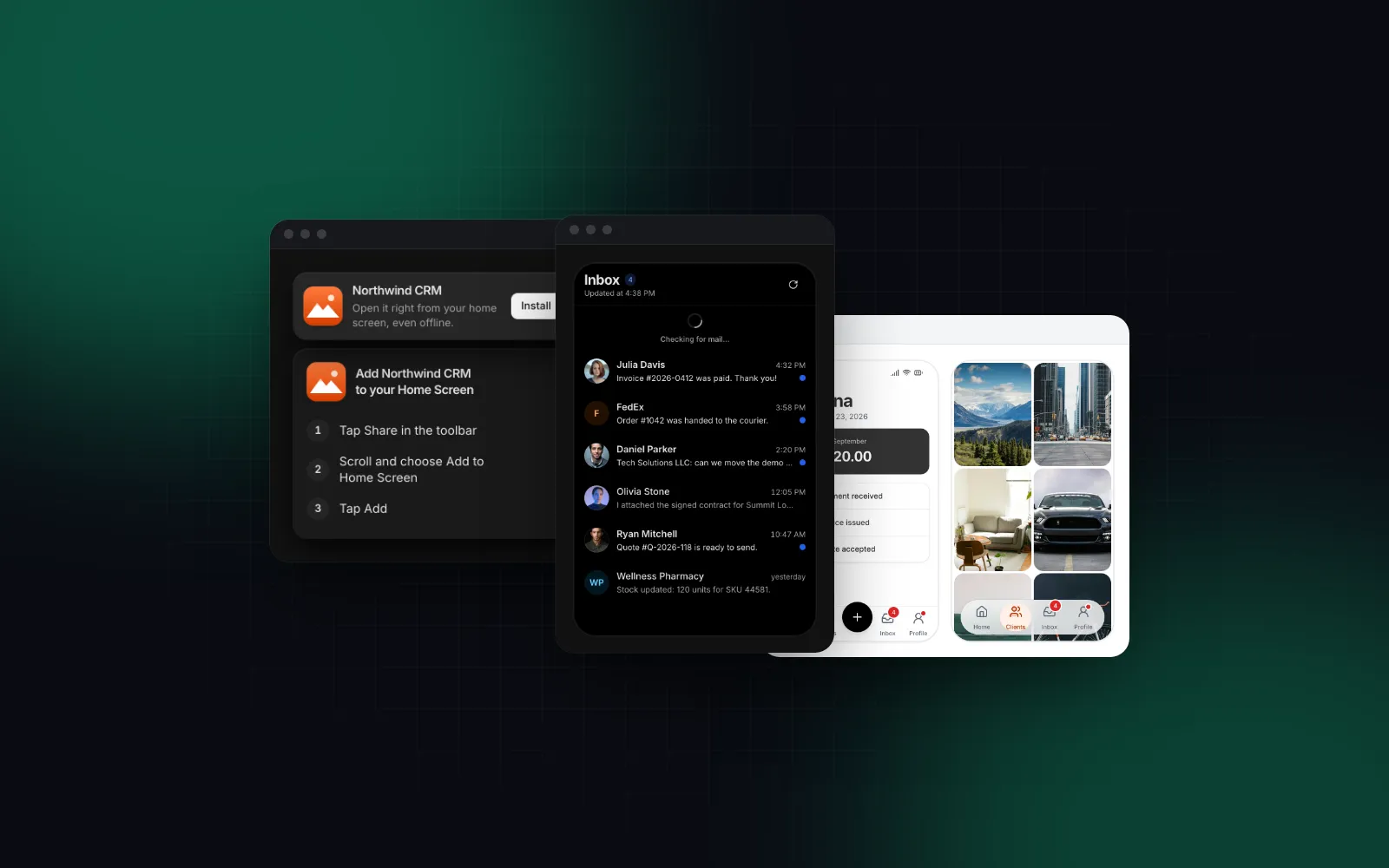
On Android and desktop, a few steps: Chrome, Edge and Samsung Internet fire beforeinstallprompt, and your button can open the browser's install dialog. On iPhone no browser fires that event, so the only path is Share, then Add to Home Screen, and your app has to show people where that is. Since iOS 26, WebKit says every website added to the Home Screen opens as a web app (opens in a new tab) by default, even without a manifest.
A store app is one tap for people already in the store. A PWA needs no install at all for people who arrive from a link, so traffic from search, email and shared links favors it.
Give the manifest a name, icons and a standalone display, then mount one prompt in the root layout:
The Install Prompt opens the browser dialog in Chromium and shows the three Add to Home Screen steps on iPhone. It waits delay milliseconds (3000 by default) after an install becomes possible, remembers Not now for dismissDays (14 by default), and renders nothing inside the installed app or an in-app browser such as Instagram's.
$ npx wingo-ui@latest add install-promptThe full walkthrough, including when not to ask, is in our React PWA install prompt tutorial.
Can a PWA feel native with gestures and tab bars?
Yes, if you build the gestures yourself. An installed PWA has no browser toolbar, so there is no back button and you cannot count on the browser's pull to refresh. Whatever app-like behavior you want, you write in JavaScript: a tab bar at the thumb, sheets that drag, a list you pull to reload.
React Native starts ahead here. Its navigation libraries give you native stacks with the platform's edge swipe back, and gestures run in the native gesture system. On the web you get close with careful touch handling: touch-action on draggable surfaces, springs that follow the finger, safe area insets, and 44px targets. Our guide to making a web app feel native covers those details one by one.
Two of the pieces people miss first are the tab bar and pull to refresh. Here they are together in one screen, with the list as the scroller and the bar in the flow below it. The pitfall is the scroll container. Pull To Refresh finds the nearest scrolling ancestor on its own, but the Bottom Tab Bar watches the window unless it sits in a ScrollContainerProvider, so when the list scrolls inside its own element, pass that element as scrollTarget. Without it, tapping the active tab scrolls a window that does not move:
The Pull To Refresh adds rubberband resistance, spins until the onRefresh promise settles (500ms at least, so it never flashes), and with variant="ios" draws the spokes as you pull. It also sets overscroll-behavior-y: contain on the scroller so Chrome on Android does not reload the page. Try it with a finger, or with a trackpad scrolling up at the top:
$ npx wingo-ui@latest add pull-to-refreshThe Bottom Tab Bar takes 3 to 5 tabs, clears the home indicator through the safe area, and moves its pill between tabs on a spring. Tapping the active tab scrolls its page back to the top, the way an iOS tab bar does:
$ npx wingo-ui@latest add bottom-tab-barThe honest limit: these are good web components, and they are still web components. If your app is gesture-heavy, such as a photo editor, a map with drawn routes, or a camera flow, React Native's gesture and rendering pipeline is the safer choice.
What are the PWA limitations on iOS in 2026?
Six PWA iOS limitations still decide projects in October 2026:
- No install dialog. No iPhone browser fires
beforeinstallprompt, so you guide people through the Share menu. - Push only after install. Web Push works in the Home Screen app from iOS 16.4, never in a Safari tab.
- No background sync. Background Sync is missing from Safari on iOS, so queued writes wait until the app is open.
- No Bluetooth or NFC. Web Bluetooth and Web NFC are not in Safari, so hardware pairing, NFC tags and BLE devices need native code.
- No vibration. Safari has no Vibration API, so haptics in a web app work on Android only; keep a visual response for every one, as our Vibration API guide explains.
- One engine. Chrome, Edge and Firefox on iPhone use WebKit too, so none of the above changes with the browser.
If one of these is the core of the product, that answers the question.
Can you publish a PWA to the App Store or Google Play?
Google Play and the Microsoft Store accept a packaged PWA; the App Store, in practice, does not. That matters when the store listing itself is the requirement, regardless of features: some buyers ask for it, and some audiences only look for apps in the store.
On Android a PWA can get there: a Trusted Web Activity (opens in a new tab) opens your PWA full screen inside an Android app, verified with Digital Asset Links, and the Bubblewrap CLI generates the project. On Windows, Microsoft documents publishing a PWA to the Microsoft Store (opens in a new tab) with PWABuilder, and front-end changes reach people without a new package.
The App Store is the hard one. Guideline 4.2 (opens in a new tab) asks for features, content and UI that go beyond a repackaged website, so a WebView around your PWA is a likely rejection. If an iPhone store listing is a must, budget for React Native, or for a native shell with real native features.
Where does Flutter fit next to React Native and a PWA?
Flutter sits on the native side of the table, with a different language. It compiles one Dart codebase to iOS and Android and draws its own widgets instead of using the platform's views. For a React team, the Flutter vs React Native vs PWA choice is mostly about language: Flutter means learning Dart and a new widget system, React Native keeps React and TypeScript, and a PWA keeps the code you already ship. It answers the table's rows the way React Native does; pick it when the team already knows Dart.
Should you build a PWA or a React Native app?
Build a PWA unless one of your must-have features sits in the React Native column of the table. By use case:
- SaaS dashboards, CRMs, internal tools, booking and admin apps: a PWA. Most of the work is screens, forms and tables, people sign in from a link, and push can wait until they install.
- Content, commerce and marketing-led products: a PWA first. Every page is indexable and shareable, and a link is the fastest path to a first session.
- Messaging, delivery, rideshare, anything where push is the product: React Native. You need notifications before anyone installs anything from Safari.
- Hardware, background location, offline field work: React Native. Bluetooth, NFC and background sync are not available to a web app on iPhone.
- You must be in the App Store: React Native (or Flutter).
- Not sure yet: ship the PWA, measure how many people install it and ask for notifications, then build React Native for the features the browser blocks. The API, the types and the business logic carry over; the UI does not.
What should you do next?
If the PWA covers your app, start with the install path: on iPhone, installing is what turns on push and the longer storage window. Install the prompt with npx wingo-ui@latest add install-prompt, then add the Bottom Tab Bar and Pull To Refresh for the screens people use on a phone. All three are Pro items; pricing lists the plans, and the Button, Drawer, Badge and Spinner they build on are free.
FAQ
Is a PWA better than React Native?
Neither is better in general. A PWA is one codebase that ships on every deploy and opens from a link, and React Native gets you store listings, background work and device APIs the iPhone browser does not expose. Decide by the features your app cannot launch without.
Can a PWA send push notifications on iPhone?
Yes, since iOS and iPadOS 16.4, but only once the web app is added to the Home Screen, and the permission request has to come from a tap. A Safari tab cannot receive Web Push on iPhone, so ask for install first and for notifications inside the installed app.
Can I put a PWA in the App Store?
Not as a plain wrapper. App Store guideline 4.2 asks for an app that goes beyond a repackaged website, so a WebView around your site is likely to be rejected. Google Play accepts a PWA packaged as a Trusted Web Activity, and the Microsoft Store accepts one packaged with PWABuilder.
Can I reuse my React code between a PWA and React Native?
Logic, types, API clients and state carry over; the UI mostly does not, because React Native renders View and Text instead of DOM elements and does not use Tailwind classes. Expo can also export a React Native app to the web through React Native for Web, which is the reverse route.
What are the main PWA iOS limitations in 2026?
No install dialog a page can open, Web Push only after Add to Home Screen, no Background Sync, no Web Bluetooth or Web NFC, and no Vibration API. Every browser on iPhone uses WebKit, so switching to Chrome or Edge on iOS does not change any of this.
- React Native
- PWA
- Comparisons
- Mobile UI
- iOS